Overview and Functions EC mAV 2
- 30 - © SIKA • Ba_ECmAV2 • 03/2015
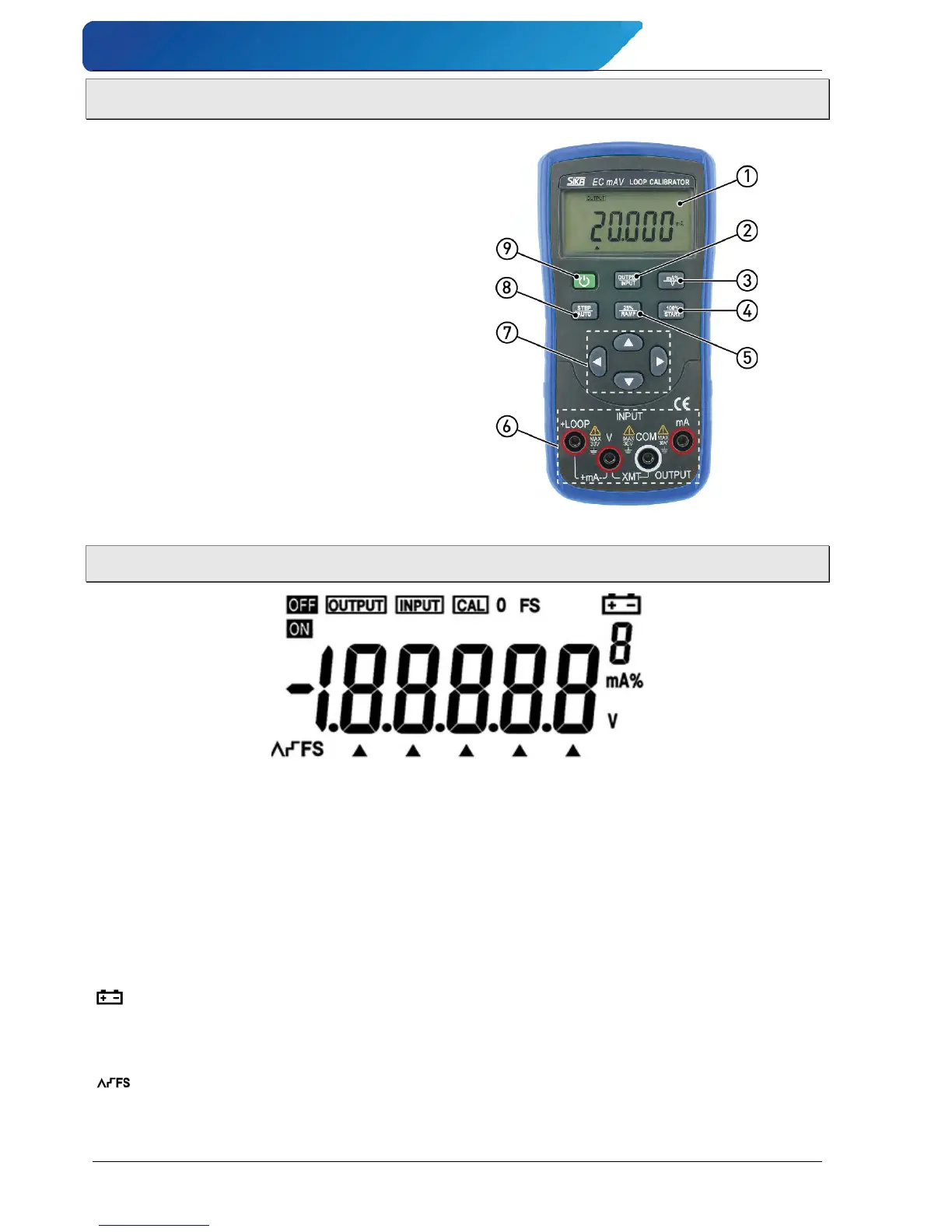
3 Overview and Functions
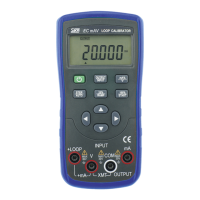
LC display.
Output / Input selection.
mA% / V selection.
0% & 100% setting
Auto ramp start.
25% single step
Auto ramp.
Input / Output terminals.
Input Decimal Point Positioning ◄►
Output Value Setting ▲▼
Cursor Positioning ◄►.
Single step
Auto switch.
ON / OFF switch.
3.1 Display description
ON, OFF Input / output signals are on or off.
OUTPUT Press the OUTPUT/INPUT button when the symbol OUTPUT appears.
Instrument is in an output state.
INPUT Press the OUTPUT/INPUT button when the symbol INPUT appears.
Instrument is in an input state.
CAL Instrument is in a calibration state.
0 FS Instrument is in a calibration state, denoting that the zero point or the full scale
point is now in calibration.
Battery power is low and needs to be replaced.
▲ Output digits need to be set.
V, mA, % Present output or input value (unit of measure).
High and low-speed auto-ramp, auto-step ramp.


 To Next Page