4
Contents
Contents ................................................................................................................. 4
1. Intended use ....................................................................................................... 6
2. Technical Data .................................................................................................... 6
Power supply .....................................................................................................................6
Memory .............................................................................................................................6
3. Safety Instructions ............................................................................................. 6
4. Items supplied .................................................................................................... 9
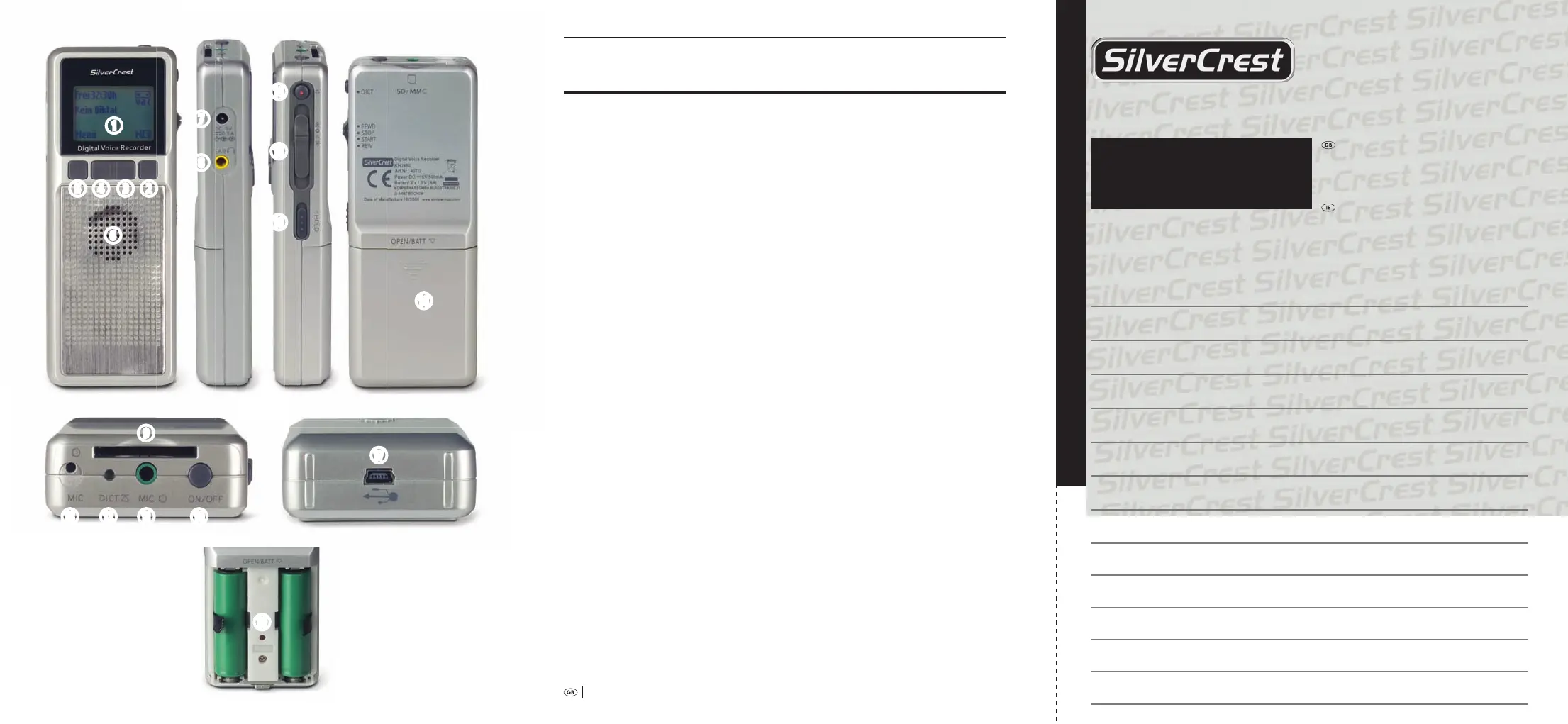
5. Operating elements, connections and displays ................................................. 9
5.1 Front.............................................................................................................................9
5.2 Le ...............................................................................................................................9
5.3 Top ............................................................................................................................ 10
5.4 Right .......................................................................................................................... 10
5.5 Bottom ...................................................................................................................... 10
5.6 Bottom ...................................................................................................................... 10
6. Preparing the voice recorder for use ............................................................... 10
7. Using the voice recorder ................................................................................... 14
7.1 Switching the voice recorder on ........................................................................... 14
7.2 Switching the voice recorder o .......................................................................... 16
7.3 Recording dictation ................................................................................................ 16
7.4 Playback of recorded dictation ............................................................................. 18
7.5 Options during playback ....................................................................................... 19
7.5.1 Stopping the playback ..................................................................................... 19
7.5.2 Adjusting the playback sound volume ......................................................... 19
7.5.3 Adjusting the playback speed ........................................................................ 20
7.5.4 Fast forward/rewind ........................................................................................ 20
7.6 Handling recorded dictations ............................................................................... 22
7.6.1 Overwriting passages in a recorded dictation ............................................. 22
7.6.2 Inserting a passage into a recorded dictation .............................................. 22
7.7 Deleting recorded dictations ................................................................................. 23
7.7.1 Completely deleting recorded dictations ..................................................... 24
7.7.2 Partially deleting recorded dictations ........................................................... 25
8. Further functions and adjustments of the voice recorder .............................. 27
8.1 Activating/deactivating the key lock .................................................................... 27
8.2 Selecting a folder for saving dictation recordings .............................................. 27
8.3 Provide dictation recordings with references ..................................................... 29
8.4 Using memory cards instead of the device internal storage system ................ 33
8.5 Switching voice activation on/o ......................................................................... 34
g
h
j
k
l
q
r e wt
y
u
i
o
asdf
;
Warranty
Digital Voice Recorder
KH 2450
Fill in this section and submit it with the device!
To ensure you receive a free repair pro-
cedure, please contact us via our Service-
Hotline. Ensure that you have your sales
slip handy.
DES Ltd
Tel.: 0870/787-6177
Fax: 0870/787-6168
e-mail: support.uk@kompernass.com
Irish Connection
Tel: 00353 (0) 87 99 62 077
Fax: 00353 18398056
e-mail: support.ie@kompernass.com
www.mysilvercrest.de
Description of the defect:
✄
Sender, please write clearly:
Last Name:
First Name:
Street Address:
Postal Code/City:
Country:
Telephone:
Date/Signature:
Bedienungsanleitung KH 2450 EN.indd 3-77 23.12.2008 23:12:06



 To Next Page