62
5
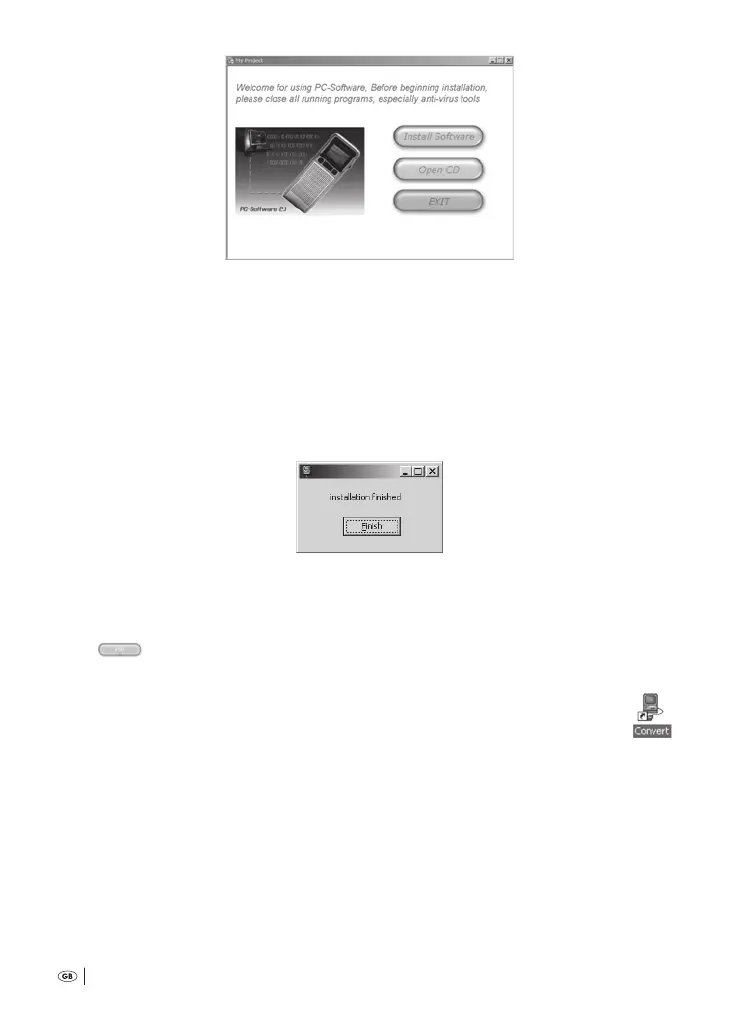
Click on the button »Install Soware«. On the PC monitor there now appears
the window for »Convert Setups«. is programme installs the soware on
your PC. Installation takes place in the folder »Programs«, whereby a sub-fold-
er, »Convert«, is inserted there.; in this, the data required for the installation,
operation and deinstallation of the soware »Convert« will be deposited.
e installation progresses completely automatically. On completion of the
installation there appears on the PC monitor the message
6
Click on the button »Finish«.
7
Finally, click in the window of the »Convert Setups« on the button »Exit«:
e window closes.
You can now use the soware »Convert«.
On the Desktop of your PC a linkage will now be made to the soware »Convert«:
Bedienungsanleitung KH 2450 EN.indd 62 23.12.2008 23:09:47



 To Next Page