12
EN
– Rotate the encoder to modify the
“data/value”
(eg.
from 36 to 50)
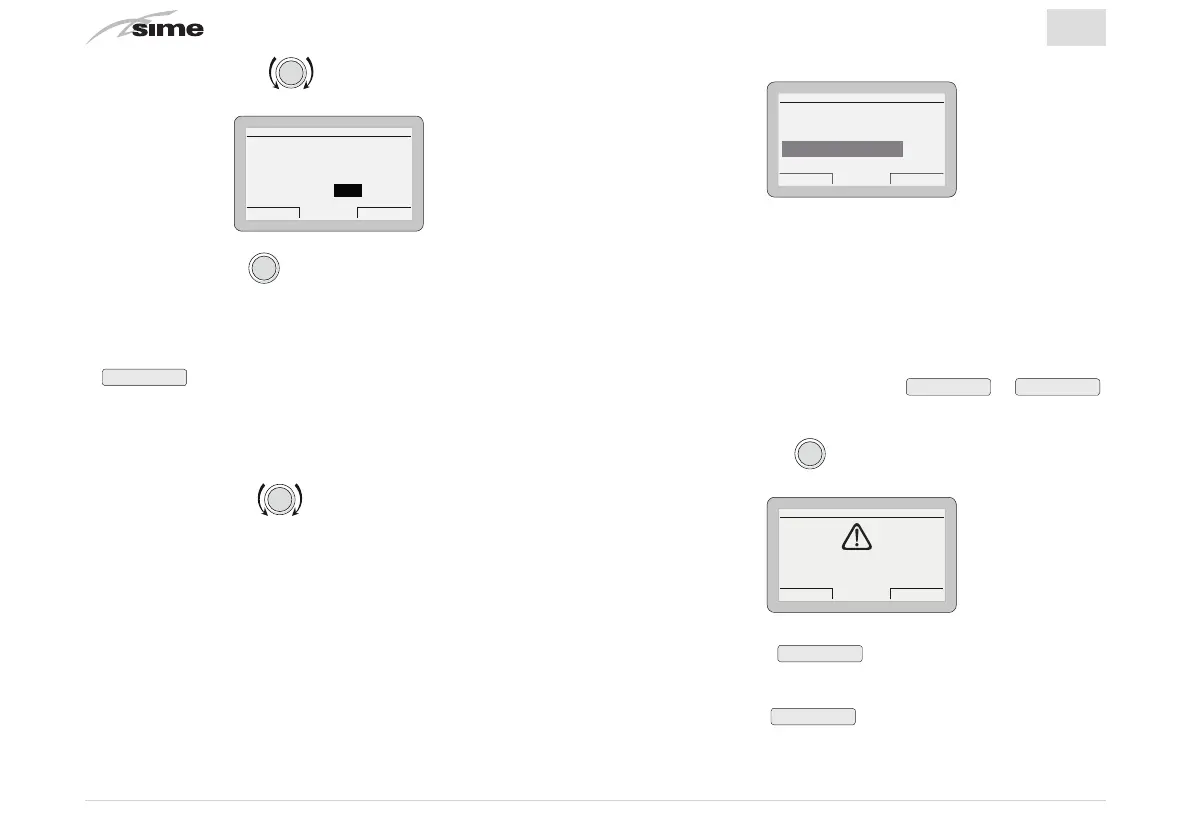
SETTING DATE AND HOUR
DAYMONTH
HOUR MINUTE
YEAR
Cancel Confirm
Date 01 Jan 2014
Hour 12 : 50
– Press the encoder
to confirm the modification and se-
lect the next
“data/value”
which will be highlighted (eg. 01)
– Continue in this way until all the necessary modifications
have been made
– After all modifications have been made, press the button
Confirm
to go back to the initial submenu (Date and time).
NB:
The user must work in a CIRCULAR manner ("rounda-
bout") therefore, ALWAYS MOVING FORWARDS, even if a mis-
take has been made.
– Rotate the encoder to select another
“Menu”
(eg. Dis-
play).
The “Display Menu” allows the user to adjust:
– display contrast
– duration of the display back-lighting
– encoder back-lighting
The operating procedure described so far.
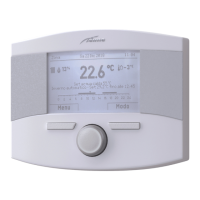
GENERAL SETTINGS
Es
ack
Language ENG
Date and time [...]
Visualization [...]
Factory settings [...]
m
WARNING
“Factory settings Submenu”
It is recommended that you
ONLY
go into this submenu
if you want to go back to
“Factory settings”
deleting all
settings made by the user.
Otherwise, press the button
Esc
or
Back
.
If you wish to proceed:
– Press the encoder
to go into a modifiable area. A
screen appears offering the following options:
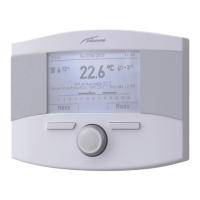
Cancel Confirm
CONFIRM REQUEST
Confirm operation?
– Press the button
Cancel
to go back to the
“Menu”
se-
lected previously (Factory settings)
– Press the button
Confirm
to restore the
“Factory settings”
and after a few seconds go back to the
“main menu”


 To Next Page