8
EN
3 DESCRIPTION
3.1 Characteristics
The
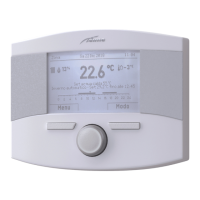
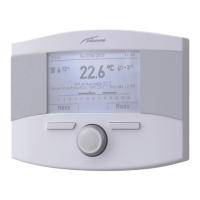
Sime HOME PLUS
Remote Control is a functional yet el-
egant complementary product for the system which has been
designed specifically to be used easily and intuitively as all
operations which can be carried out are indicated on a large
backlit dot-matrix display.
The connection to and communication with the boiler is by
means of the unpolarised bifilar bus and Open Therm stand-
ard protocol.
The main characteristics of the
Sime HOME PLUS
Remote Con-
trol are:
– Function mode selection (Summer/Winter/Off)
– Heating and DHW Temperature Adjustment
– Weekly programming for heatinga and hot water
– Temperature adjustment (when external sensor installed)
– Boiler parameter management
– Solar system management
– Anti-legionella management
– Anti-freeze temperature setting
– Option of programming 4 daily time bands for heating and
domestic hot water production
– Option of system management while on holiday
– Constant date and time display
– Constant room temperature display
– Display of system operation parameters
– Display of alarm history and management of those present
– Two terminals available for a possible contact required for
connecting a phone dialler allowing remote management.
The input dry contact (marked GSM), when closed, starts
heating and D.W.H. production. Within a few seconds upon
closing the contact, the
Sime HOME PLUS
remote control en-
ters the “Winter Manual” mode and adjusts the tempera-
ture to the manual set-point. The display will show “Remote
Control”.
NB.
–
If there is a power failure, all settings are stored with the
exception of the date and time which are only stored for ap-
proximately 24 hours.
–
Certain functions of the remote control may not be available
in conjunction with certain specific generator models.
3.2 Multifunction encoder
The backlit encoder can be operated in the following ways.
Rotation, allowing the user to:
– scroll through the menus, submenus and the rows on the
screen
– modify data or values in certain areas
Pressure, allowing the user to:
– confirm the selections made
– confirm the modifications made


 To Next Page