10
SD7PK digital drum kit User manual
The First Name in Electronic Drums.
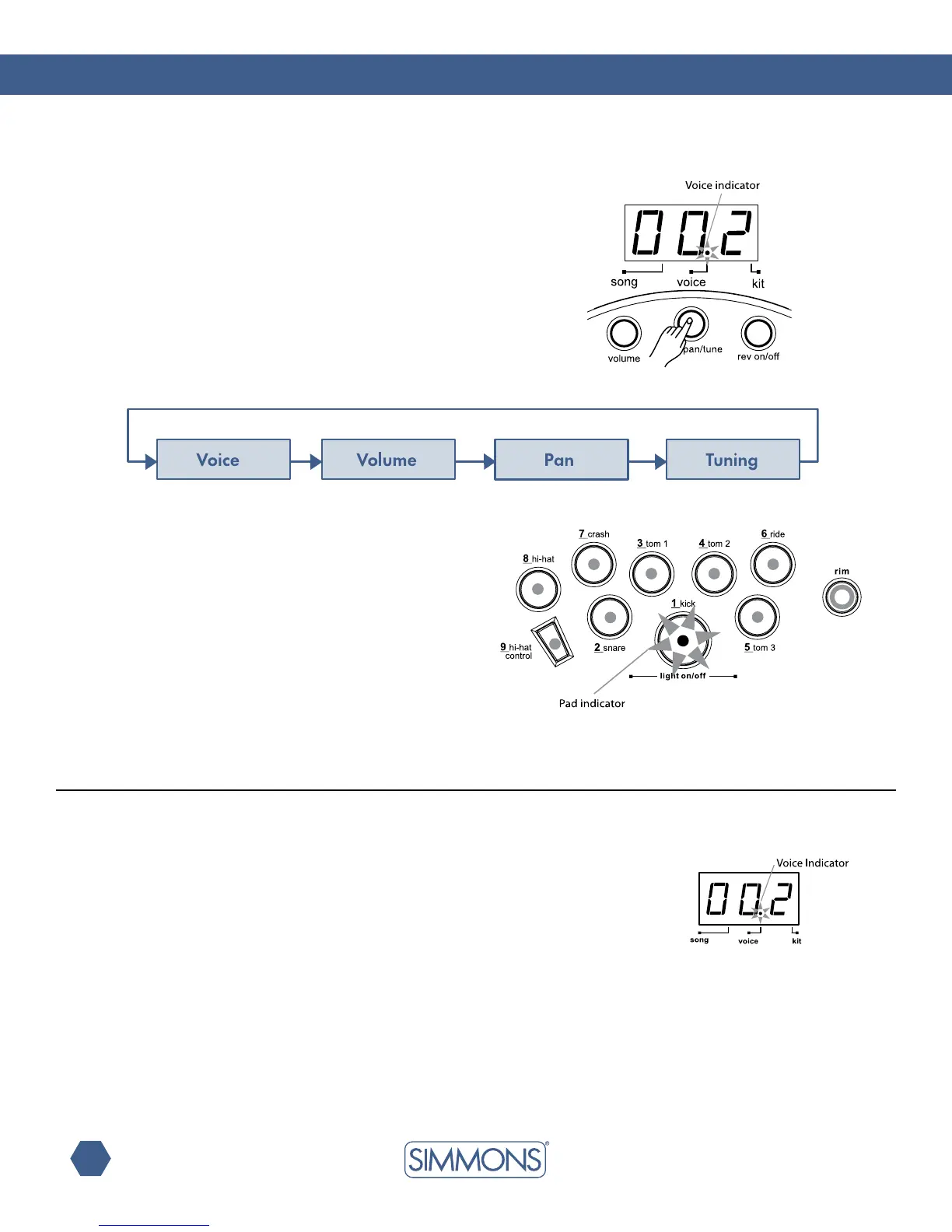
IftheSD7PKisnotyetinVoiceMode,pressthe[VOICE] button
toentertheVoiceMenu.TheVoiceindicatorlightsup.Nowthe
[VOICE]buttonwillpagethroughtheVoiceMenu.
IntheVoiceMode,youcanselectthevoiceforeachpadand
adjust the level, pan and tuning of the pad.
selecting the drum voice
In the Voice Number page, the 3-digit LED shows the current
voicenumberfortheselectedpad.Usethe[+] and [-] buttons
to select any voice (1 — 300, looped) for the current pad. The
SD7PK includes 300 voices sorted by category (Kick, Snare,
Tom, Cymbal, Hi-Hat, Percussions). Each category includes a
variety of acoustic, electric and effects voices.
(SeeVoiceListonpages18-19.)
Note: The voices for the snare head and rim are set
independently. When the snare pad is selected, press
the [RIM] button to select the snare rim (or strike the rim
of the snare pad).
ThevoicesfortheHi-Hat(Open,Half,Closed,Footand
Splash) are selected together as a single voice number
(voices # 237 — 252) which will contain all variations.
Voice Mode
The current pad to be edited can be selected either by pressing its
[PAD SELECT] button, or by striking the pad itself. The Pad Select
indicator lights up to show which pad is currently selected.
Note: While editing voice number, level, pan and tuning,
you can also preview the result of the current settings
by pressing the [PAD SELECT] button to play the edited voice.



 To Next Page