12
SD7PK digital drum kit User manual
The First Name in Electronic Drums.
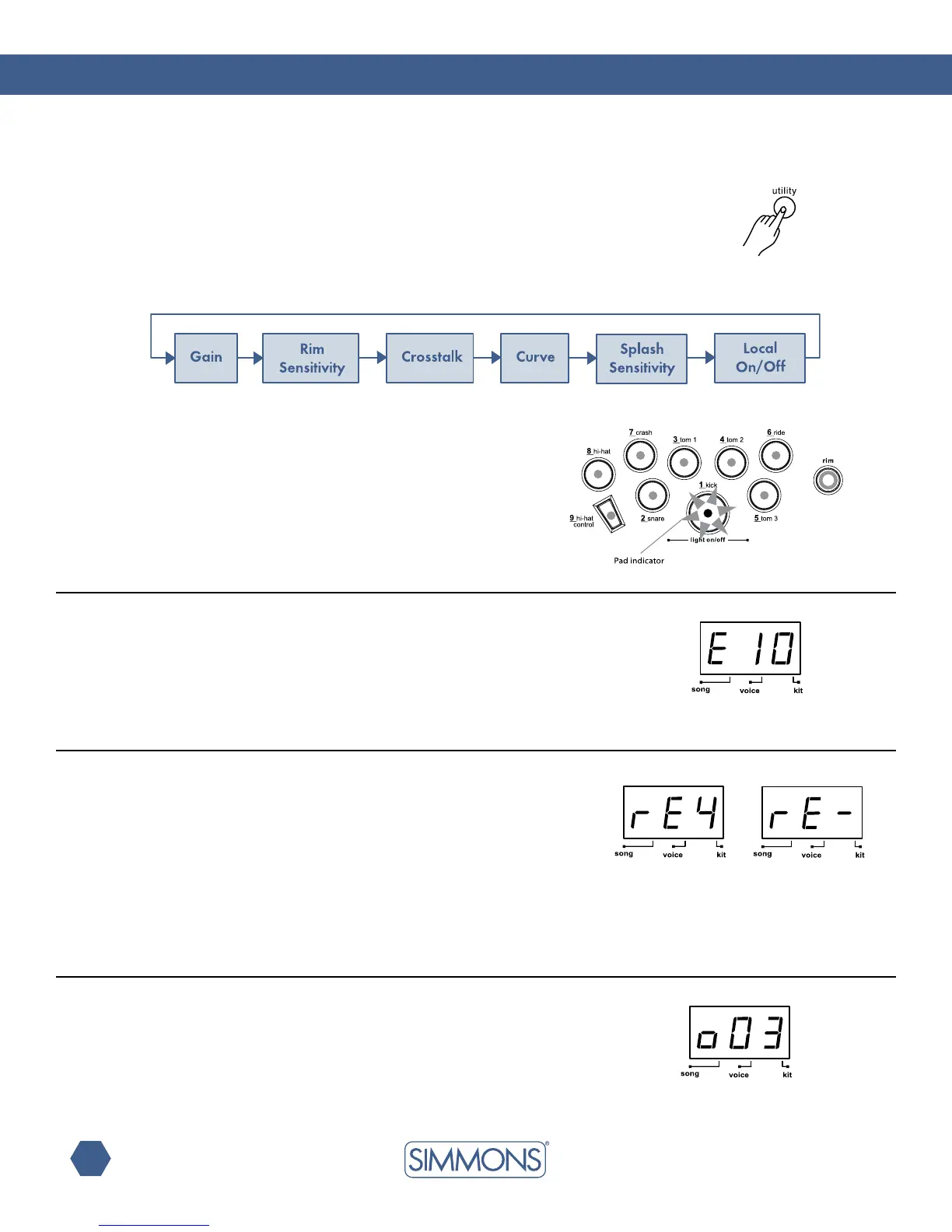
Press the [UTILITY] button to enter the Utility Mode. Now the
[UTILITY]buttonwillpagethroughtheUtilitymenu.
IntheUtilityMode,youcanadjustthetriggerparameters(gain,
crosstalk, curve) for each pad, as well as the rim sensitivity of the
snarepadandthesplashsensitivityoftheHi-Hatcontrolpedal.
Those parameters are common to all kits.
IntheTriggerGainpage,therstdigitofLEDwilldisplayletter
‘E’, which is followed by the gain value (1—16, not looped).
Greater gain will allow you to trigger a signal even if you strike a
pad lightly.
In the Rim Sensitivity page, rim sensitivity of the dual trigger snare
pad can be adjusted to balance the head-rim velocities. The
lowest digit will show the rim sensitivity level (1—8) of current pad
withletters‘rE’displayedonthersttwodigitsoftheLED.Abar
will be shown instead of the sensitivity level if rim triggering is
not supported by the currently selected pad (any other pad than
the snare).
In the Trigger Crosstalk page, the last 2 digits will show the
crosstalk value (1—16) of the current pad with a letter ‘o’ displayed
ontherstdigitoftheLED.Hittingonepadmaytriggerthesound
from another pad unintentionally. This effect can be eliminated
by setting this parameter to a higher value on the pad that
is mistriggering.
Pad sensitivity (gain)
rim sensitivity
crosstalk
Utility menu
The current pad to be adjusted can be selected either by pressing
its Pad Select button, or by striking the pad itself. The Pad Select
indicator lights up to show which pad is currently selected.



 To Next Page