14
SD7PK digital drum kit User manual
The First Name in Electronic Drums.
Song Mode
Selecting a song
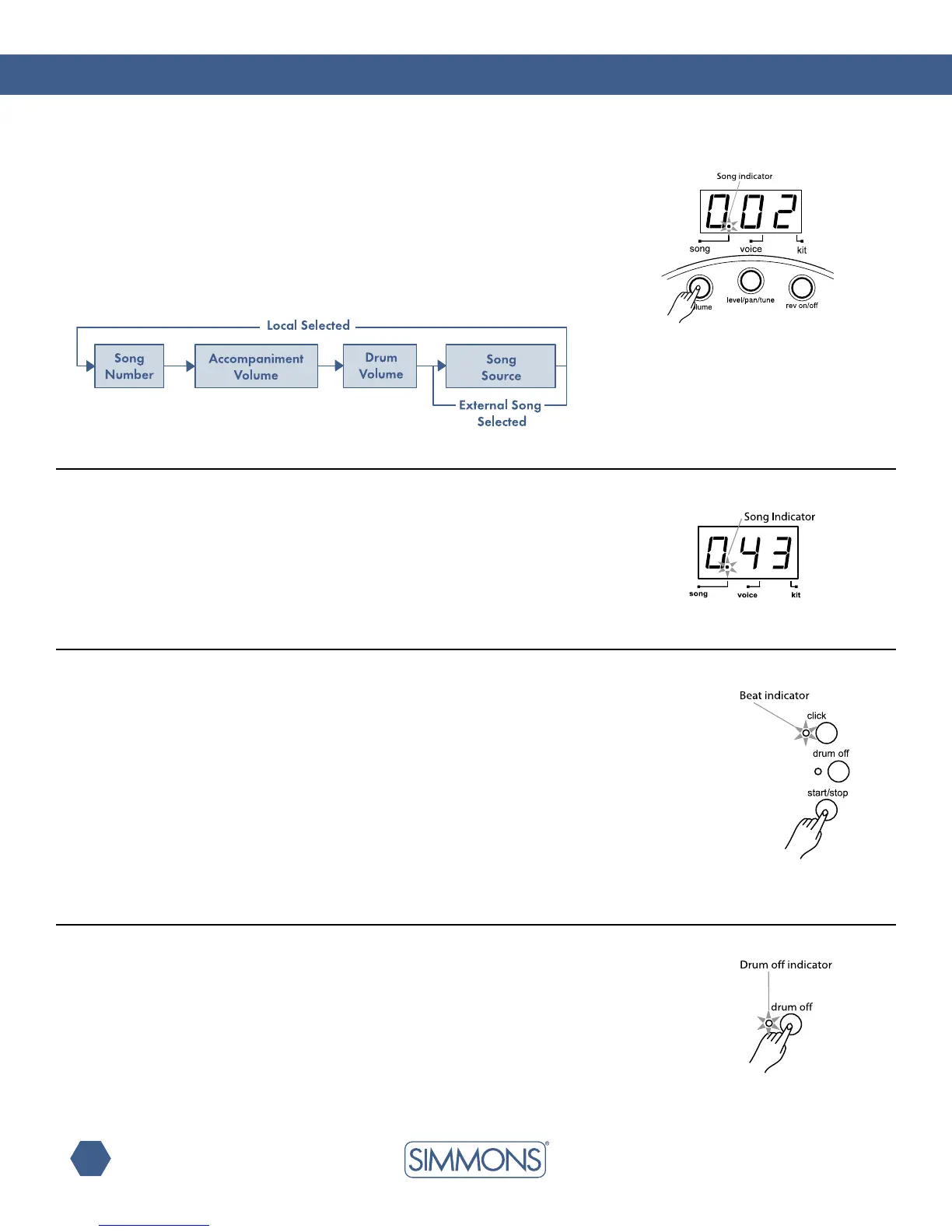
If the SD7PK is not yet in Song Mode, press the [SONG] button
to enter the Song Menu. Now the [SONG] button will page
through the Song Menu. The Song indicator lights up.
In the Song Mode, you can select the song number, and adjust the
volume of the song’s accompaniment and drum part. In addition,
you can select whether to use the internal songs or to control an
external sequencer.
In Song Number page, the 3-digit LED shows the current
Song number.
Usethe[+] and [-] buttons to select any Song (1 — 50, looped)
as the current Song. The SD7PK includes 50 factory preset Songs.
(see Song list on page 20).
Press the [START/STOP] button to start Song playback. The beat
indicator will ash at the song tempo. After count-in, the Song
will start playback from the beginning. The Song will stop when it
reaches the end. You can also stop the Song during playback by
pressing the [START/STOP] button again.
If the Song number is switched while playing, the new Song won’t
start until the end of the current bar.
During Song playback in Song menu, the Pad indicators will
show which pads the drum track is triggering. This function can
be disabled or enabled by pressing the [KICK] button while in
Song Mode.
Press [DRUM OFF] to enable or disable the drum mute function.
When [DRUM OFF]is enabled, the DRUMOFF indicator will
light up, and the drum track from the current Song will be muted.
In Song Mode, the Pad indicators will still show the pads played
by the drum track. This allows you to practice playing the drum
part with the rest of the accompaniment.
To help you play together with the Song, you can also enable
the Metronome function by pressing the [CLICK] button. (See
Metronome function for details.)
listening to a song
Muting the drum part



 To Next Page