4
SD7PK digital drum kit User manual
The First Name in Electronic Drums.
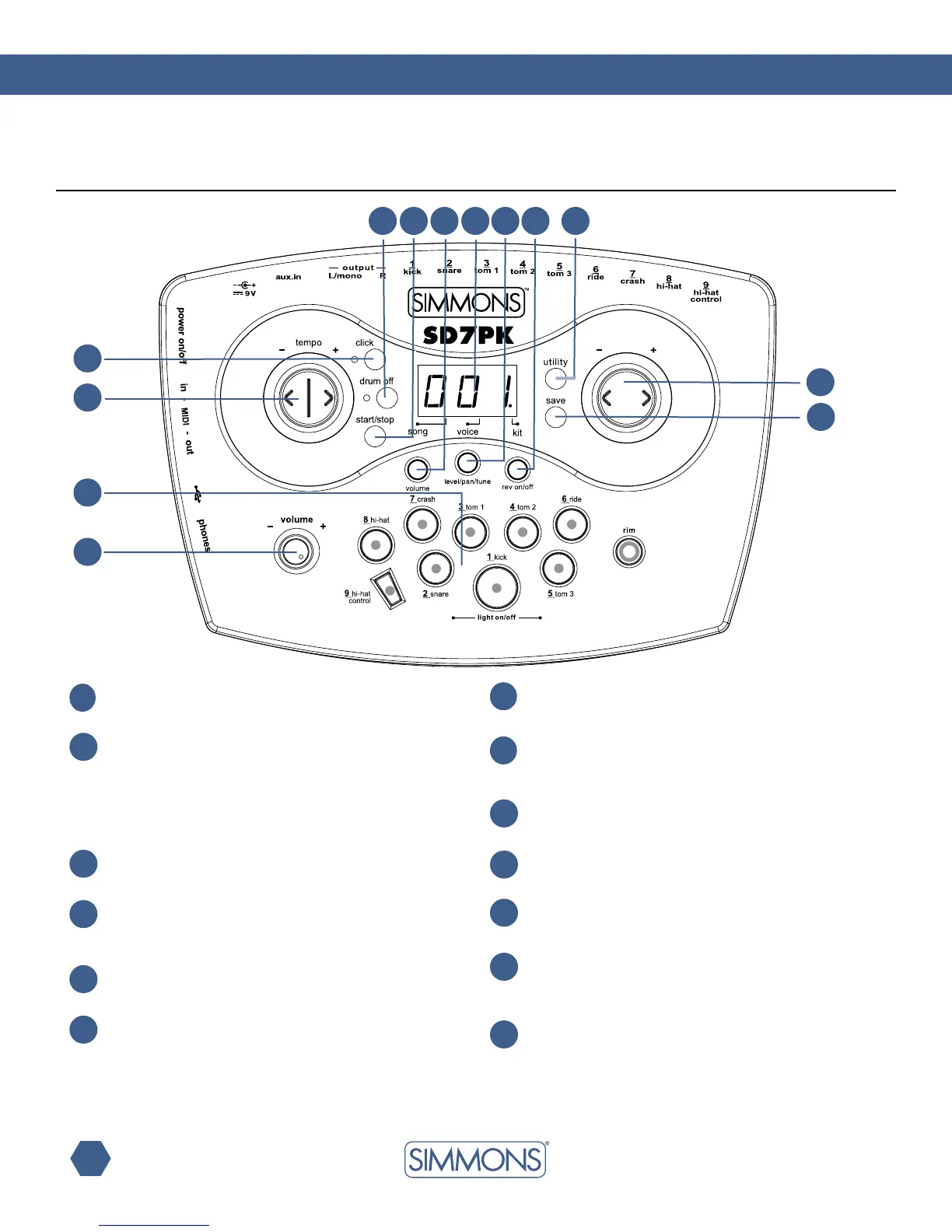
Panels
Master volume knob
Controls the volume of phone and line outputs.
1
12
[+] button, [-] button
Changes values (kit number, voice number, song number,
etc.) when editing.
3
[TEMPO+] button, [TEMPO-] button
Changes current tempo.
2
Pad select buttons and indicators
InKitMode,thebuttonscanplaythepadvoices.InVoice
Mode, they select the pad to be edited and the indicators
show the current selected pad.
In Song Mode, the indicators will display which pads are
being played by the drum track.
4
[CLICK] button and indicator
Turns the metronome on or off and selects the metronome
sound (click or voice).
5
[DRUM OFF] button and indicator
Mutes the drum part of the Song.
6
[START/STOP] button
Starts and stops the selected Song.
[SONG] button
Enters or switches Song menu pages.
7
9
[VOICE] button
EntersorswitchesVoicemenupages.
10
[KIT] button
Enters or switches Kit menu pages.
8
3-digit LED
ThisLEDisthemaindisplaydeviceoftheSD7PK,whichwill
show the parameters of the current menu.
11
[UTILITY] button
EntersorswitchesUtilitymenupages.
13
[SAVE] button
This button is used to save the current kit settings in a user kit
andsavesthetriggersettingsundertheUtilitymenupages.
Top Panel
1
2
3
4
5 6 7 9 10
8
11
12
13



 To Next Page