15
www.simmonsdrums.net
The First Name in Electronic Drums.
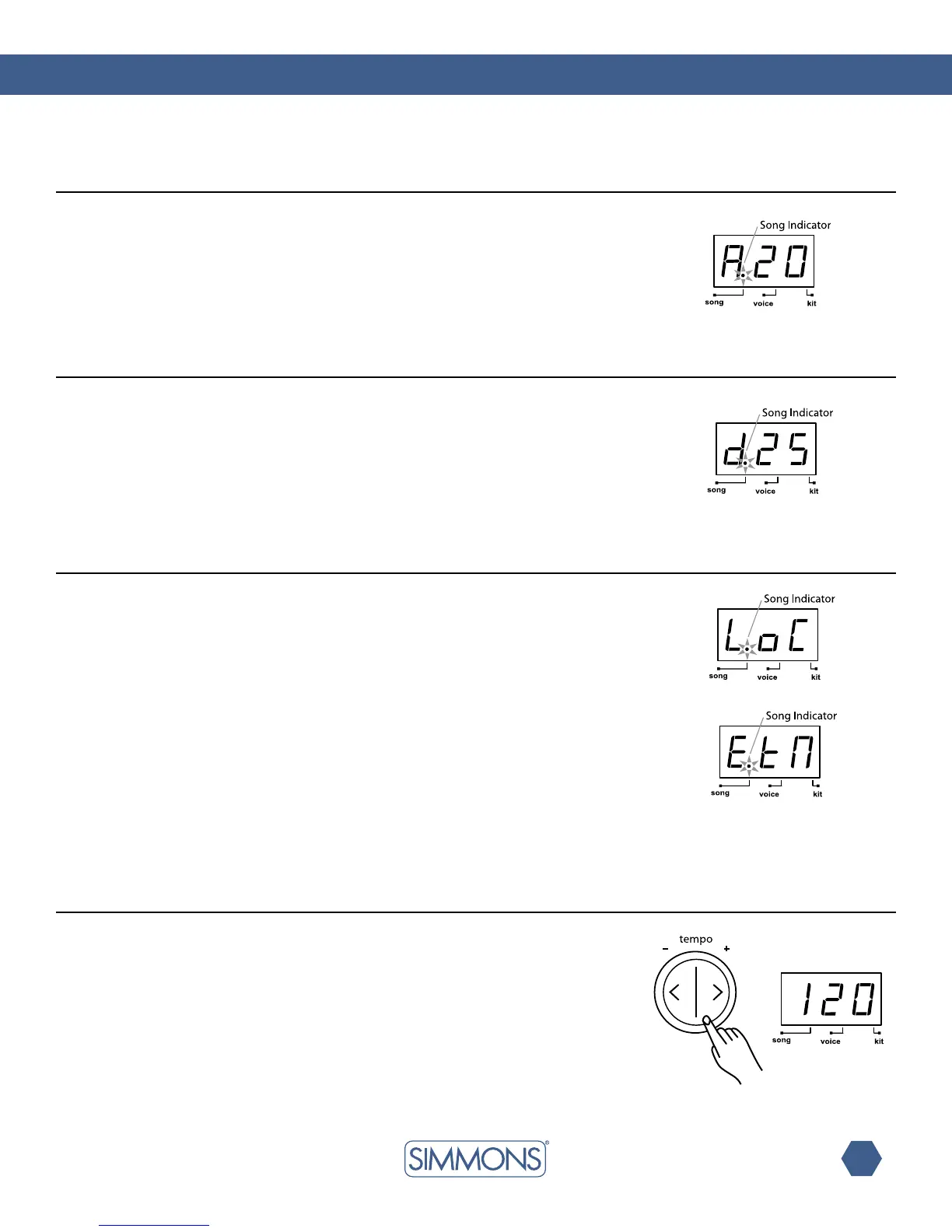
Insongsourceselectionpage,theLEDwillshowthecurrentselectedsongsource.
Therearetwochoices:“LoC”forlocalmachine(50internalsongs,defaultsetting)or“EtN”
forcontrollinganexternalsequencerconnectedtotheMIDIOutoftheSD7PKusingMIDI
Clock. See the MIDI section of the manual for details.
Usethe [+] and [-] to select the song source. The song will stop immediately when switching
the song’s source.
When External is selected, press [START/STOP] to start or stop the external sequencer with
correspondingMIDIreal-timemessages.Theinternalsongwillnotplayback.
Note: If external sequencer is selected as current song source, the menu pages of
song number, accompaniment volume and drum volume will be not selectable.
Press the [TEMPO+] or [TEMPO-] buttons to display the current tempo.
Use[TEMPO+] and [TEMPO-] buttons to adjust the tempo.
Press both [TEMPO+] and [TEMPO-] buttons at the same time to reset
the current tempo to its default value for the current song. (This function is not available when
external song is selected.)
If there’s no operation, SD7PK will return to the previous menu page automatically
after 2 seconds.
song source
song tempo
Accompaniment volume
drum volume
Press the [SONG]buttonuntiltheLEDdisplayshows“Axx”
(xx=accompanimentvolume,0—32).
Usethe[+] and [-] buttons to adjust the song’s accompaniment volume (all instruments except
the drum part). It will be restored to default value on the next power on.
Press the [SONG]buttonuntiltheLEDdisplayshows“dxx”
(xx=drumspartvolume,0—32).
Usethe[+] and [-] buttons to adjust the song’s drum volume. It will be restored to default
value at the next power on.



 To Next Page