7
www.simmonsdrums.net
The First Name in Electronic Drums.
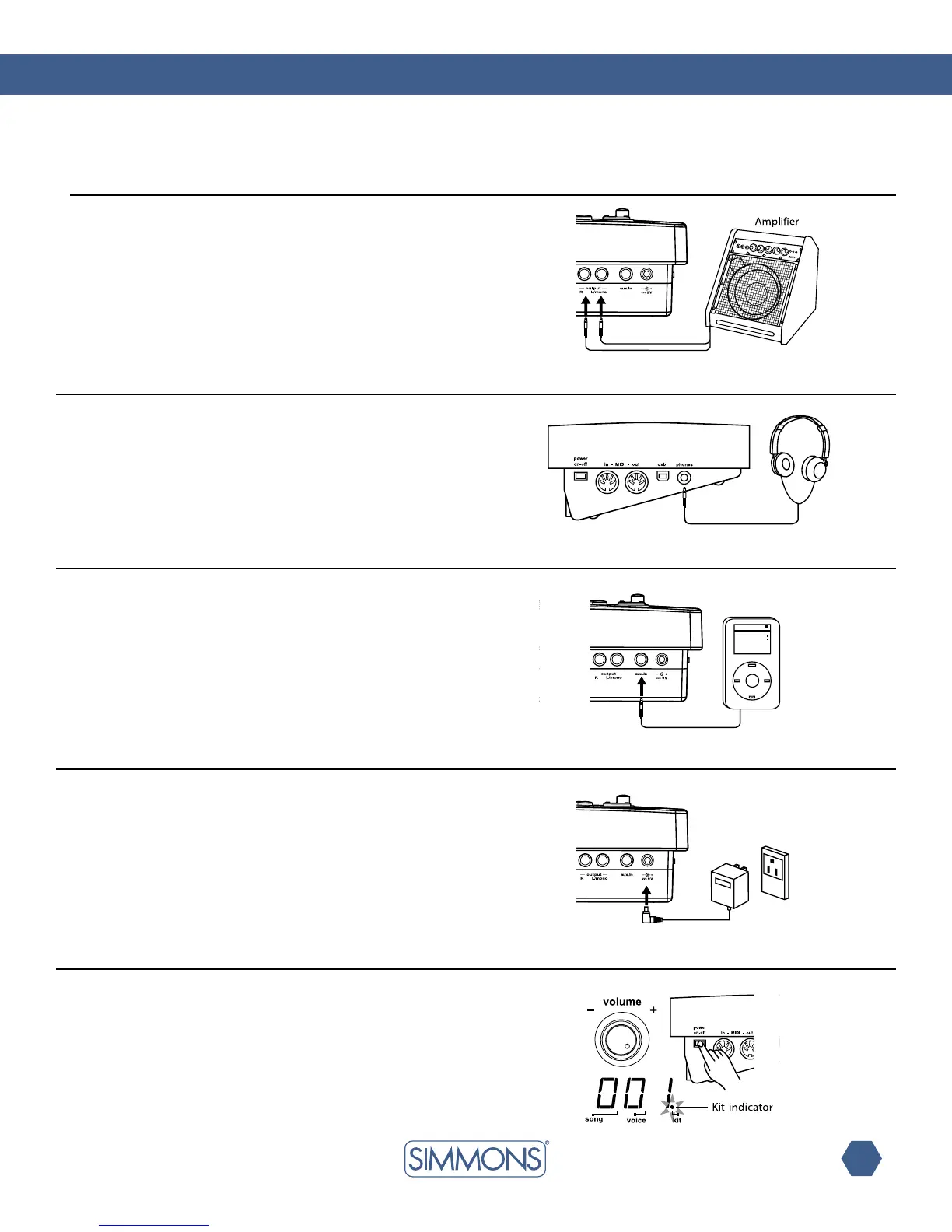
WhenusinganampliersuchastheSimmonsDA50orDA200S,
connecttheOutputL/MONO and R jacks on the rear panel to the
input of the amplifier. For mono playback, use the L/MONO jack;
for stereo playback, connect both L/MONO and R jacks.
headphones
Anoptionalsetofstereoheadphones can beconnectedtothe
PHONES jack located on the side of the drum module.
MP3/cd player
1.ConnecttheaudiooutputofanMP3/CDplayerorotheraudio
source to the stereo AUX IN TRS jack on the rear panel.
2. The input signal is mixed with the drum signal, allowing you to
play along.
power supply
Note: Make sure the power is switched OFF when connecting
the drum module with external devices.
Connect the power adapter to the DC IN jack on the rear panel.
Power Switch
Afterconrmingthatallconnectionshavebeencompleted,rotate
the volume knob to the left (to its minimum volume level) before
switching the power on.
Setthepowerswitchtothe“ON”position.Thekitindicatorwill
light up and the display will show kit number 001.
Audio Equipment



 To Next Page