SDHB2
www.simmonsdrums.net
•Allthedrumtriggersandpadsuseasingletriggersensorforthewholedrumorpad.
•Allthetriggersandpadsarevelocitysensitive.Somevoicescanchangesoundsdependingonthevelocitylevel(strikingforce).
metronome
TheSDHB2includesaMetronomefeaturewithtwotypesofsounds:Click(Bellsound
ontherstbeat,andClicksoundontheotherbeats)orVocalCounting(“one,two,
three,four”).
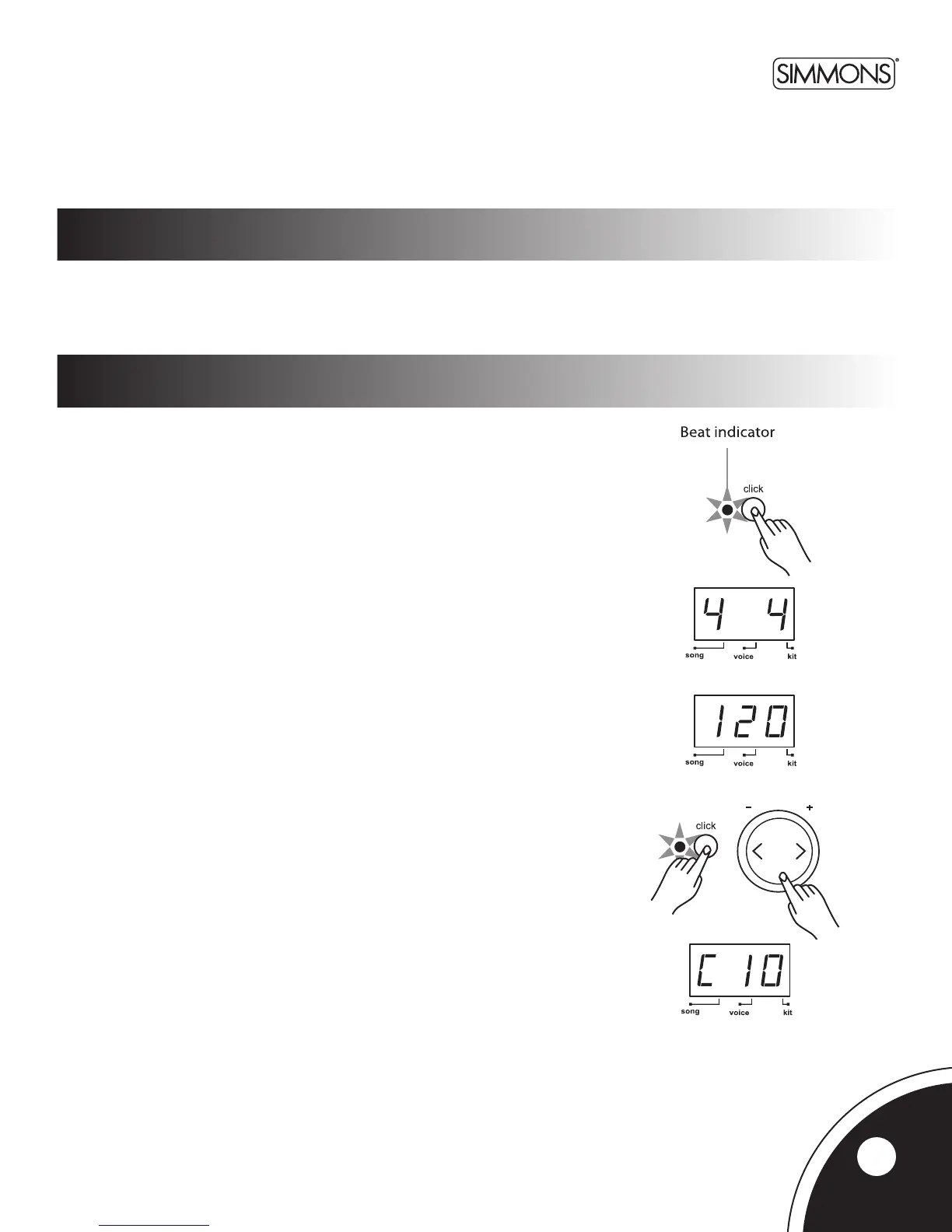
Press the [CLICK]buttontostartthemetronomewiththeClicksound.
Press the [CLICK]buttonasecondtimetochangethemetronometoVocalCounting.
Press the [CLICK] button again to stop the metronome.
Whilethemetronomeisplaying,theBeatindicatorashesatthecurrenttempo.
Whilethemetronomeisplaying,theLEDshowsthecurrenttimesignature.
The time signature of the metronome can be changed using the [+] and [-] buttons.
Thereareveavailableoptions:2/4,3/4,4/4,5/4,and6/8.
TheSDHB2returnstothepreviousdisplaywhenthemetronomeisstopped.
Press the [Tempo +] or [Tempo -]buttonstochangethetempo(30~280).TheLED
shows the current tempo and returns to the previous display after about 2 seconds if
there is no operation of the Tempo [+] and [-] buttons.
Thevolumeofthemetronomecanbeadjustedbyholdingdownthe[CLICK] button
and pressing the [+] or [-]buttons.TheLEDshows“Cxx”(xx=metronomevolume:
0~ 16), and returns to the previous display about 2 seconds after releasing the
[CLICK] button. The metronome volume resets to its default value when turning
otheSDHB2.
using the SDHB2 Triggers
and pads
Playing the Triggers and pads
9



 To Next Page