SDHB2 User’s Manual
Hybrid electronic add-on pack
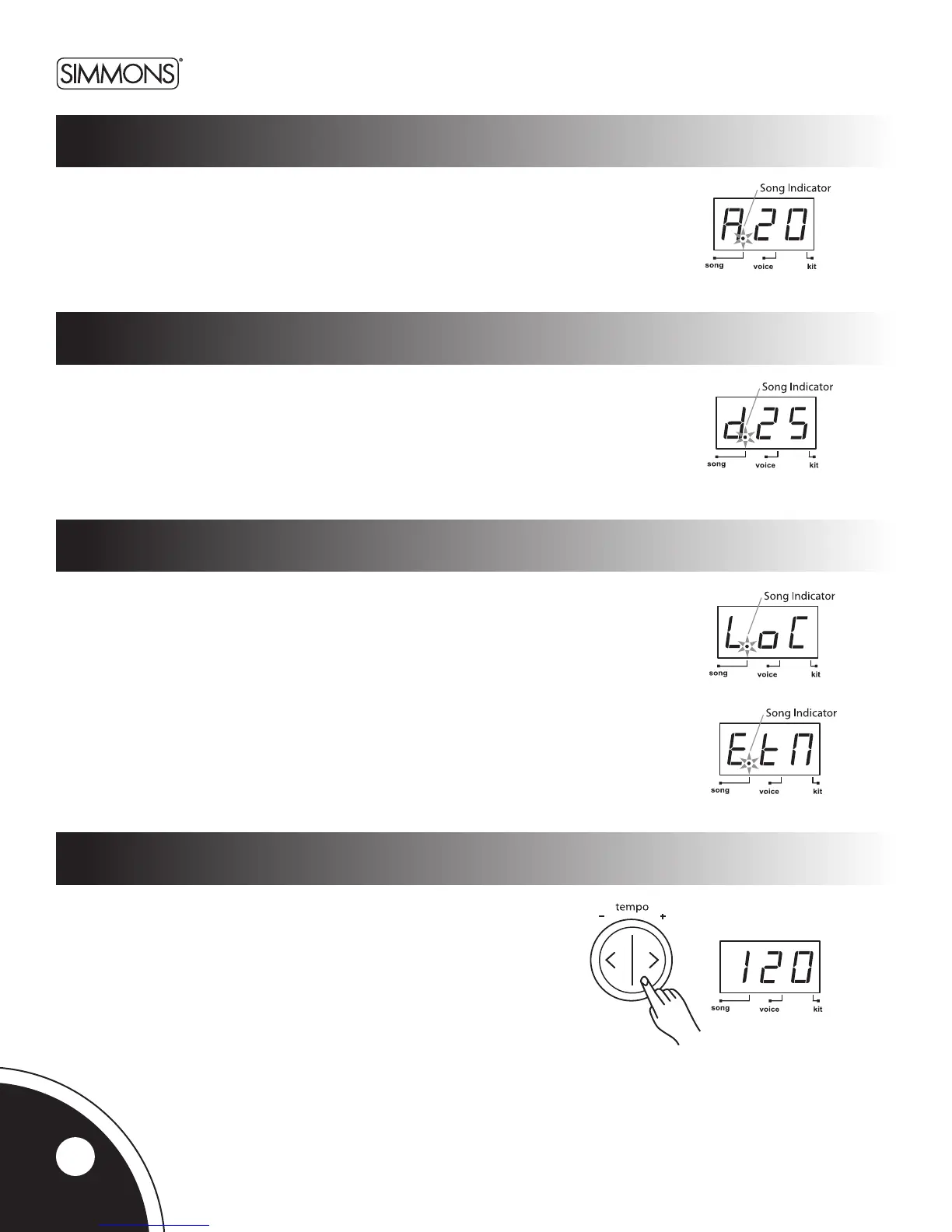
Inthesongsourceselectionpage,theLEDwillshowthecurrentselectedsongsource.
Therearetwochoices:“LoC,”forlocalmachine(50internalsongs,defaultsetting)or“EtN,”
forcontrollinganexternalsequencerconnectedtotheMIDIOutoftheSDHB2usingMIDIClock.
SeetheMIDIsectionofthemanualfordetails.
Usethe [+] and [-] to select the song source. Song playing will stop immediately when switching
song source.
Whenexternalsequencingisselected,press[START/STOP] to start or stop the external
sequencerwithcorrespondingMIDIreal-timemessages.Theinternalsongwillnotplayback.
NOTE:Iftheexternalsequencerisselectedasthecurrentsongsource,themenupagesof
song number, accompaniment volume, and drum volume will be not selectable.
Press the [TEMPO+] or [TEMPO-] buttons to display the current tempo.
Use[TEMPO+] and [TEMPO-]buttonstoadjustthetempo.
Press both [TEMPO+] and [TEMPO-] buttons at the same time to reset
the current tempo to its default value. (This function is not available when
external song is selected.)
Ifthere’snooperation,SDHB2willreturntothepreviousmenupage
automatically after 2 seconds.
song source
song tempo
Accompaniment volume
drum volume
Press the [SONG]buttonuntiltheLEDdisplayshows“Axx”(xx=accompaniment
volume,0~ 32).
Usethe[+] and [-]buttonstoadjustthesong’saccompanimentvolume(i.e.all
instruments except the drum part). The volume will be restored to default value on
the next power on.
Press the [SONG]buttonuntiltheLEDdisplayshows“dxx”
(xx=drumspartvolume,0~ 32).
Usethe[+] and [-]buttonstoadjustthesong’sdrumvolume.
The volume will be restored to default value on the next power on.
16



 To Next Page