SDHB2 User’s Manual
Hybrid electronic add-on pack
Anoteonterminology—Here,“Trigger”and“Pads”areusedinterchangeably.
Attaching Piezo triggers to your drums
EachPiezotriggercomeswithanadhesivebackingthatstickstoyourdrumhead.TheSDHB2Brainisdesignedtotriggerboththesnare
drum and the bass drum. Place one trigger on each drum.
Toattachyourtriggers,simplyremovetheprotectivebackingoftheadhesiveandattachthetriggertoyourdrum.Werecommendplac-
ingthetriggerapproximately1”fromtherimofyoursnaredrumand1”–2”fromtherimofyourbassdrum.
Note:Inordertooptimizetheresponseandavoiddoubletriggering,it’srecommendthatyouuseinternalmuinginyourbassdrum
(i.e.apillow,blanket,orcommercialmuingsystem).
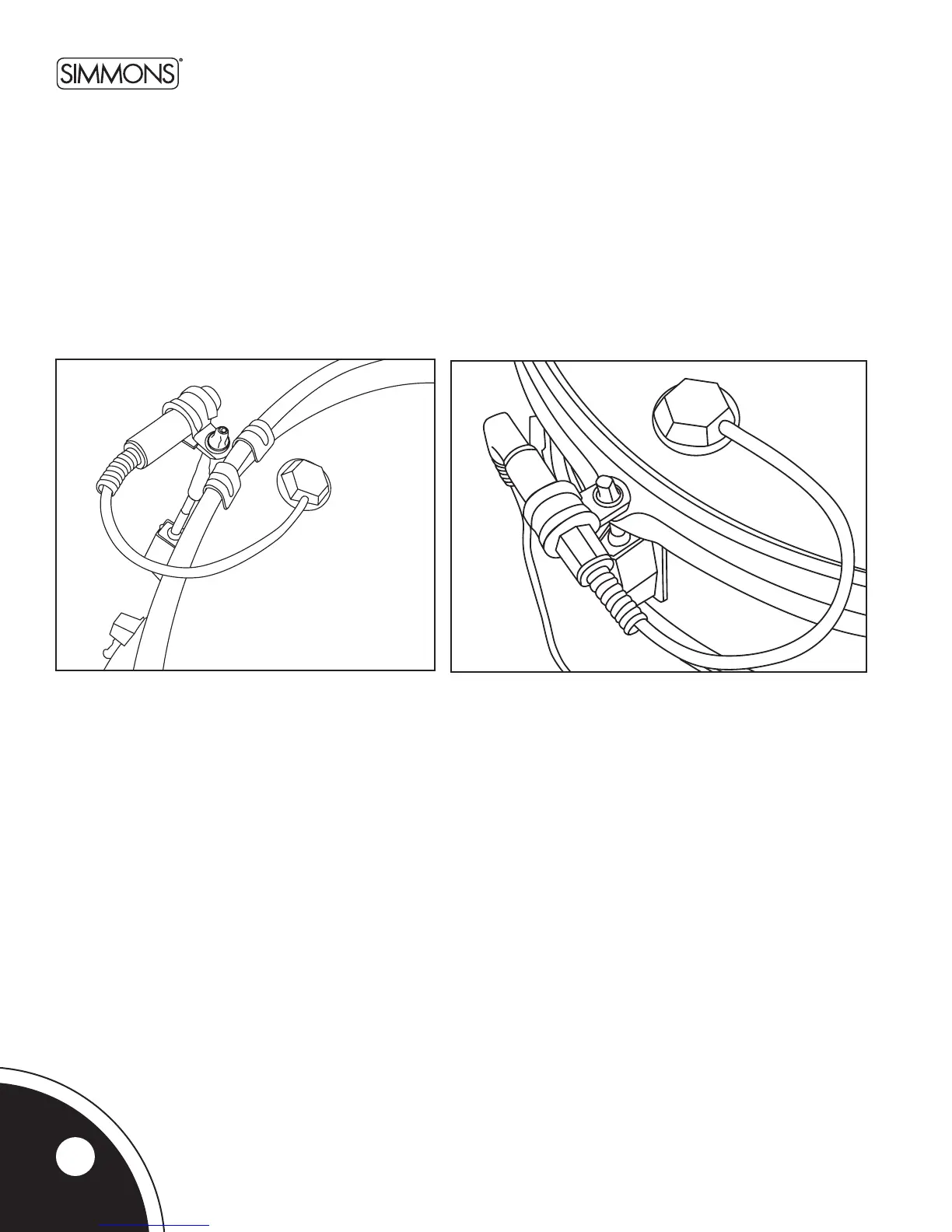
Onceset,theSDADTmountingclipensuresthattheaudiojackstaysinplace.Afterplacingyourtriggersonthedrumhead,simply
remove the closest tension rod and insert it into the mount clip before re-tightening the rod. This trigger mount fastens to any tension rod.
Bass Drum Trigger Snare Drum Trigger
4



 To Next Page