3.1.3. Icons
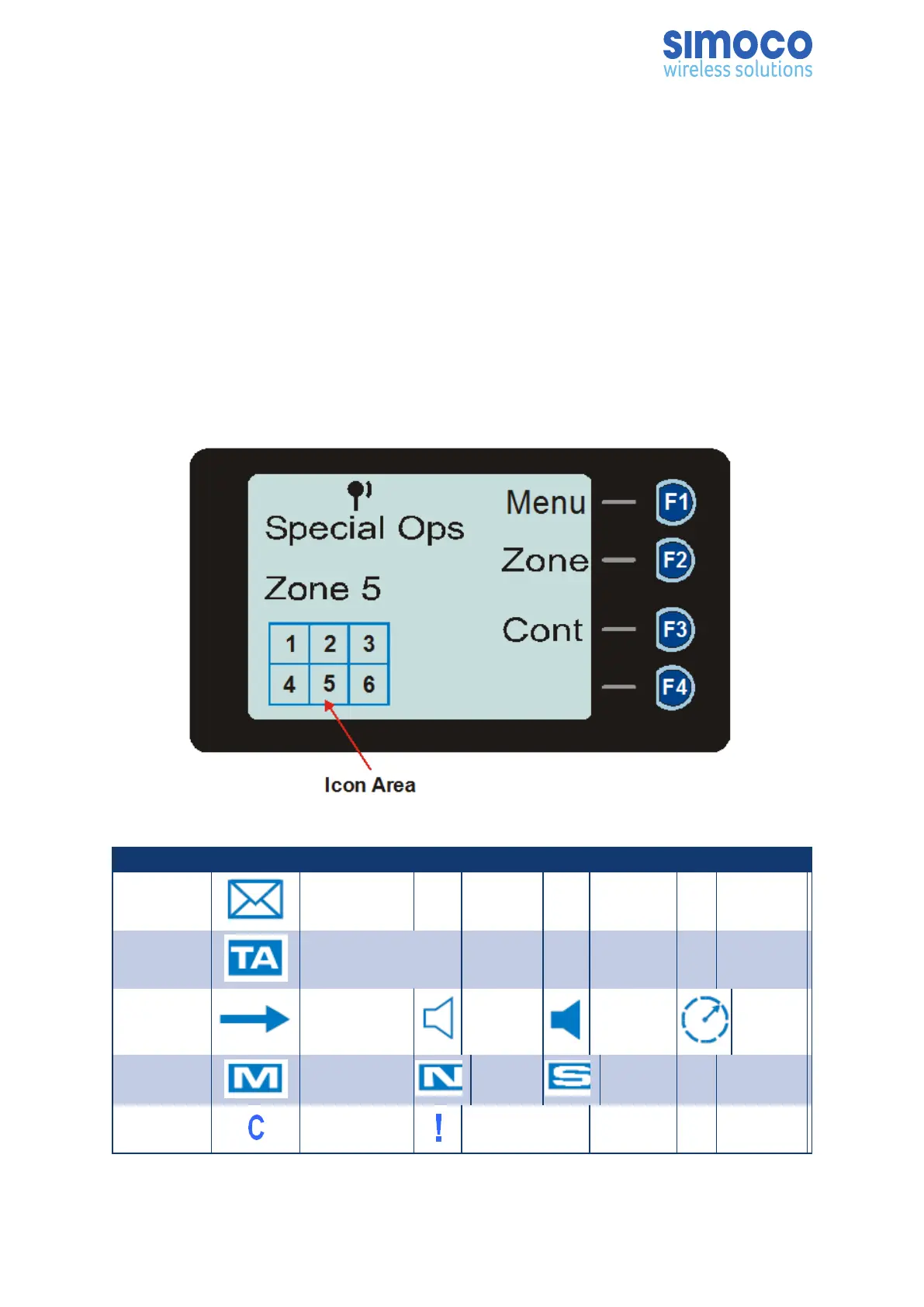
The lower part of the display is reserved for Standard and Special Icons.
There are only six positions for icons to be displayed (see Figure 3 ), however, the
number of icons that can be displayed exceed this. Therefore, some icons will share the
same location (see Table 6).
The RSSI Bars is a special Icon and it is displayed at the top of the default screen when
a signal is being received. They indicate the signal strength of the current channel. The
stronger the Rx signal, the more bars will be displayed.
The Tx Level is also a special icon, which is displayed at the top of the default screen. It
indicates power level setting of the radio Tx.
Figure 3: Icon Locations.
Position Icons
1 Message
2 Talk Around
3 Tx
Other
Signal
Signal Scanning
4 Monitor Normal Selective
Connecting Connect Fail
Doc Number: TNM--U-E-0108 ISSUE 1.5 Page 27


 To Next Page