I. Common Issues .......................................................................... 2
A. Direct Air Motor.................................................................................. 2
A.1. Direct Air Motor will not run. ................................................... 2
A.2. Direct Air Motor is making a squealing sound. ..................... 2
B. Full Bag Indicator (FBI) ..................................................................... 3
B.1. Full bag light will not come “ON”. .......................................... 3
B.2. Bag is full but the FBI did not come “ON”. ............................ 3
B.3. Bag is not full and the FBI light is on. .................................... 3
C. General Issues: ................................................................................. 4
C.1 Why does the dust cover gap open when the lower
motor is turned “ON”? ............................................................... 4
C.2. The vacuum does NOT run but the lights in the handle
switches are on. .......................................................................... 4
C.3. Identifying Models by PCB Layout or Belt Idler Assembly ... 5
II. Maintenance Procedures .......................................................... 6
A. Disassembly Instructions................................................................... 6
B. Removing the Brush Strips................................................................ 8
C. Replacing the Belt ............................................................................. 9
D. Replacing the LED Light Board ....................................................... 10
E. Replacing the Spring Assist Assembly ............................................ 10
F. Replacing the Main PC Board...........................................................11
G. Replacing the Clean Air Motor ........................................................ 12
H. Installing the Motor Cover ............................................................... 13
I. Removing and Replacing the Direct Air Motor .................................. 14
J. Replacing the Direct Air Motor Fan .................................................. 16
K. Replacing the Rear Wheels............................................................. 18
L. Replacing the Tilt Lock Pedal Spring ............................................... 18
III. General Troubleshooting ....................................................... 19
A. Vacuum has no power. .................................................................... 19
B. Direct Air Motor Will Not Run........................................................... 21
B.1. Direct Air Motor Will Not Run: No Headlights ............................ 21
B.2. Direct Air Motor Will Not Run: Headlights are on ...................... 22
C. Nozzle Suction Power is Weak ....................................................... 24
C.1. There is no suction at the hose ................................................. 24
C.2. There is no suction at the nozzle .............................................. 24
D. Excessive Vibration ......................................................................... 25
E. Agitator/brushroll Does Not Rotate .................................................. 25
F. Agitator/brushroll Jam Test .............................................................. 26
IV. Trouble Shooting - .4 and Older Models Only ...................... 27
A. Full Bag Indicator (FBI) Comes On Too Soon or Not At All ............. 27
B. Agitator/brushroll Jam Light Comes On Too Soon or Not At All ....... 28
V. Trouble Shooting - .5 and .6 Models Only ............................. 29
A. Direct Air Motor Starts But Shuts Off in 2 or 3 Seconds .................. 29
B. The Full Bag Indicator will ash On when the vacuum is shut Off. . 29
VI. Figures
A. Correct Handle Installation ................................................................ 4
B. PCB Layout and Belt Idler Assembly................................................. 5
C. Location of Nozzle Cover Screws ..................................................... 6
D. Agitator/Brushroll Assembly .............................................................. 8
E. Belt Placement .................................................................................. 9
F. Clean Air Motor Wiring ..................................................................... 12
G. Ametek Clean Air Motor Wiring ....................................................... 12
H. Clean Air Motor Placement ............................................................. 12
I. Handle to Body Harness Connector ................................................. 19
J. Location of Winged Rocker Switch .................................................. 22
K. Location of Micro Switch ................................................................. 22
L. Proper Position for Tools Activation Dial/Rotational Valve Handle ... 23
M. Agitator/brushroll Jam Screw - FBI Screw Position ........................ 27
N. Handle Assembly ............................................................................ 30
O. Body Assembly ............................................................................... 31
P. Nozzle Assembly ............................................................................. 32
Q. Handle Wiring ................................................................................. 33
R. Main Body Wire Harness .5 and .6 Models ..................................... 34
S. Main Body Wire Harness .4 and Older Models ............................... 35
T. Description of Vacuum ..................................................................... 36
Table of Contents


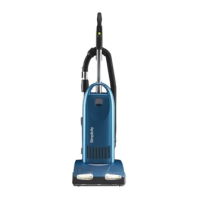


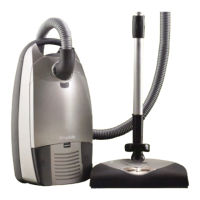

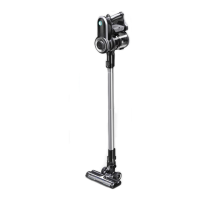

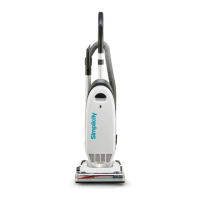

 To Next Page