SimpliFire • SF-OD43, SF-OD55 • 2047-980 Rev. C • 5/23
16
WARNING! Risk of Fire, Electrical Shock, and Injury!
Do not operate the appliance if it is damaged or has mal-
functioned. If you suspect the appliance is damaged, call
a qualied service technician to inspect and replace any
part of the electrical system if necessary.
The appliance can be operated by both remote control
and manual buttons located on appliance. Once the
power is supplied to the appicance, the power button
can be pressed a beep should be heard when the appli-
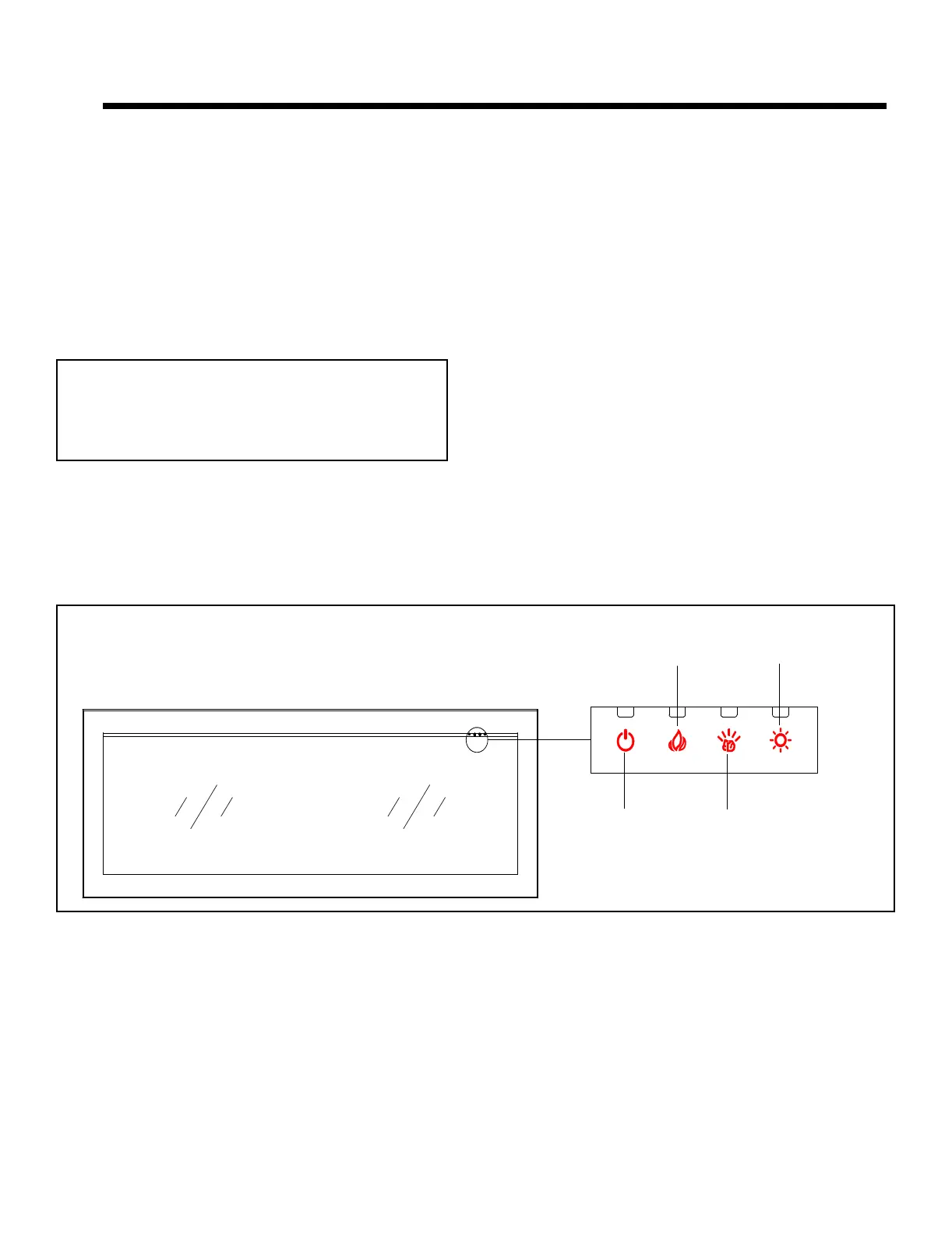
ance turns on. See Figure 5.1.
A. Operation with On-Device Controls
Power Button
The Power button turns the power of the appliance ‘ON
or OFF’.
Flame Button
By pressing the Flame button, the appliance will cycle
through four ame effects.
Fuel Bed Button
The Ember Bed LED light button will turn on the LED
lights and cycle through 14 color themes (13 colors and
a color rotating option).
Flame Brightness Button
The Flame Brightness button will cycle through four
brightness settings. This adjusts Accent/Flame/Fuel Bed
brightness levels simultaneously.
Figure 5.1 Manual Operating
5 5
OPERATING INSTRUCTIONS
POWER
BUTTON
FLAME BRIGHTNESS
BUTTON
FLAME
BUTTON
FUEL BED
BUTTON
Operating Temperatures: +14 °F to +104 °F (-10 °C
to +40 °C)
Non-Operating / Storage Temperatures: -20 °F to
+140 °F (-29 °C to +60 °C)



 To Next Page