Operating Manual TRACSCAN 2.0
V2.0, 2022-05 14 / 36
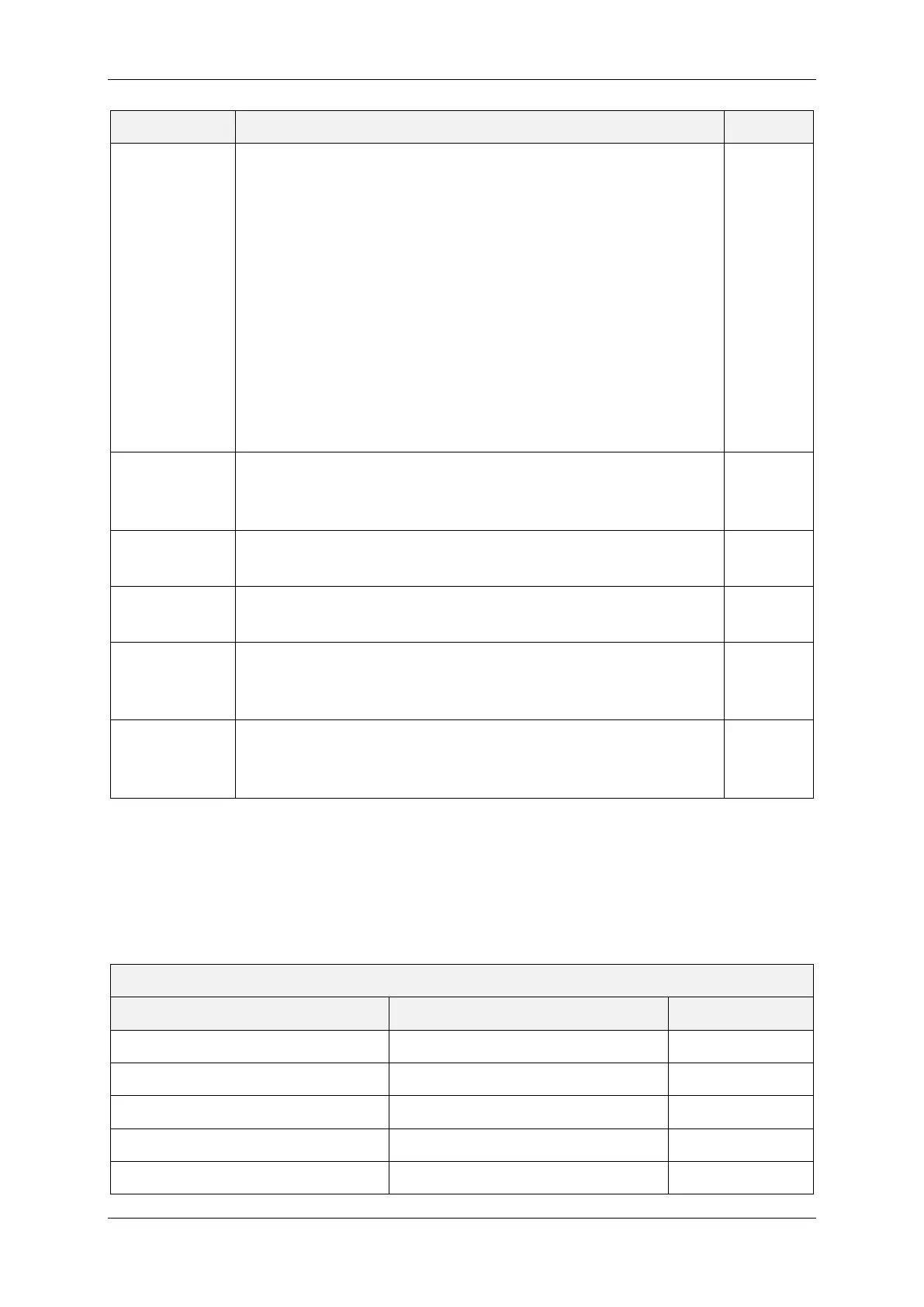
Parameter Description Type
Ramp
Defines if the test may be performed on a level surface or an
inclined surface, i.e., ramp. The instrument uses the built-in in-
clination sensor to detect the slope.
Possible settings are Auto Detect, Level Only or Ignore.
• With Auto Detect, the instrument determines automati-
cally if the surface is a level surface (slope 0 to 1:20) or a
ramp (slope 1:20 to 1:12).
• With Level Only, a level surface is allowed, only. If the slope
exceeds 1:20, the measurement is aborted.
• With Ignore, the instrument determines and records the
slope but does not check the thresholds 1:20 and 1:12.
The slope thresholds are defined by NFSI B101.3-2020.
All
Residence
Time
The delay between the test foot is lowered and the instrument
starts to move. Maximum time is 20 seconds, resolution is 0.1
seconds.
DCOF,
SCOF
Number of
Samples
Number of samples for average SCOF value. Up to 10 samples
are supported.
SCOF
Distance
Measurement distance. Distances between 10 cm and 100 cm
are supported.
DCOF,
TCOF
Discard First
Sample
Defines if the first sample is taken into account or not. If Yes is
set, the number of performed samples is 1 + Number of Sam-
ples.
SCOF
Lift / Lower
Between
Samples
Defines if the test foot shall be lifted after and lowered before
each SCOF sample.
SCOF
Table 5: Program Settings
In most cases, the scale / standard parameter defines the values of the remaining parameters,
especially the COF Type. In these cases, the parameters cannot be altered.
If the scale / standard parameter is modified, the instrument sets all other program parame-
ters to their default values. I.e., by setting the scale / standard, the corresponding program is
restored to its default. The defaults are shown in the following tables.
Test Program NFSI B101.3-2020
Parameter Name Default Value Can be altered
Scale / Standard NFSI B101.3-2020
COF Type DCOF
Wet Measurement Yes
Ramp Auto Detect
Residence Time 0.1 s


 To Next Page