GD1 Page 26 of 76 850-816926-EN R06
When continuing to turn the screw after the
maximum signal strength is reached, the
absolute and relative transmission will start to
drop.
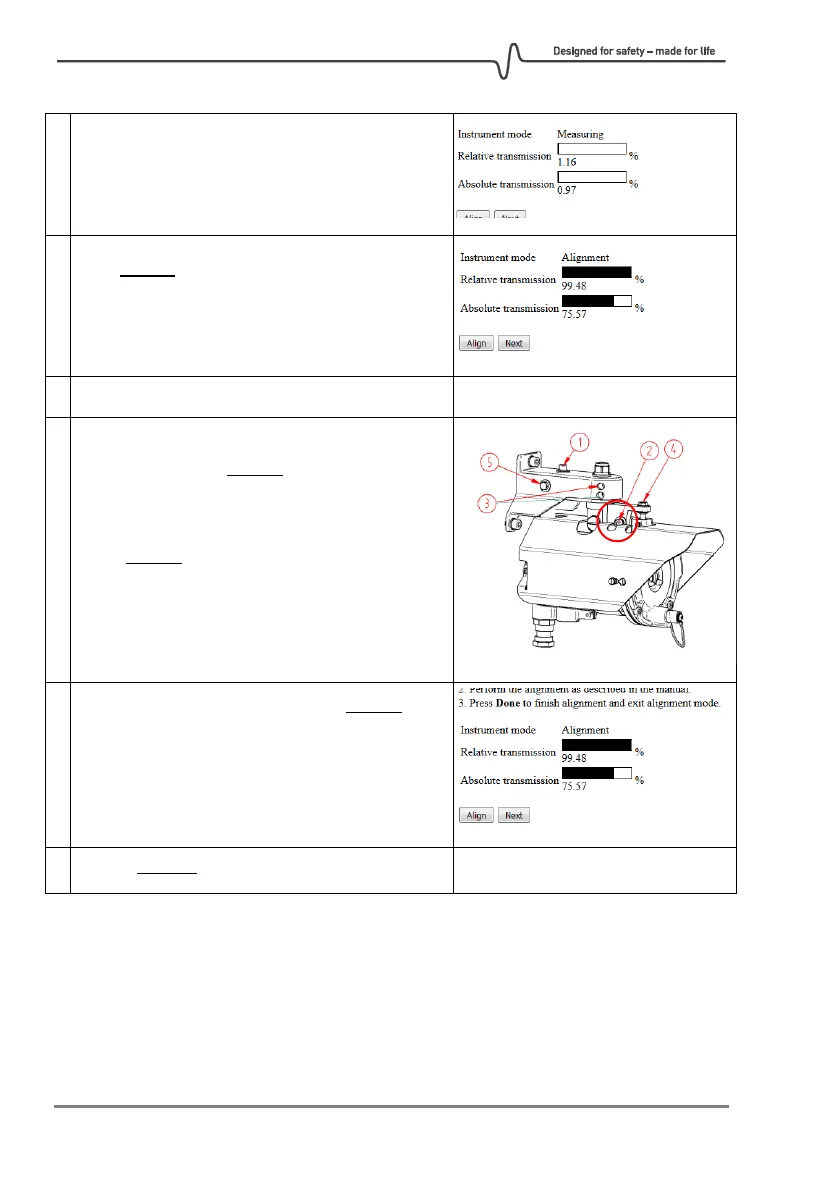
Turn screw 5 back the other direction until the
relative transmission is better than 95%. This
should be close to the optimum position in the
horizontal direction.
Slightly loosen only screw 2 just enough for the
alignment mechanism to be able to move in the
vertical direction. Note that the absolute and
relative transmission will typically drop slightly
when screw 2 is loosened. If the values drop
significantly, it can be helpful to reset the
relative transmission to 100% again by clicking
the "Align" button.
Align in vertical direction by turning screw 4. As
for the horizontal alignment, turn very slowly in
the direction whereby the absolute transmission
increases. After reaching the maximum and the
signal starts to drop, turn back until the relative
transmission is better than 95%.



 To Next Page