•
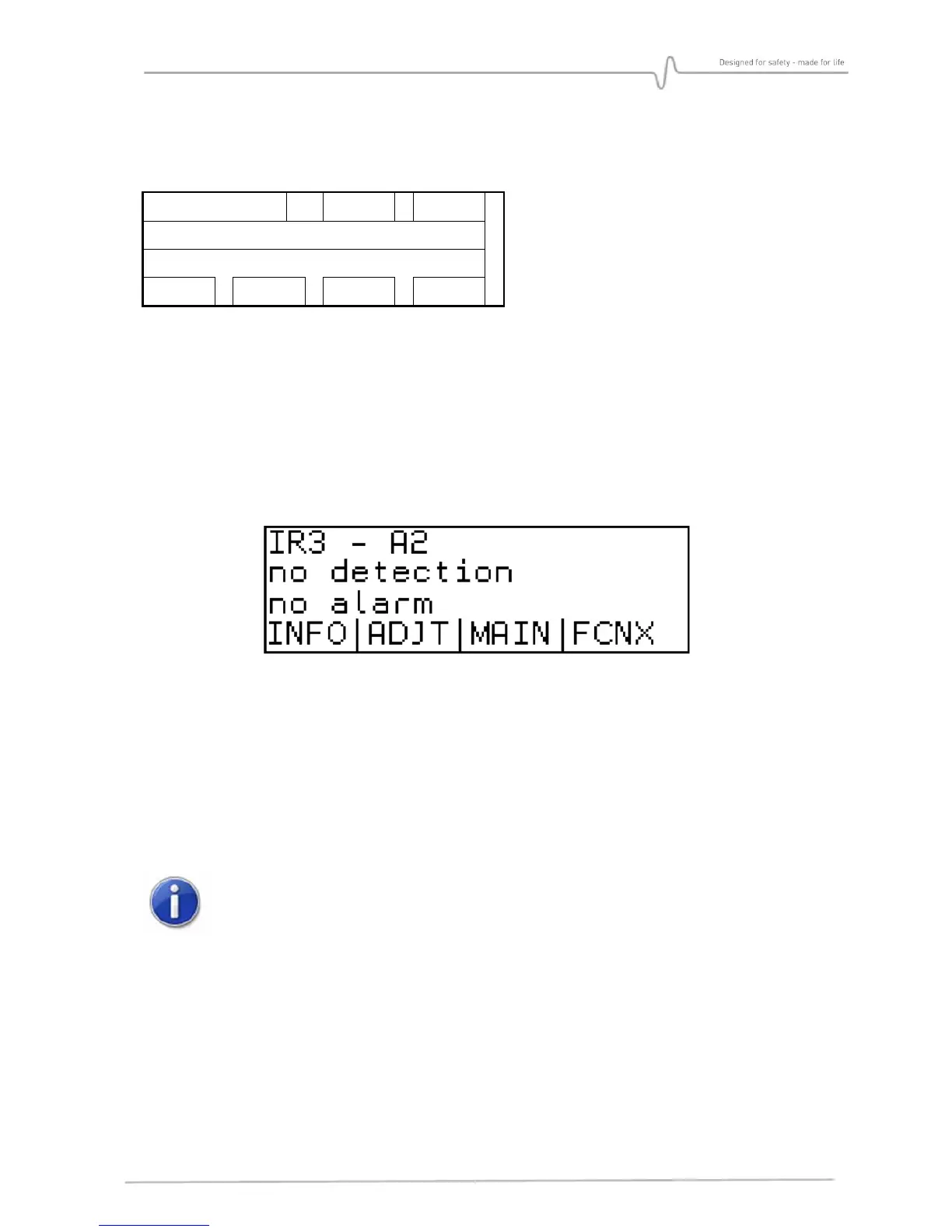
C1: Detector name field
•
C2: Field blank if normal operation; INH- if inhibited
•
C3: Field blank if normal operation; FLT- if at least one fault has occurred
•
C4: State of detection: no detection, cartridge fault
•
C5: State of alarm: alarm, no alarm
•
C6, C7, C8 and C9: Name of keys F1, F2, F3 and F4
•
C10: Wireless communication tool pictograms
Main screen displays identity and state of the detector.
6.6.2. General operation
The user can navigate through the menu with the F1 to F4 keys, whose functions change
depending on the fields displayed above each key. Standard functions:
• >>>> Scroll function / next screen.
• ESC Exit the current menu and return to the previous one.
• CHG Changing displayed value.
• VAL Validation and Check-in of the changed value.
The changed value must be confirmed by pressing [VAL] key, otherwise the old
value will be kept when leaving the menu.


 To Next Page