22
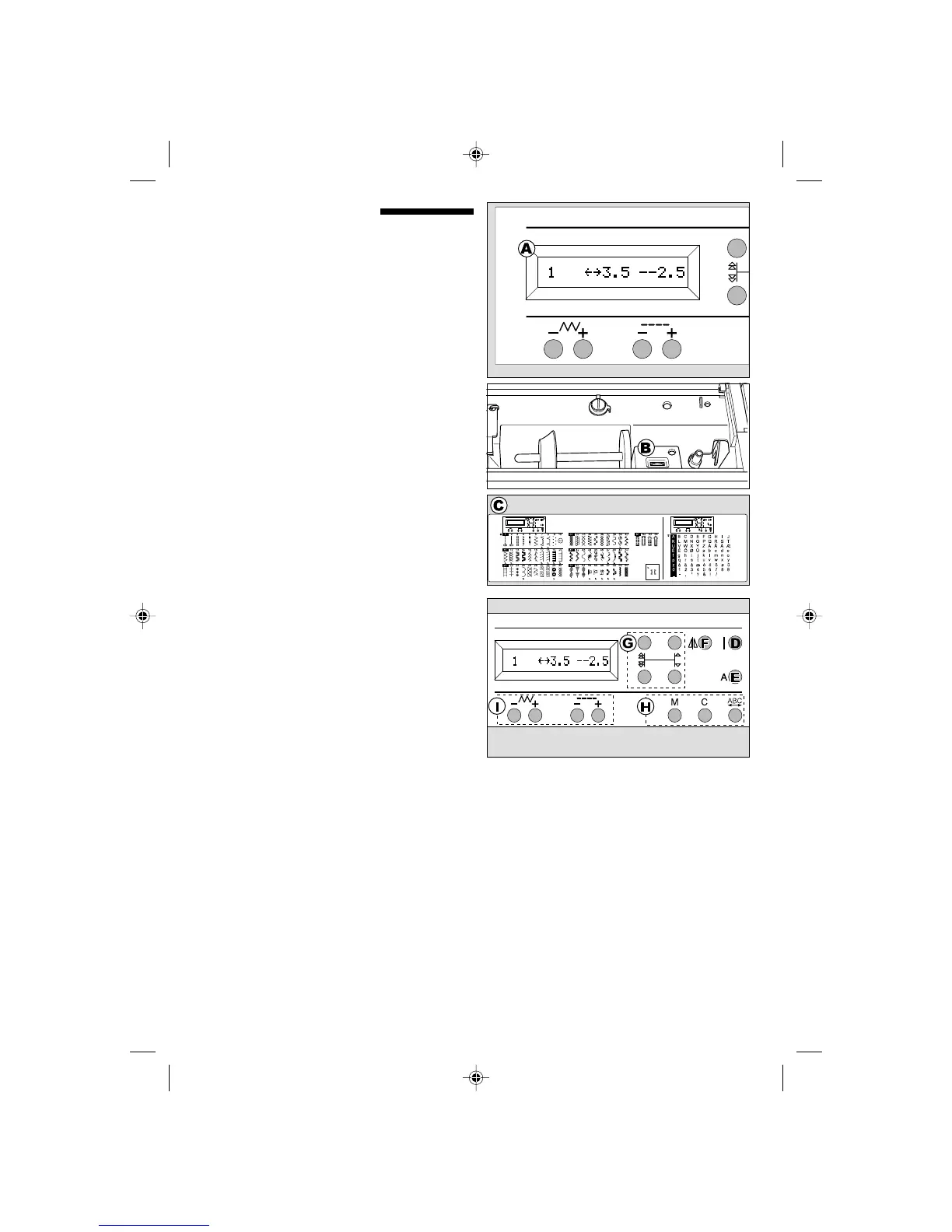
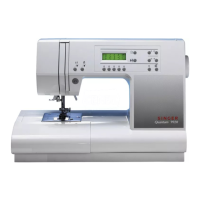
CONTROL PANEL
When you turn on the power, machine will select
the straight stitch and indicate information of stitch
on the L.C.D.
A.L.C.D. DISPLAY
Stitch infomation is indicated on this display.
According to the pattern, information will be
changed.
B.L.C.D. CONTRAST CONTROL
The contrast of L.C.D. is adjusted by turning this
dial.
C.PATTERN CHART
Pattern chart is located inside of the top cover.
All patterns and letters of this machine are
indicated on this chart.
They are separated Utility stitch, and Letter stitch.
D.UTILITY STITCH BUTTON
By pressing this button, you can select utility stitch
patterns.
FOR SELECTING AND SETTING UTILITY
STITCH, SEE PAGE 38.
E. LETTER STITCH BUTTON
By pressing this button, you can select letter stitch
patterns.
These letters are combined by using stitch
memory function.
FOR SELECTING LETTER STITCH, SEE PAGE
70.
F. MIRROR STITCH BUTTON
In utility stitch mode, some patterns with Mirror
indication mark are able to sew mirror image
stitching by pressing this button.
G.PATTERN SELECTION BUTTONS
Using these buttons, you can select pattern
number or letter.
H.STITCH MEMORY, CLEAR AND CHECK
BUTTONS
In letter mode, letters are combined using these
buttons.
I. STITCH WIDTH, LENGTH BUTTONS
In utility stitch mode, stitch length and width can
be changed by using these buttons.
9910EFSt.pm6 2003.9.10, 8:46 PM22



 To Next Page