B
A
Disconnect the machine from the power supply by removing the
plug from the main socket!
Replace bulb with same type rated 15 watts (220-240V area).
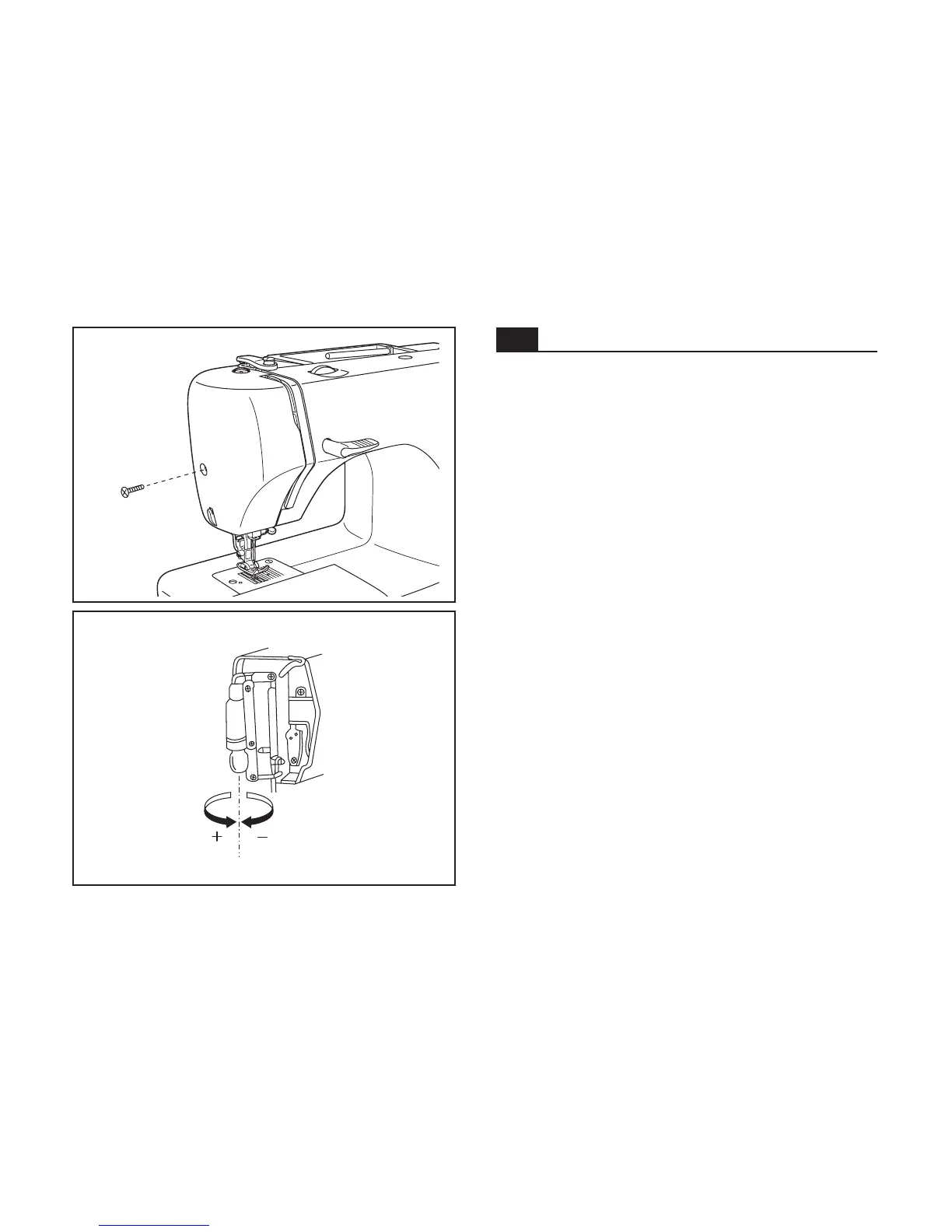
- Remove the screw (A) as illustrated. (1)
- Remove the face plate (B).
- Unscrew the bulb and install a new one (C). (2)
- Replace the face plate and tighten screw.
Should there be any problem, ask your local dealer for advice.
Changing the bulb
C
GB
1
2
12



 To Next Page