Sinterit LISA PRO User Manual | 23
4. WI-FI ACTIVATION
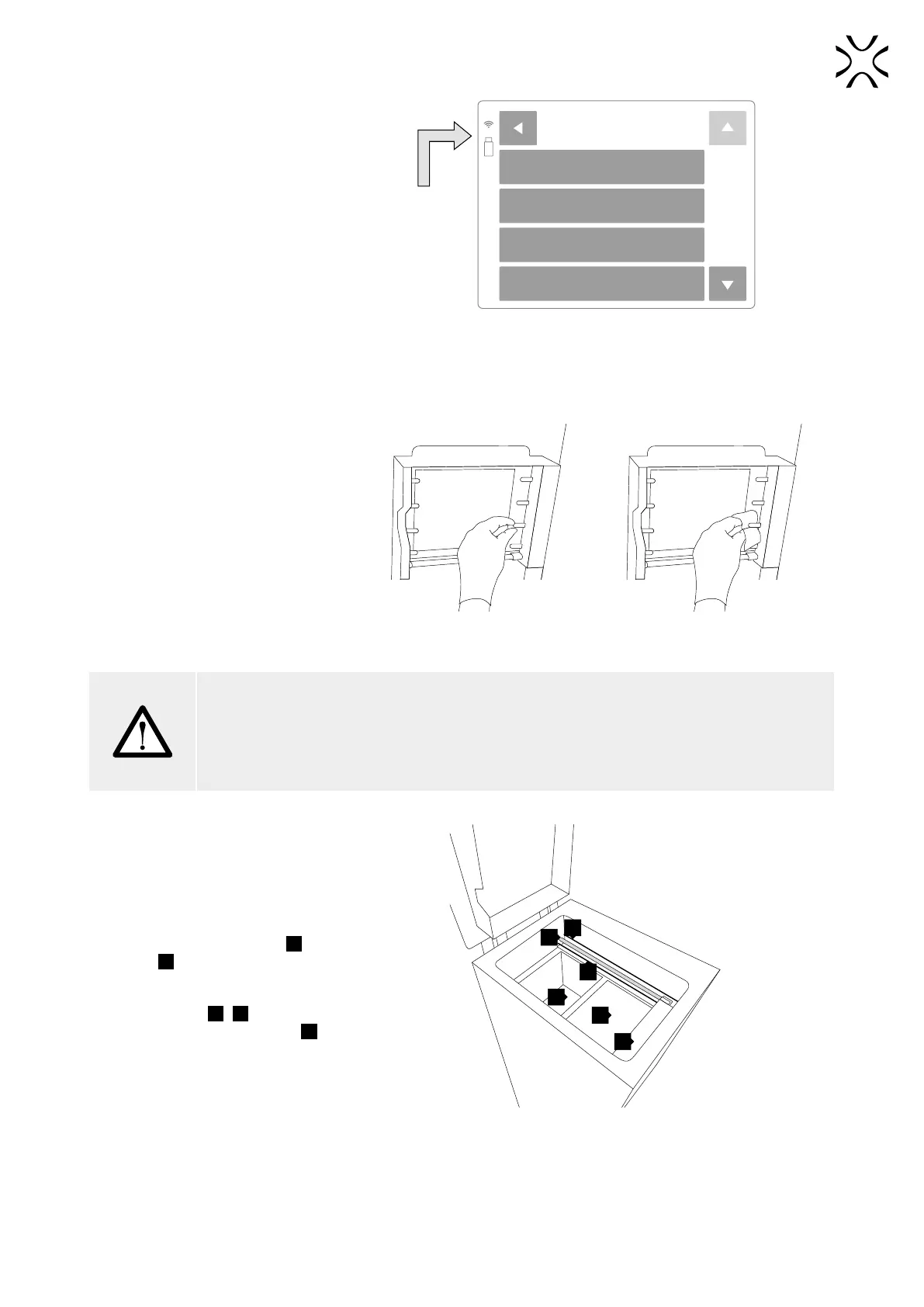
The highlighted Wi-Fi icon in the
upper left corner means a network
connection.
Press the BACK button to return to the
main menu screen.
FUBAR
RELIVE
TP-LINK_EABF45
ISTS_TP_LINK_86B16D
WI-FI ACTIVATE
The sign in the upper left corner of the screen shows active Wi-Fi.
D. LAST STEPS BEFORE START PRINTING
1. CHECK FIXING THE SHORT
INFRARED HEATERS IN
SOCKETS
Check (wearing gloves or through
the paper) whether the Short Infrared
Heaters are stable in their sockets (8
pcs.).
If there is any dust/powder on them,
blow it gently off with air.
OR
Methods of verifying the correct seating of Short Infrared Heaters.
ATTENTION!
Remember, do not touch the Short Infrared heaters with your ngers or greasy objects (eg. a dirty
cloth).
Dirt and grease may cause local overheating and burn the heaters or even cause an explosion
during printing.
2. CHECK THE ELEMENTS IN
THE PRINT CHAMBER
Verify whether the Feed Bed
28
and
Print Bed
29
are ready to work (after
unpacking the BEDs should be on
par with the printer’s case), check the
Recoater’s cords
25
,
27
tension and
whether the Recoater’s guide bar
26
is
clean.
27
26
28
29
30
25
Check the parts in the Printing Chamber.
After carrying out all of these steps, the printer is prepared to work.



 To Next Page