Sinterit LISA PRO User Manual | 26
CONTROL
PANEL
START
NEW PRINT
UNLOCKED/
OVERFLOW
CLEAN
PRINTER
CONTROL
PANEL
START
NEW PRINT
UNLOCKED/
OVERFLOW
CLEAN
PRINTER
CLICK AND OPEN LID
PRESS & LITF UP
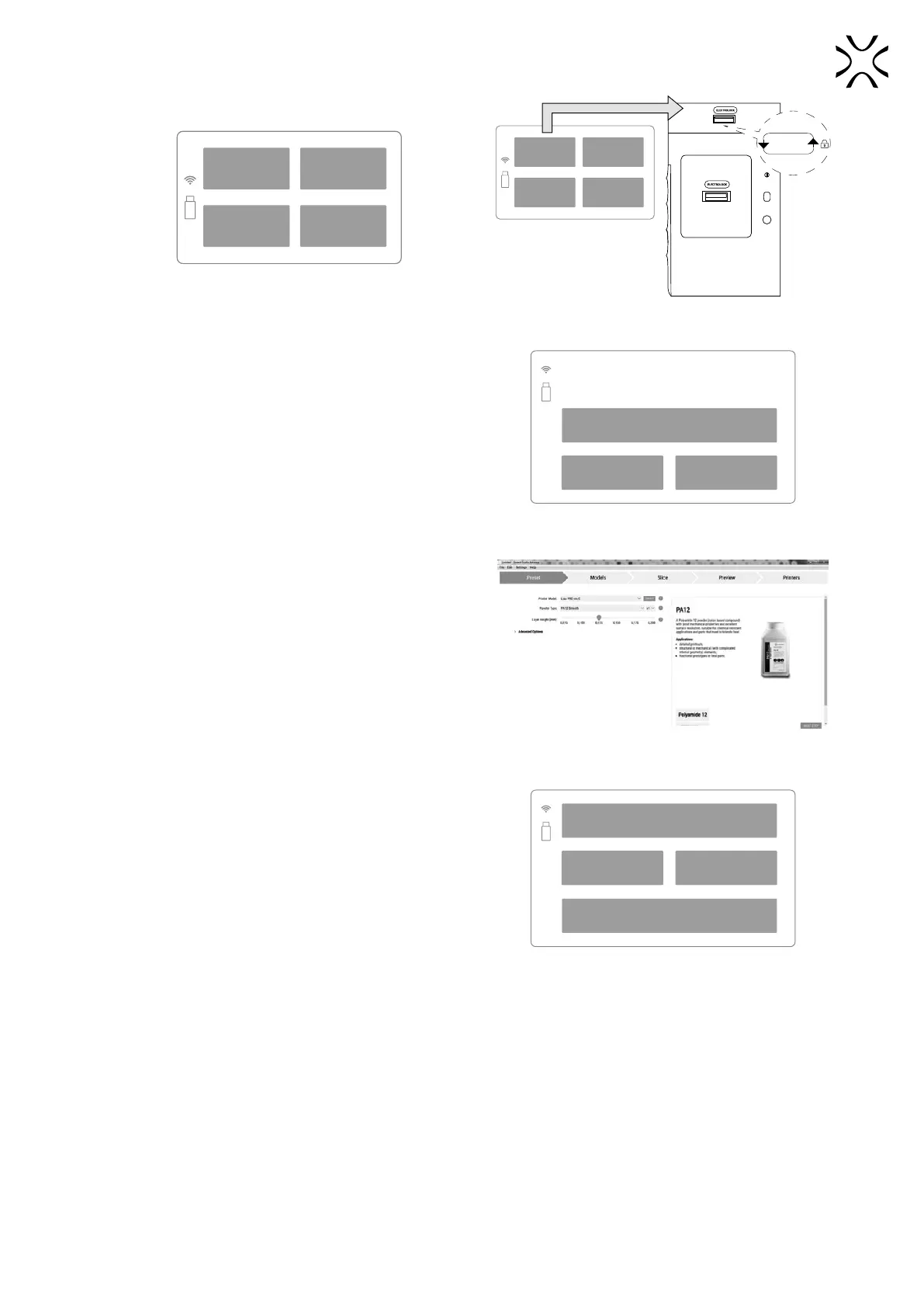
Main menu screen. Unlocking the printer Lid.
7. The printer will ask you if you have cleaned the powder
after the last printout.
• If yes, press the YES button,
• If not, then NO, THE POWDER IS STILL INSIDE button
- the cleaning process will start. The following steps are
described in the chapter „Finishing the print”.
• This message will not appear when you print the rst time
after delivery.
BACK YES
NO, POWDER IS STILL INSIDE
Have you cleaned the printer after the last
use?
And it is free from any remainding powder?
Message about cleaning the printer
after previous printing.
8. Prepare the le with the xxx.scode extension in Sinterit
Studio.
9. The prepared xxx.scode le can be sent directly to the
printer (when connected to a Wi-Fi network) or uploaded
via USB Flash Drive.
Prepare the le in the Sinterit Studio.
10. Select the le for printing. You have several options:
• LOAD FROM USB - when the le is saved on the USB Flash
Drive,
• UPLOADS - when the le was sent via Wi-Fi,
• RECENT MODELS - when the le is in the internal memory
of the printer.
RECENT MODELS UPLOADS
LOAD FROM USB
BACK
Select the le source.
11. Select a le from the list and click on it. The le name, printing time and the type of powder to use will appear on
the screen.
12. Prepare a suitable powder and press the NEXT button.



 To Next Page