Sinterit Lisa printer SHORTENED USER GUIDE | 5
Advanced mode
Start new print
About
Clean print
UNLOCK LID
Printer lid has to be opened to operate the printer.
Unlock and open the lid.
0.0°C
CLICK
Image. 6. Open Printer Lid.
6. Softly press the Lid and then lift it using Lid’s handle
8
. Be careful! The Lid is quite heavy.
7. We recommend to turn o the power of the device (turn o the Ignition key).
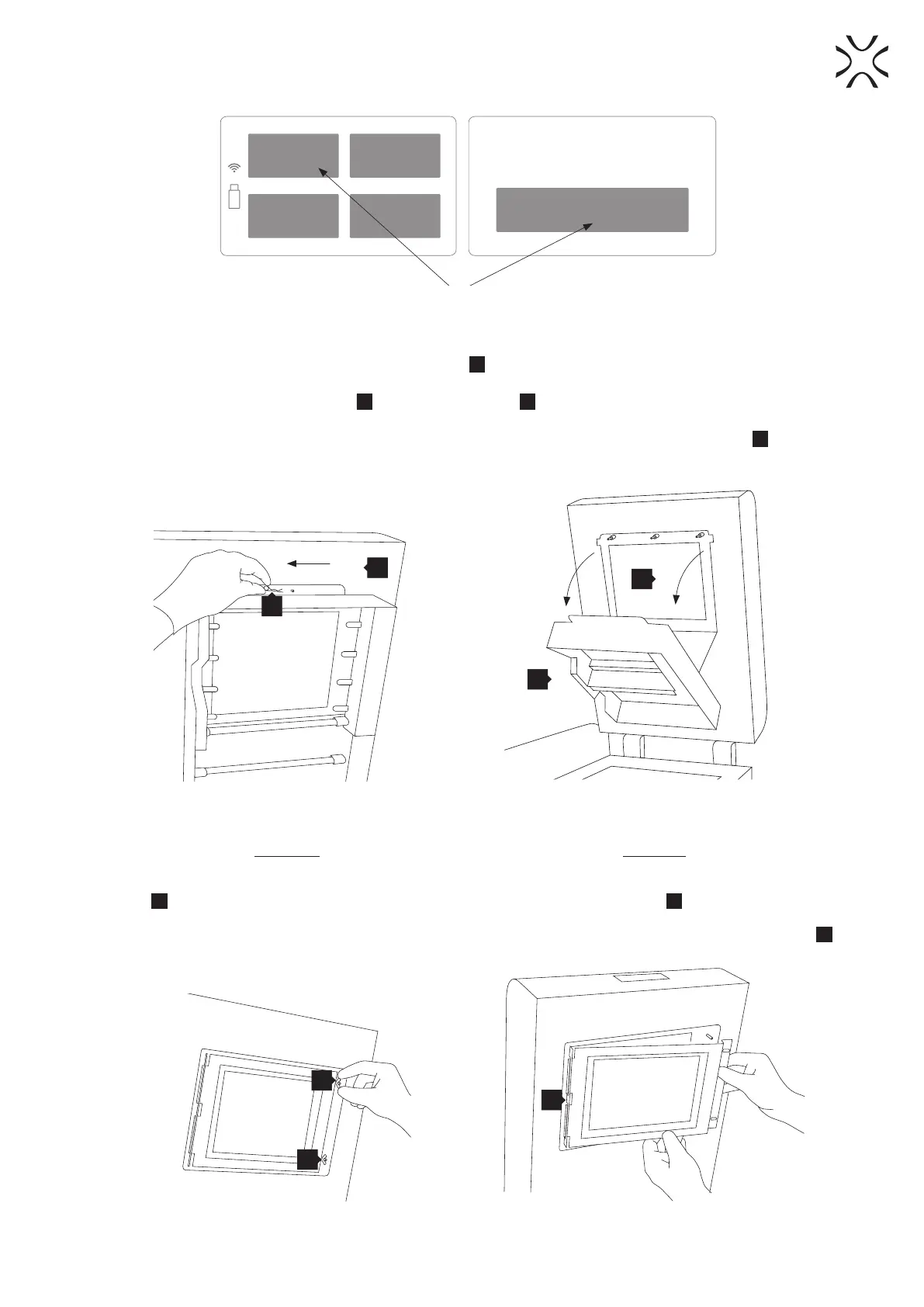
8. While holding the Heating module
16
, take out the Split pin
17
positioned on the top of the inner part of the
Lid (Image 7).
9. Lower the Heating module to get access to the place dedicated to the LASER PROTECTIVE GLASS
18
(Image 8).
5
17
16
18
Image 7. Heating module – removing the Split pin.
Installing
a. Remove the LASER PROTECTIVE GLASS module
18
from the box (inside the Box with additional
accessories).
Image 8. Heating module – opening.
Cleaning
a. Holding the LASER PROTECTIVE GLASS module,
unscrew two wingnuts
35
at the right side (Image
9).
b. Remove the module from the locking holders
36
located on the left side of the Lid.
35
35
36
Image 9. Correct unmounting of the LASER PROTECTIVE GLASS.
10.



 To Next Page