8 | Sinterit Lisa printer SHORTENED USER GUIDE
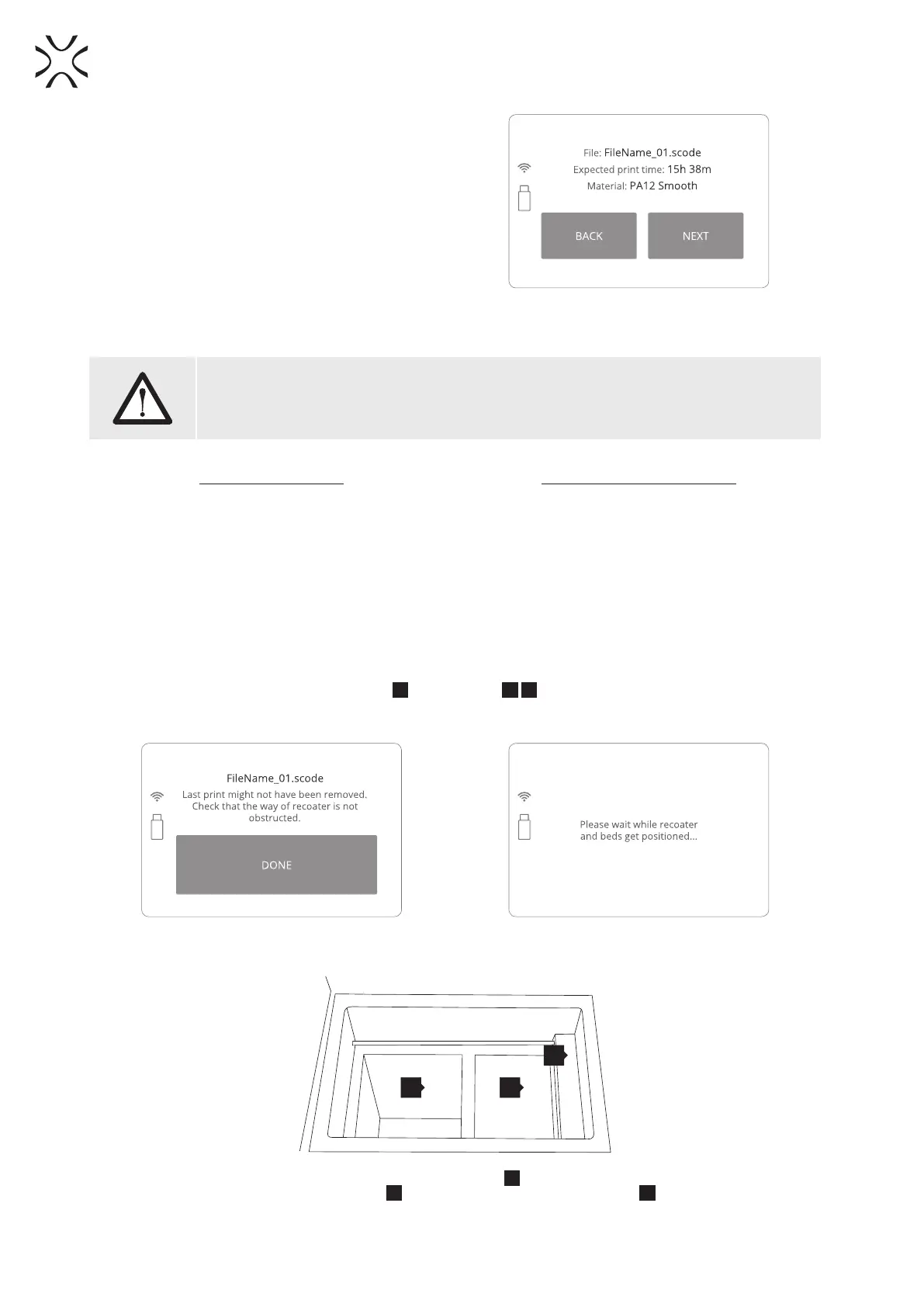
8. The loaded le will show basic information such as
the le’s name, material and expected printing time.
Flash Drive can be then safely removed (Image 16).
9. The software will allow to return to the previous
section or proceed to the next. After choosing the
next section, Lisa Printer will check whether it is
ready to print.
Image 16. Basic information after loading
the le to the printer.
WARNING!
Carefully read all messages displayed on the screen while preparing the machine for printing.
Skipping any of the described operations may result in incorrect printing or machine failure.
First use of the printer Subsequent use of the printer
• If the machine is lled with powder for the rst
time, after loading the le, a message will appear
that the LASER PROTECTIVE GLASS needs to be
cleaned. Conrm by clicking the ”DONE” button.
• Next, “POSITIONING BEDS FOR PRINTING” message
will appear.
• When printing again, after conrming the message
that the last printout has been removed, another
message will be displayed indicating that the PRINT
Bed has probably not been cleaned. If the machine
has been cleaned earlier (by the clean printer
process), there will be no message.
• Next one, “POSITIONING BEDS FOR PRINTING”
message will appear.
11. By clicking “DONE” button the RECOATER
29
and the BEDs
26
27
will be repositioned (Image 17). During this
operation, the height of both BEDs is set in accordance with the currently selected printing process (Image
18).
Image 17. The positioning of the BEDs and the RECOATER screens.
26 27
29
Image 18. Repositioned BEDs: PRINT Bed
27
and ready to be lled
with powder FEED Bed
26
and the base position for the RECOATER
29
.
10.



 To Next Page