Page 22 | 45
7.7 Connecting a RS485 Network
Multiple S300 Series dust monitors can be connected into a single network. This ‘daisy chain’ connection
allows for several devices to be communicated with using only minimal wiring. Both Modbus RTU and Sintrol
Network protocols are supported.
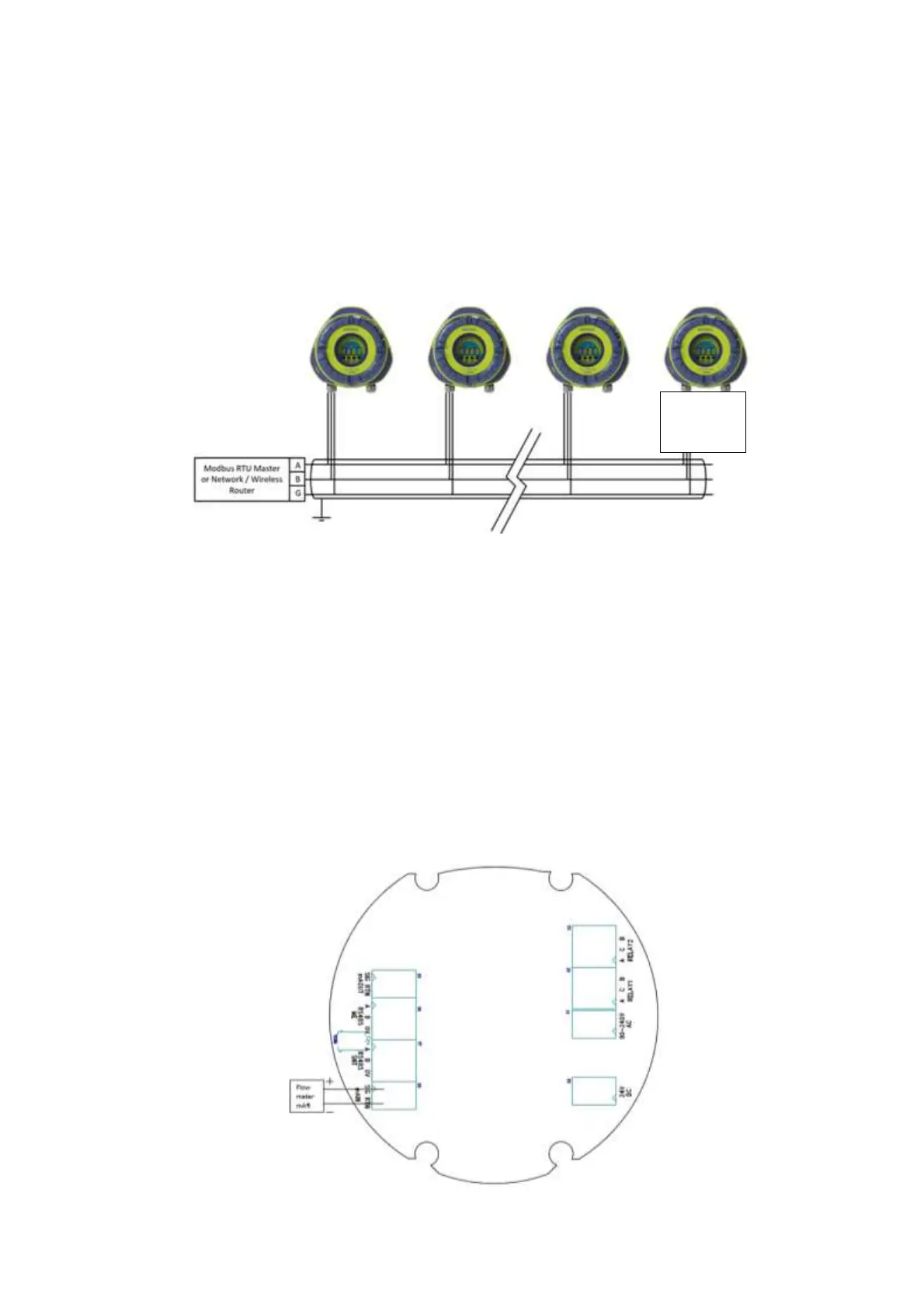
To use Modbus RTU protocol the RS485 bus needs to be connected to the CH-1 RS485 terminals according to
the following schematics. Use suitable 3-wire or above shielded cabling, minimum 0,3 mm
2
or AWG 22 and
make sure to ground the shield at a single location.
Figure 15 Connecting a RS485 Network
Make sure that the RS485 bus terminator resistor switch is enabled only on the last device in the bus.
Using DustTool, confirm on the properties-page that the RS485 protocol is set appropriately:
To use the device with a Modbus RTU master, choose the Modbus Slave option and assign an
appropriate slave ID. (This is the default setting)
To use the device with DustLog and a router device, choose the Sintrol Slave option.
7.8 Connecting mA output of a flow speed meter (S304 only)
To enable flow compensation of dust measurement, connect the 4…20 mA output of a flow speed
measurement instrument into the main terminal of the S304-device and set the compensation as described
chapter 8.4.7 Parameter 7: Flow velocity in [m/s] at 4 [mA] (S304 only)
Figure 16 Connecting mA output of a flow speed meter (S304 only)



 To Next Page