Page 26 | 45
8.3 General usage of the Display and 4-Key user interface (S303 and S304)
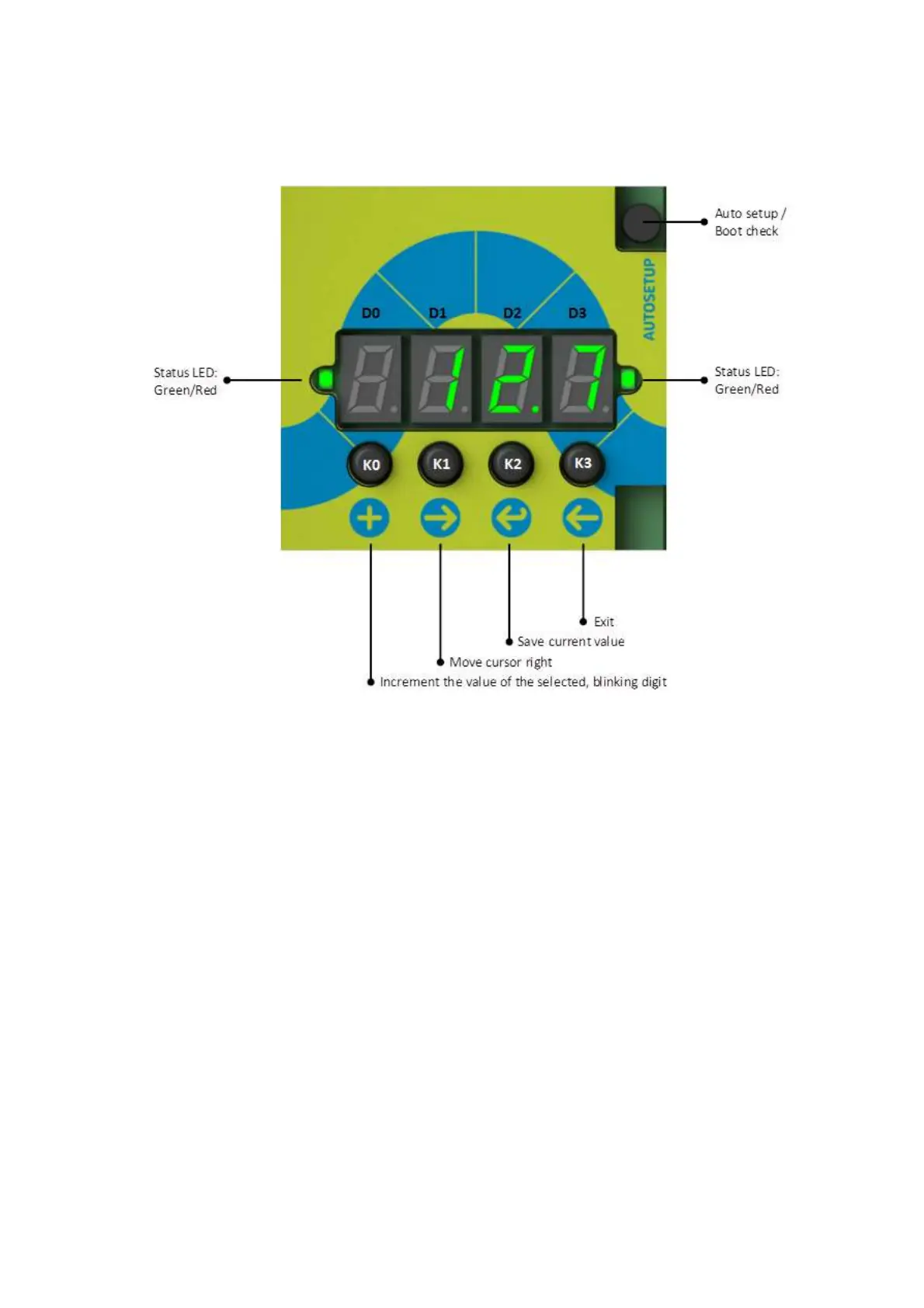
The S303 and S304 is equipped with a 4- Digit, 7- Segment display and 5 key buttons, placed on the top of the
processing board, located between the connection areas.
In normal operation the instrument will show the measurement value.
When + is pressed, the instrument goes to the parameter display/change mode.
The cursor position is indicated with a blinking number.
To increment the value of the blinking number press +
To shift the cursor to the right press →
To save the changed parameter press ↵. After saving the changed parameter will come into effect and
the cursor will go to D0
To exit and return to show measurement values press ← or wait for timeout
To test the display and LED press in normal operation mode the keys + and ← at the same time.
To start Auto setup press key Auto setup for 1 sec. The display shows the remaining time in seconds
and the green LED will be blinking. When the Auto setup procedure has finished the display goes back
to normal operation mode. If you want to cancel Auto setup press Auto setup again for one second.



 To Next Page