Page 34 | 45
9.1 PARAMETERSS tab
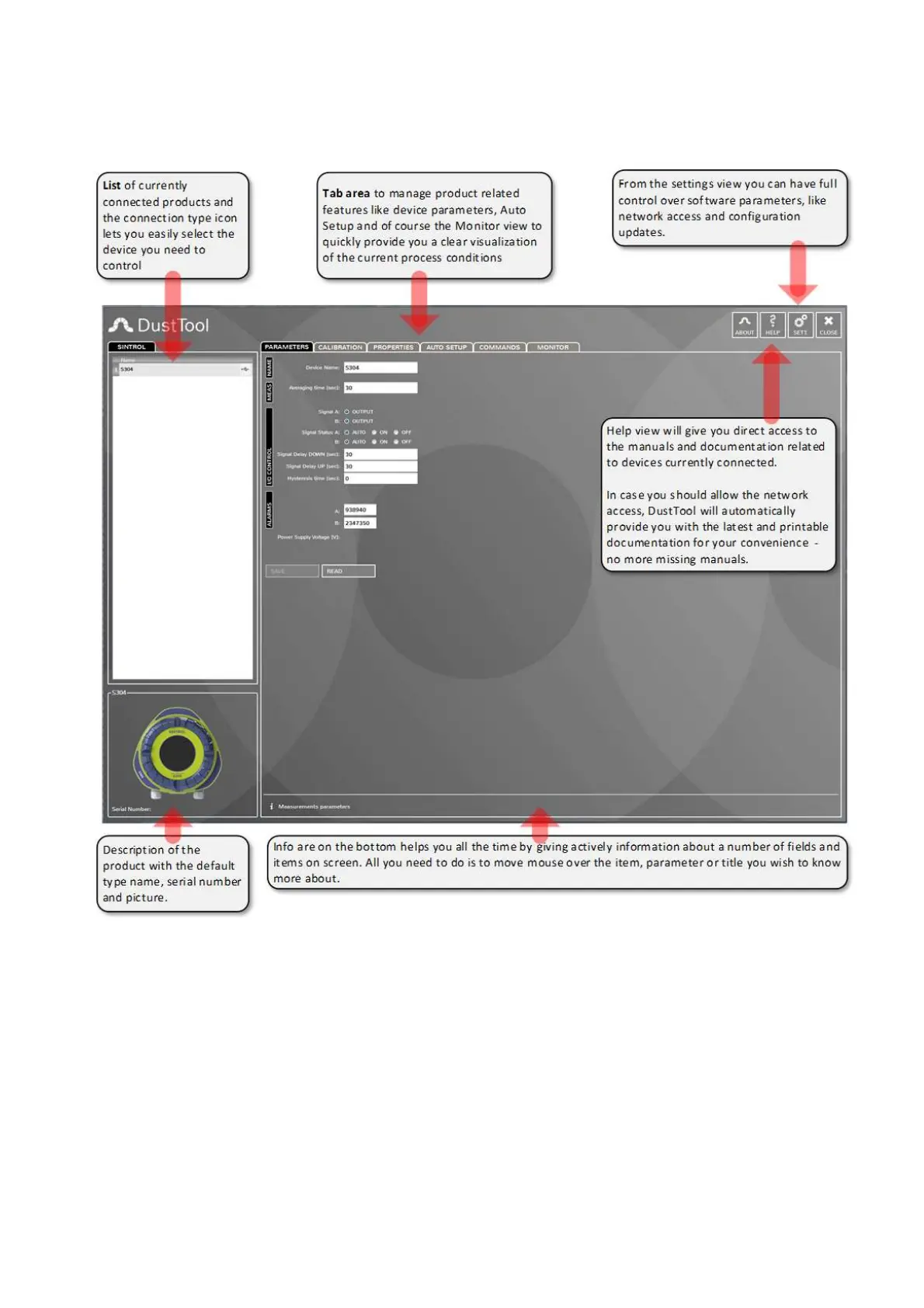
Figure 19: DustTool main window
In the PARAMETERSS tab, you can modify the operating parameters of the connected dust meter. The basic
operating principle to change parameters is as follows:
1. Change parameter to the desired value
2. Press the “Save” button to save the changes into the memory of the instrument. If the “Save” button is
not pressed, the changes will not be sent to the device and the values will be lost at program shut
down or when the instrument is detached.
3. By pressing “Read,” the parameters which are currently saved in the instrument will be loaded from
the device.
In the MONITOR tab of the DustTool software, it is possible to follow dust levels online. The MONITOR view is
intended to help you in deciding which parameters to set up manually.



 To Next Page