Page 31 | 45
8.4.11 Parameter 11: Display Intercept “a” (Integer) -99...099 [mg/m3]
The instrument can be set to show mg/m
3
by utilizing a linear regression line which has an equation of the
form y = a + bx.
Parameter 11, 12, 13 and 14 will NOT change the actual mA-output signal.
These parameters are used to show mg/m
3
on the local display according to the defined linear
regression curve
AMS Automatic Measurement System
(in this case Sintrol S304)
SRM Standard Reference Method
(usually Gravimetric Sampling)
1. Calculate the slope b by the two-point form of a straight line
b = y
2
-y
1
/x
2
-x
1
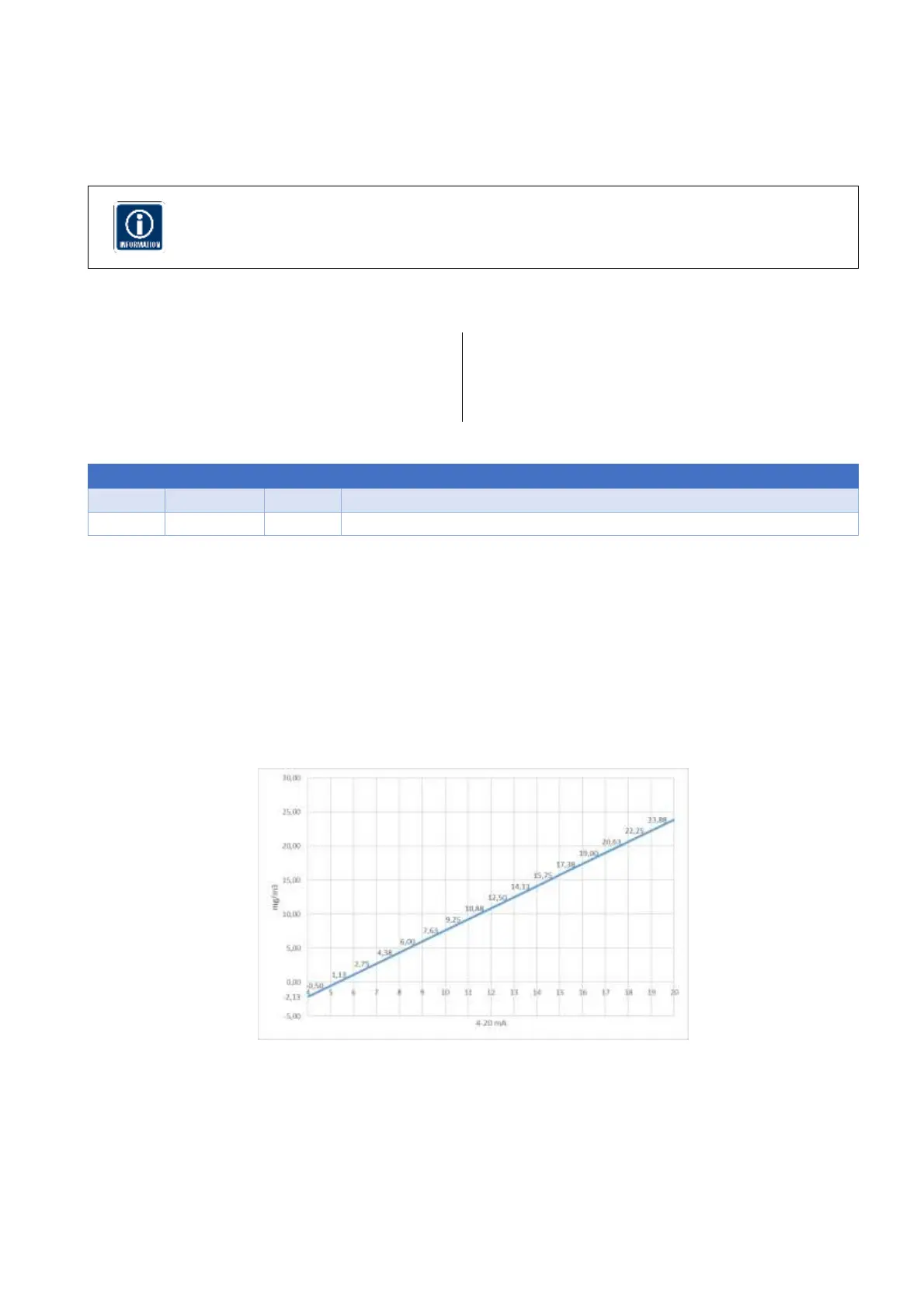
In our case: b = 19,00-6,00 / 17,00-9,00 = 1,625
2. Resolve the equation y
i
= a + b x
i
to the intercept a
a = y
i
- b x
i
3. Calculate the intercept a by inserting x and y of either of the points
a = y
1
- bx
1
In our case: a = 6,00 – 1,625*9,00 = -8,625
Figure 18Example for display calibration
The values for the intercept a and the slope b are split into an integer and decimal part.
To change the integer part of the intercept a, follow the below procedure:
Navigate to Parameter 11 by pressing K1
Key the calculated value into the instrument -99...099 [mg/m3], default = 0 [mg/m3]
Safe the result by pressing K3



 To Next Page