3. Using Web Management Interface
3.1 Camera Settings
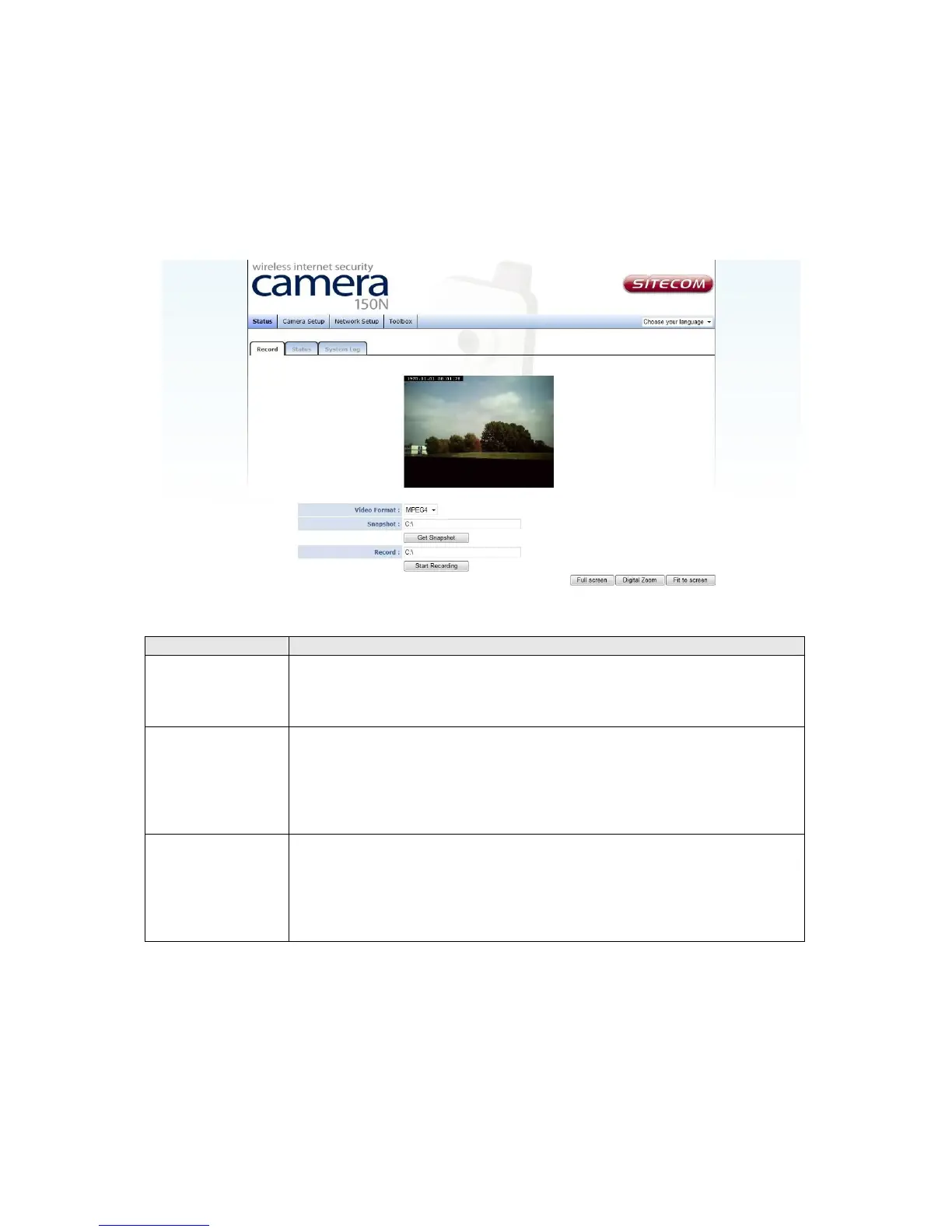
The first menu after you logged onto web management interface is ‘Status’, and on this
page you can see the real-time image from the camera.
Item Description
Video Format Specifies video encoding format. You can choose MPEG4 or MJPEG
(Motion-JPEG).
MPEG4 mode also supports motion detection.
Snapshot Take a snapshot picture and save the picture to your computer’s
hard drive. Click on directory display and you’ll be prompted to
select a folder to save snapshot file.
NOTE: Please see chapter 4.2 for instructions if you’re using
Windows Vista or Windows 7.
Record Start video recording and save recorded video clip to your
computer’s hard drive. Click on directory display and you’ll be
prompted to select a folder to save snapshot file.
NOTE: Please see chapter 4.2 for instructions if you’re using
Windows Vista or Windows 7.
*Please note: If you’re not using Microsoft Internet Explorer as web browser, some
functionalities may not work properly.



 To Next Page