storage spaces on Email and / or FTP server.
Mail snapshot Select ‘Yes’ to send a picture to the Email address you specified in
‘E-Mail & FTP’ menu when a motion is detection, and select ‘No’ to
disable this function.
E-Mail Subject Set the subject of Email being sent here. This will help you to
distinguish the Email sent by this IP camera from others.
Send snapshot
file to FTP
Select ‘Yes’ to send a picture to the FTP server you specified in ‘E-
Mail & FTP’ menu when a motion is detection, and select ‘No’ to
disable this function.
Click ‘Apply’ to save settings and make the new settings take effect.
3.6.2 Setup Motion Detection Regions
If you only want to be notified when motion is detected in certain area of captured image,
you can use this function and motions outside of motion detection region will be ignored,
so you won’t receive too much ‘useless’ notifications.
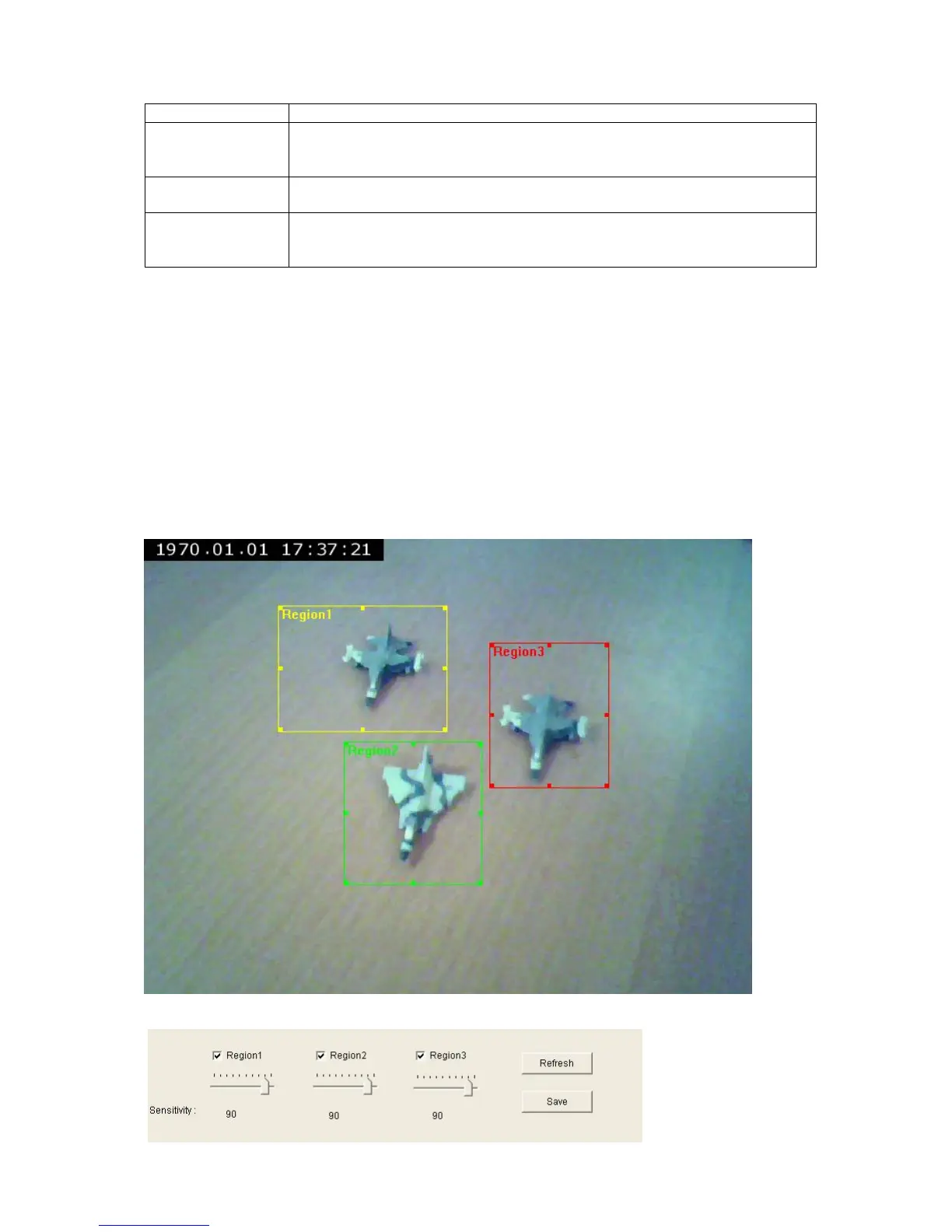
This IP camera supports up to 3 motion detection regions. To setup detection region,
Please use your mouse to drag and resize motion detection regions marked as ‘Region1’,
‘Region2’, and ‘Region3’ (which appear as yellow, green, and red squares on the image):
Motion detection region settings can be found at the bottom of this page:



 To Next Page