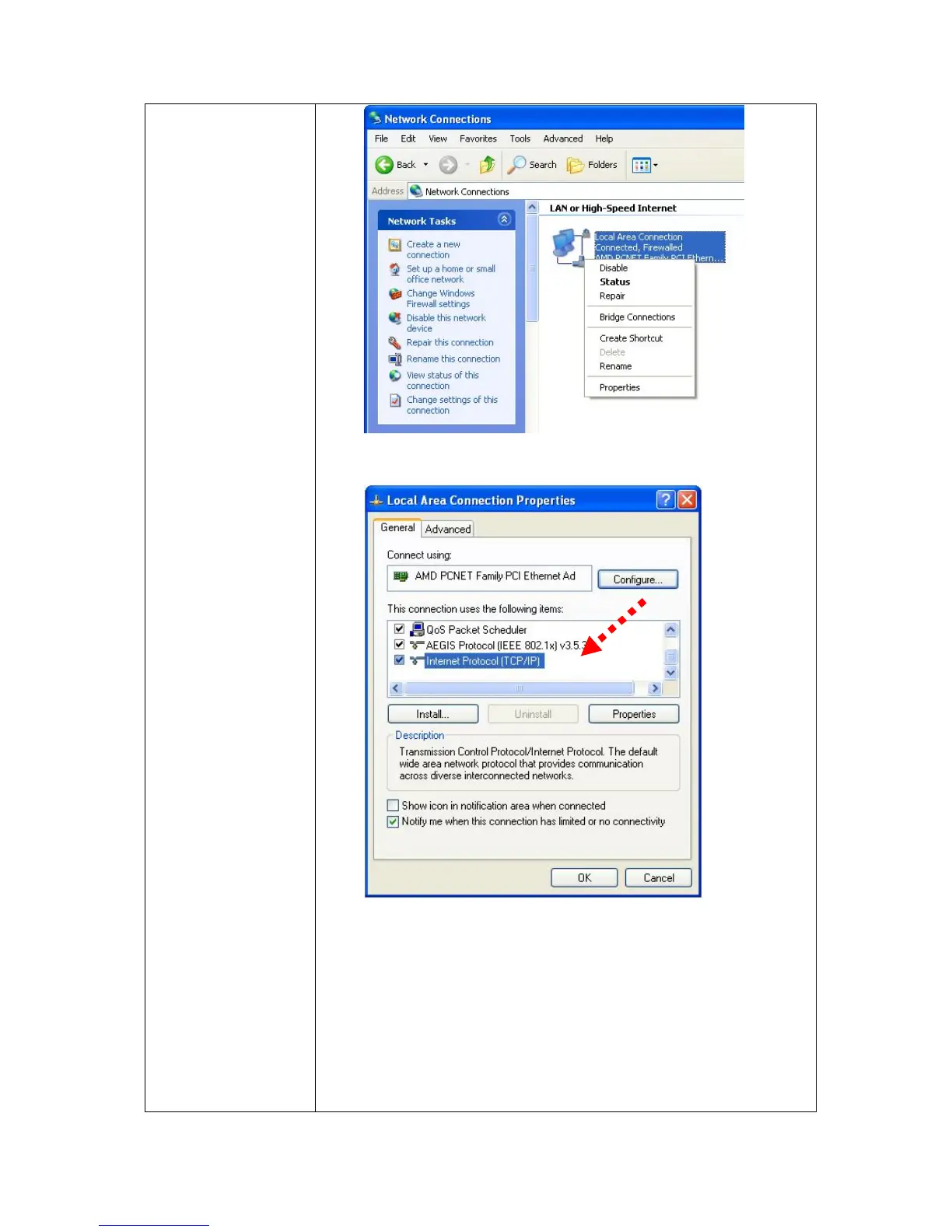
Select ‘Internet Protocol (TCP/IP)’, then click ‘Properties’.
In ‘IP address’ field, please enter any IP address that
begins with ‘192.168.0’, and ends with a value greater than
2 and less than 254 (You can use the example in the
picture ‘192.168.0.239’). In Subnet mask field, please fill
‘255.255.255.0’. Please keep all other fields empty, and
click ‘OK’.



 To Next Page