Wi-Fi Home Cam User Manual
14
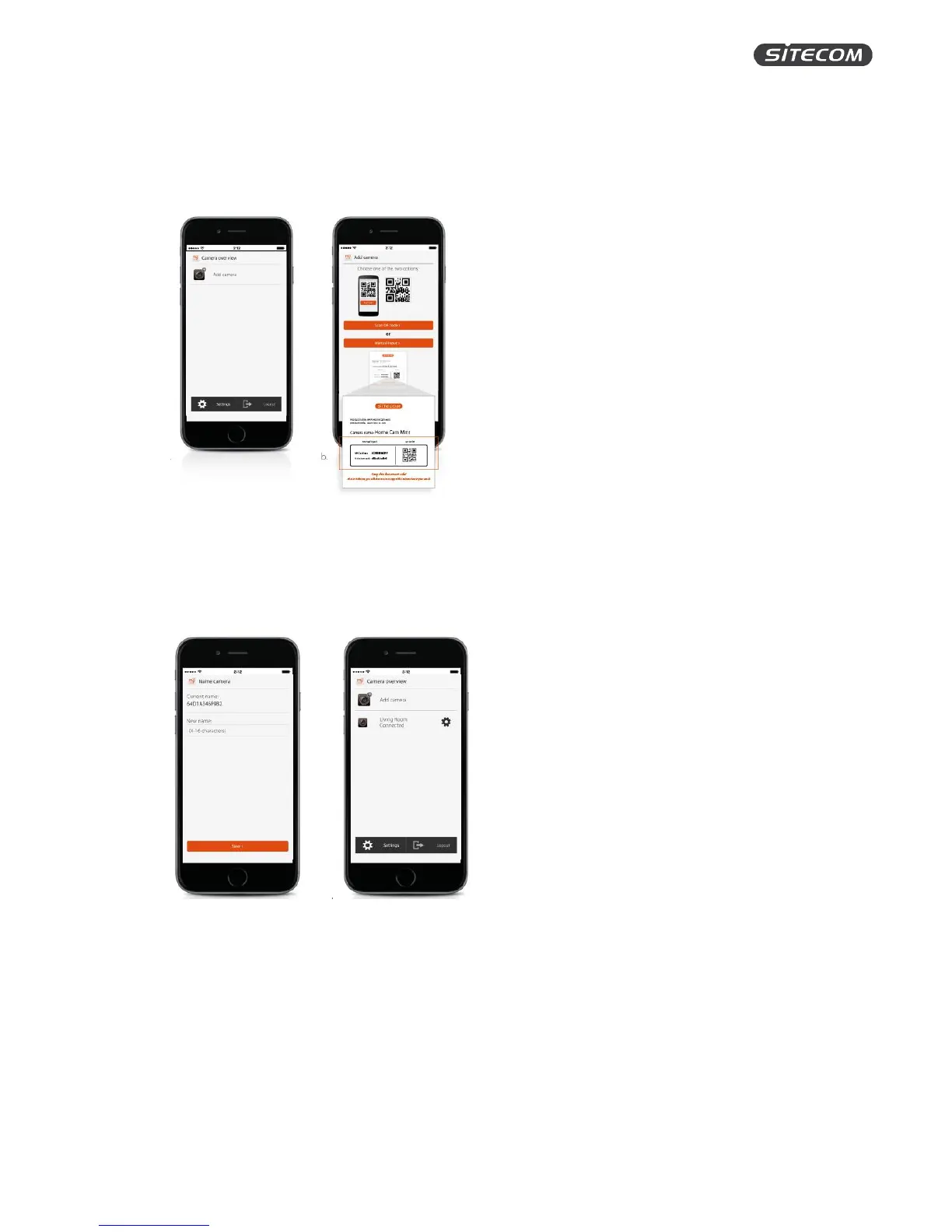
Step 7: Add your Wi-Fi Home Cam to your account
1. Press “Add camera” on the home screen
2. Pick an installation method. You can either scan the QR code on the back of the camera of
add the camera by entering the information from the flyer.
Step 8: Name your Wi-Fi Home Cam
1. Pick a name for your camera (e.g. living room)
2. By clicking “save”, the installation process will be completed. Your camera will now appear
on the home screen of the MyCam app.
You’re done!


 To Next Page