Wi-Fi Home Cam User Manual
13
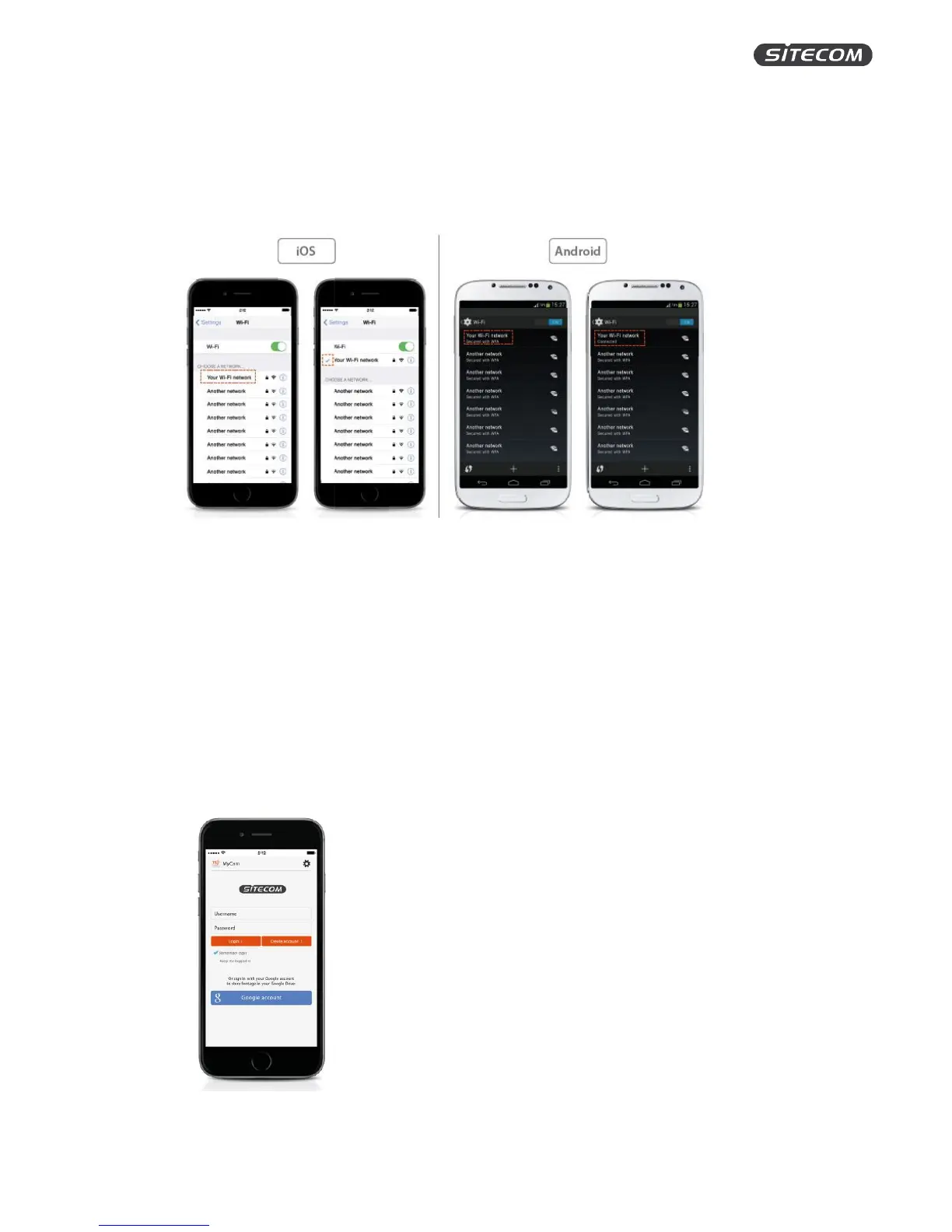
Step 5: Connect your phone back to your Wi-Fi home network
1. Go to settings on your iPhone / Android phone
2. Click ‘Wi-Fi’.
3. Select your Wi-Fi home network from the list of available networks.
Info: Your phone might connect to your Wi-Fi home network automatically. You can then skip these
steps.
Step 6: Create a MyCam account or login with your Google account
1. Open the MyCam app
2. Create a new account or link with an existing Google account.
3. If you create a new account, you have to fill in the following:
a. Name: consisting of 4-32 alphanumeric characters
b. Password: choose a secure password and confirm by typing it again
c. Email address: This cannot be a Gmail address. If you want to use your Gmail
address, please link your Google account.


 To Next Page