Working with memory cards
When fully charged, the baery can provide you with up to 90 minutes of recording me. (If the
camera is turned on, but not used for some me, it will power down to save the baery.)
Tip: If you are not using the camera for a prolonged period, remove the baery and store it in a dry
and dark place, away from sunlight.
Aenon: Using other chargers than the one provided with the camera may damage the baery. If
the baery is not charging when connected to a computer, make sure that the computer is powered
on and try a different USB port, or cable. If the baery sll has charging issues, please contact our
technical support. Do not crush, pierce, drop, disassemble, or set fire to the baery, serious injuries
may occur. Please dispose of the used baery, according to your local environmental regulaons.
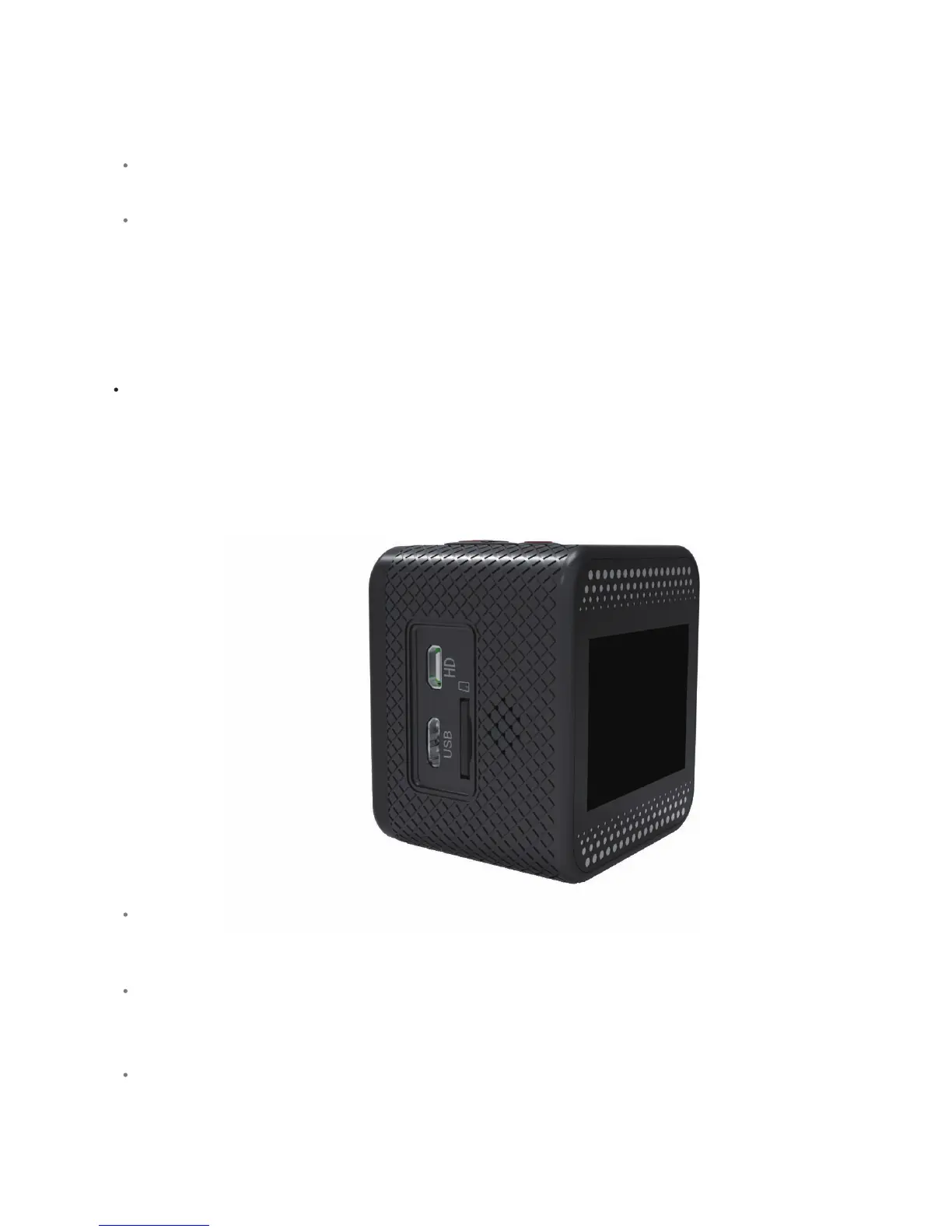
To insert the microSD card, gently slide it into the slot unl it clicks into place. The microSD card can
be inserted in one way only. If you have difficules inserng the memory card, do not try to force it in,
because it can be permanently damaged. Flip it over or face it the other way round and try again.
To remove the microSD card, use your fingernail or some object with a thin p and gently press the
microSD card further into the camera body. You will hear a click, and the memory card will pop out of
the camera body..
The SJCAM M10 is compable with microSD and microSDHC memory cards with capacity up to 32
GB. SJCAM recommends using a brand name memory card, preferably with a CLASS 10 rang, in order
to have beer performance and reliability.
Aenon:Be careful when handling memory cards. Avoid touching the connector pins, and keep them
away from liquids, heat sources, dust and magnec objects. Do not insert or remove the memory card
while the camera is powered on. Consult the manufacturer’s specificaons and guidelines concerning
using the memory card in various or extreme weather condions.



 To Next Page