Camera Mode Icons
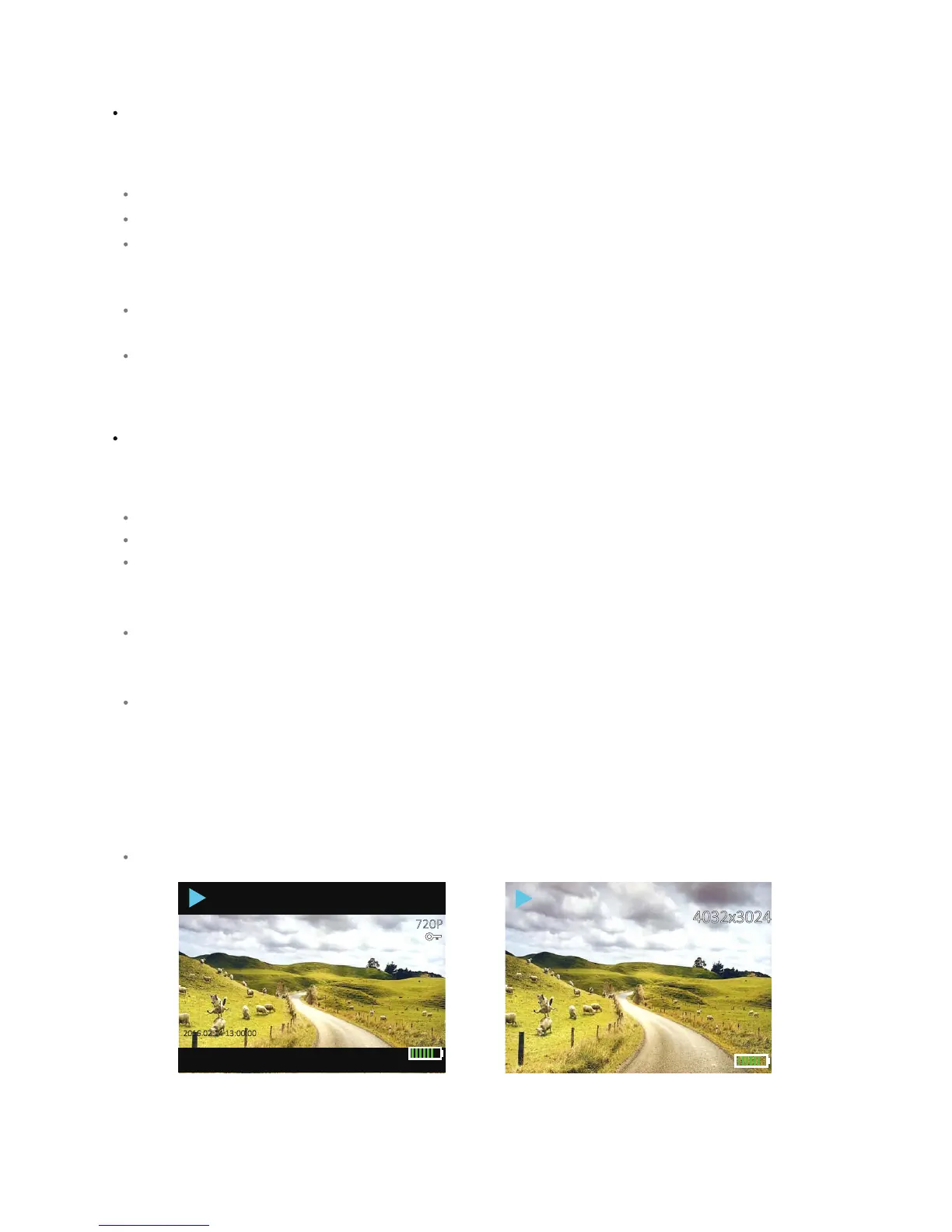
Playback Mode Icons
Icons appear only when OSD Mode is “On”. If OSD Mode is turned off then no icons appear on the
display except as indicated below.
Icons appear only when OSD Mode is “On”. If OSD Mode is turned off then no icons appear on the
display except as indicated below.
Blue camera symbol: Camera mode acve
Number and leer: image size in megapixels (for example, 12M).
Baery icon: indicates the approximate baery charge remaining. The icon has a plug symbol within
the baery icon to indicate that the baery is turned off and charging,or that the camera is operang
without a baery while connected to the charger.
Number (max of six digits): the number of photos you can take at the selected camera sengs with
the available remaining memory.
Yellow clock face with a number: Capture Mode with the selected me interval in seconds shown on
the clock face. If the clock face is red with a number, then the camera is taking photos in Capture
Mode at the me interval shown with the red numbers.
2016.02.14 13:00:00
02350009.JPG
S0S00004.MOV
2016.02.14 13:00:00
720P
Blue arrow: Playback mode.
Red arrow: playback a video.
Baery icon: indicates the approximate baery charge remaining. The icon has a plug symbol with in
the baery icon to indicate that the baery is turned off and charging,or that the camera is operang
without a baery while connected to the charger.
White leers and numbers: displays the video resoluon when reviewing video content(for example,
1080FHD for MOV files), or the image size ( for example, 2048X1536 for JPG files ) when reviewing
image content.
File name: a string of leers and numbers across the boom of the display. The file name can look
like this:
- YY_MMDD_hhmmss_XXX.MOV - for non-protected videos;
- MMDD_hhmmss_XXX_EVE.MOV - for protected videos;
- YY_MMDD_hhmmss_XXX.JPG - for photos.
Abbreviaons legend: YY = year, MM = month, DD = day, hh = hour, mm = minute, ss = seconds, XXX
= file sequence number, EVE = protected video, MOV = video, JPG = photo.
Key symbol: indicates the selected video is protected.
If the OSD Mode turned off, a Start and Stop icon appears at the boom of the screen. T he red
arrow icon appears when the “Shuer/Select” buon is pressed to play back a video. The blue pause
icon appears when the “Shuer/Select” buon is pressed to pause video playback.



 To Next Page