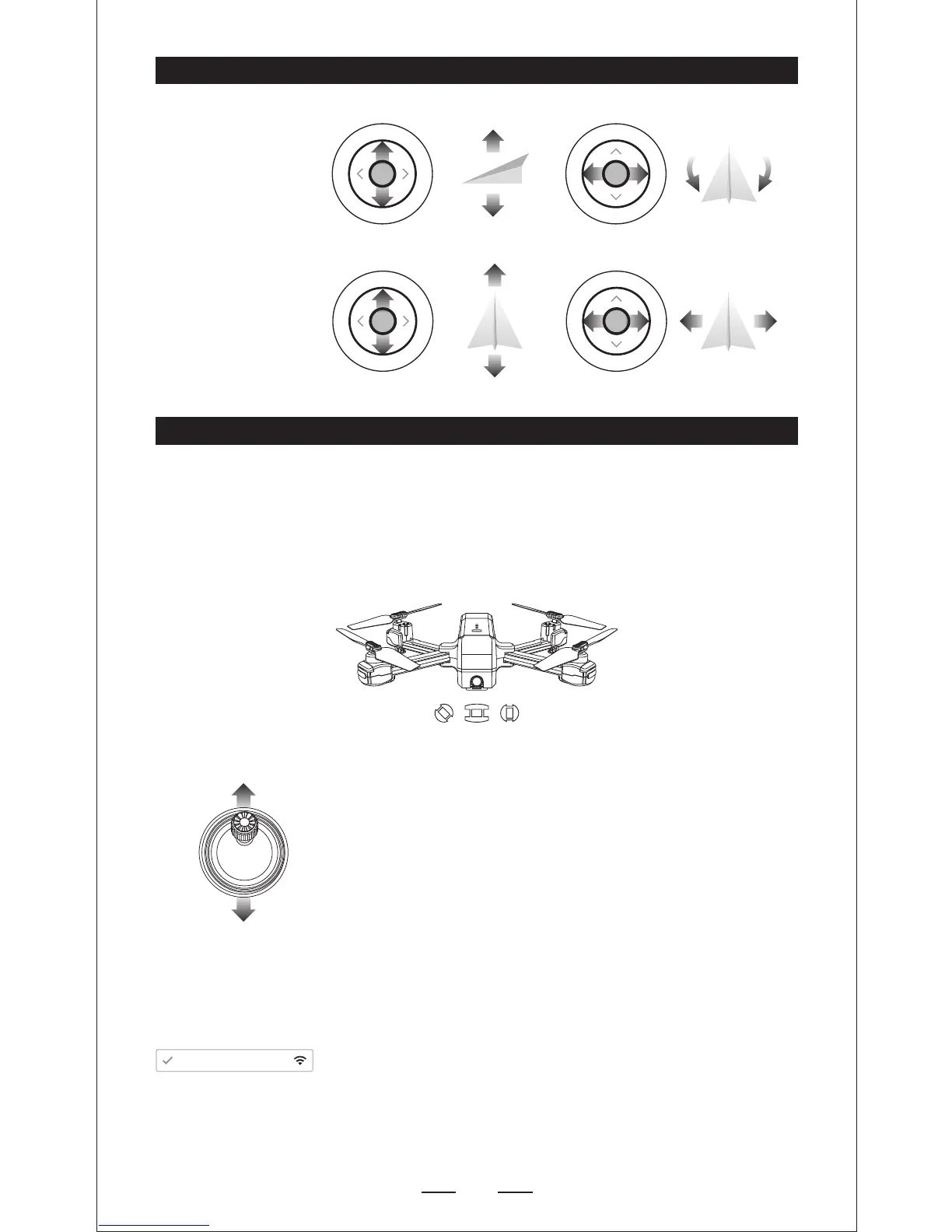
Direction Joystick
T
u
r
n
L
e
f
t
UP
DOWN
T
u
r
n
R
i
g
h
t
F
o
r
w
a
r
d
Left
Right
B
a
c
k
w
a
r
d
FLIGHT
Step 1: Turn on the drone and set down on a level surface
— The drone will auto-trim to this level surface.
— All lights blingking red.
— Power on the transmitter, push the left joystick up then
down to pair with the drone.
— Lights flashing blue (back) and white (front). Paring
successfully.
— NOTE: You connect to the WIFI at this time to view the
current drone on the SJ GPS PRO App,or wait until after
GPS is calibrated.
— Connect your smart phone to the WIFI of Drone and check
the drone’s status on the “SJ-GPS PRO_XXXX APP.


 To Next Page