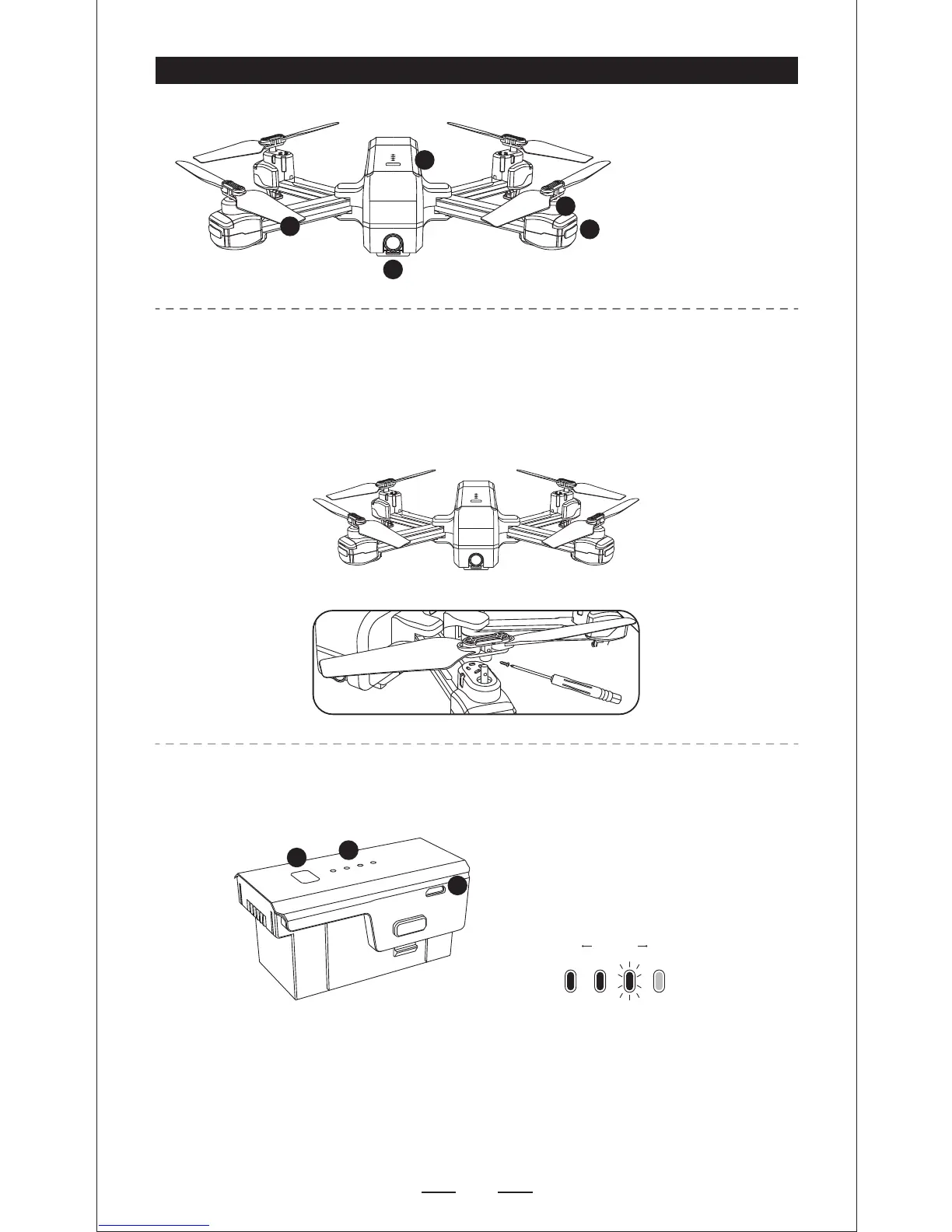
Please note that the letter “A” or “B” is printed on each propeller, and make
sure all the propellers are attached in the correct motor position.
— Short press the power button at once and then long press the power button
to turn on the quadcopter. Long press the power button for 3 seconds to
turn off.
— Once the battery is in a low power state, the blue power indicator will start
flashing. At this time, please fly back the quadcopter immediately and
charge the battery to avoid unnecessary losses.


 To Next Page