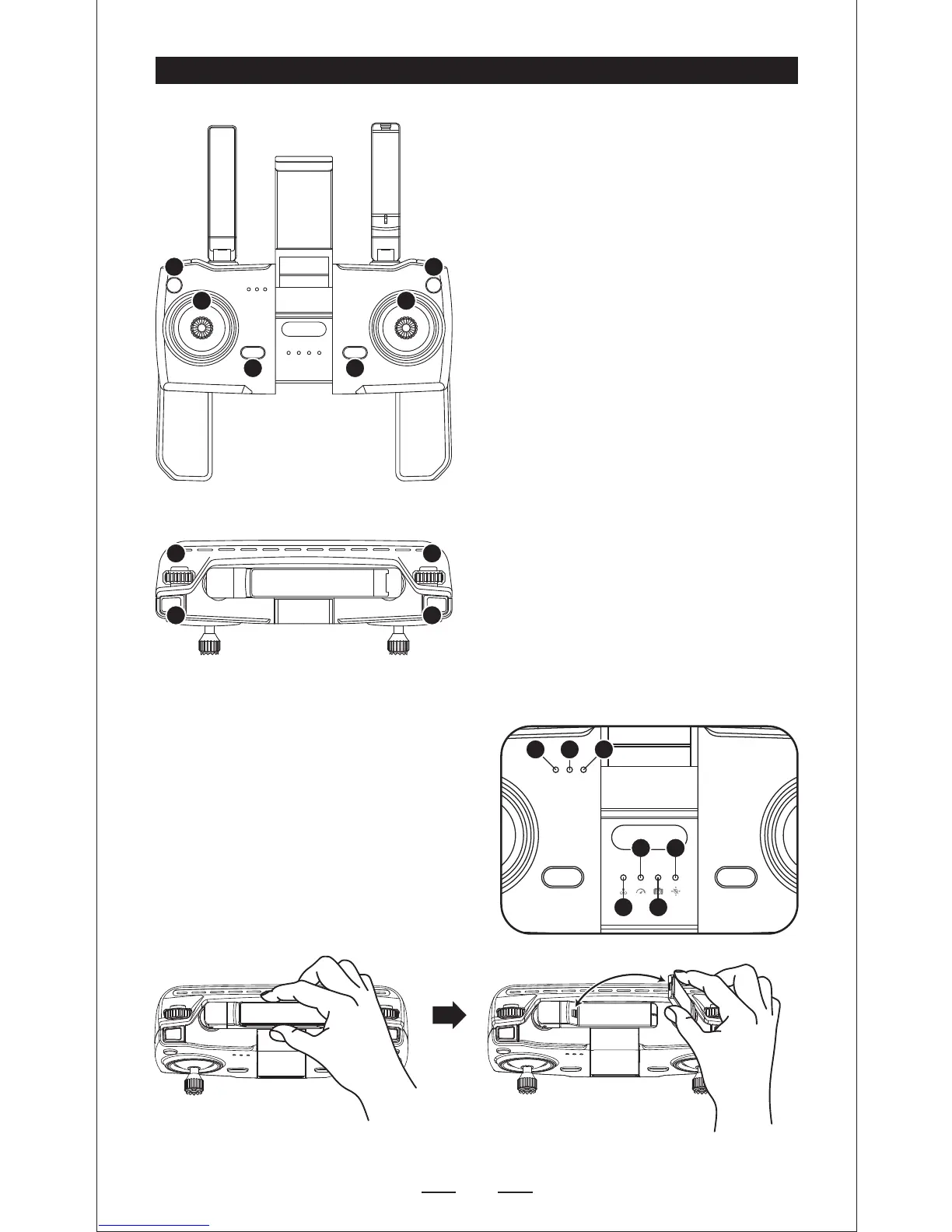
1. Throttle stick
2. Direction stick
3. Click one button Return home
4. Click-"DI"sound-Power on; Press
once, then hold the button for 2
seconds --“DI”sound-- Power off
5. Click Headless mode; Hold the
button for 3 seconds to turn off
GPS mode
6. One button take off with auto
hover; One button landing; Hold
the button for 3 seconds for
Emergency stop
7. Click the button to take photo;
Press the button to enter the trim
mode (Note: No need to trim
under the GPS MODE)
8. Click the button to take video
9. Speed+/Speed-
10. Adjust the angle of camear: Spin
button down: Camera down; Spin
button up: Camera up.
TRANSMITTER FUNCTIONS


 To Next Page