15
6. HEADLESS MODE
1. It defaults the Normal Mode when the quadcopter and remote control are
matched sucessfully, click , enter into Headless mode; click again,
exit the Headless mode.
2. Normal mode: Before take-off, the white lights on the quadcopter where
they are heading is the forward direction.
3. Headless mode: Before take-off, the white lights on the quadcopter where
they are heading is the forward direction .(When the quadcopter rotates in
flight,the flight direction will not be changed).
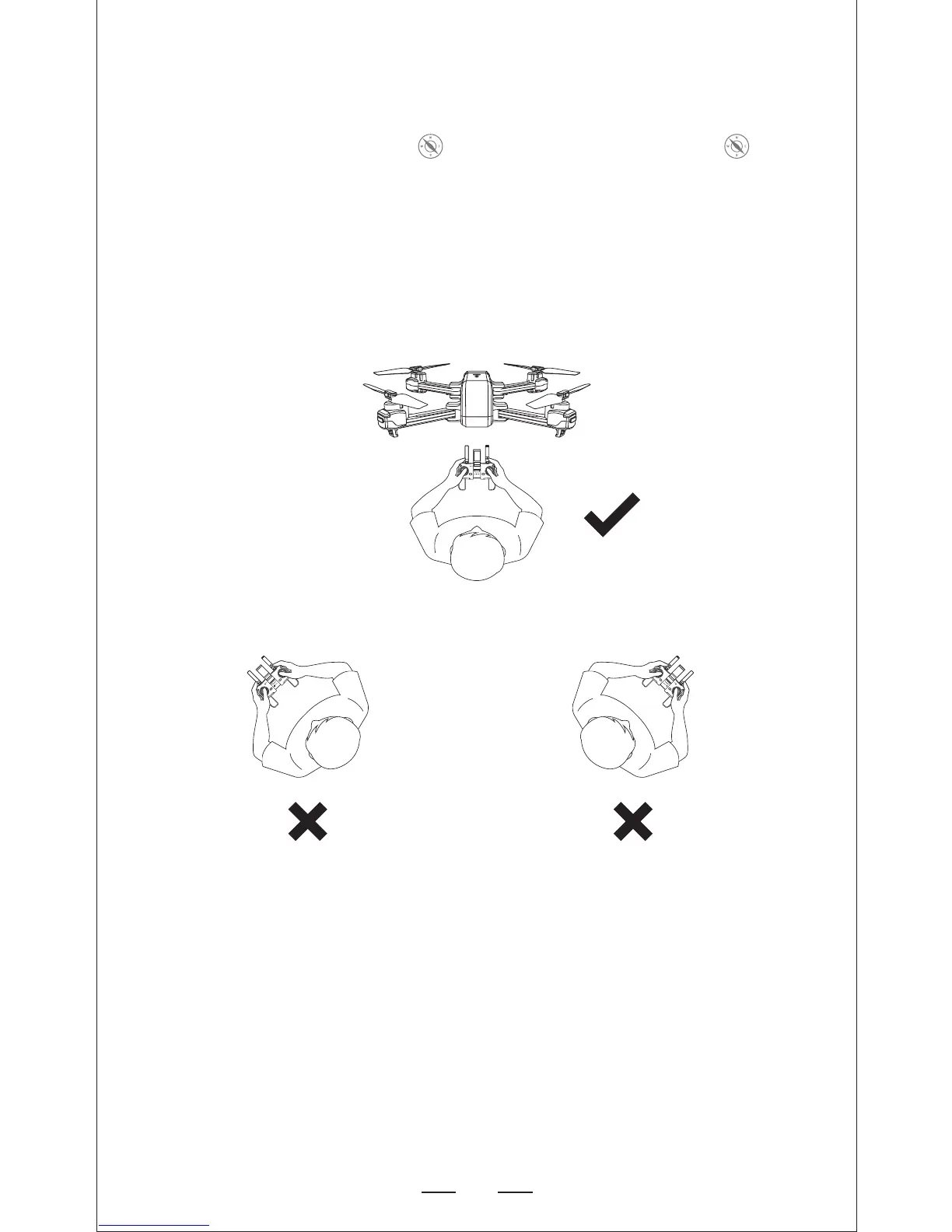
The direction of control when the drone is paired.
Don’t turn your direction. Don’t turn your direction.
Under Headless Mode, the forward direction is the direction the pilot faces
where the pilot pairs the drone with the transmitter. If the pilot pushes the
direction joystick forward the drone will fly forward. If the pilot pushes the
direction joystick backward, the drone will flight towards him/her. If the pilot
moves the right stick left or right, then the drone will also move left or right
relative to you. It is very important that the pilot does not change positions
or the direction he or she is facing because this will cause confusion on the
drone.


 To Next Page