EasyManua.ls Logo

Skipper ESN200 - Inter-unit Connection Settings

Default Icon
61 pages
Print Icon
To Next Page IconTo Next Page
To Previous Page IconTo Previous Page
Loading...
Page 35 of 61
SKIPPER Electronics AS
Edition: 2021.02.17
ESN200 Operation and Installation Manual
Chapter: CONFIG software setup
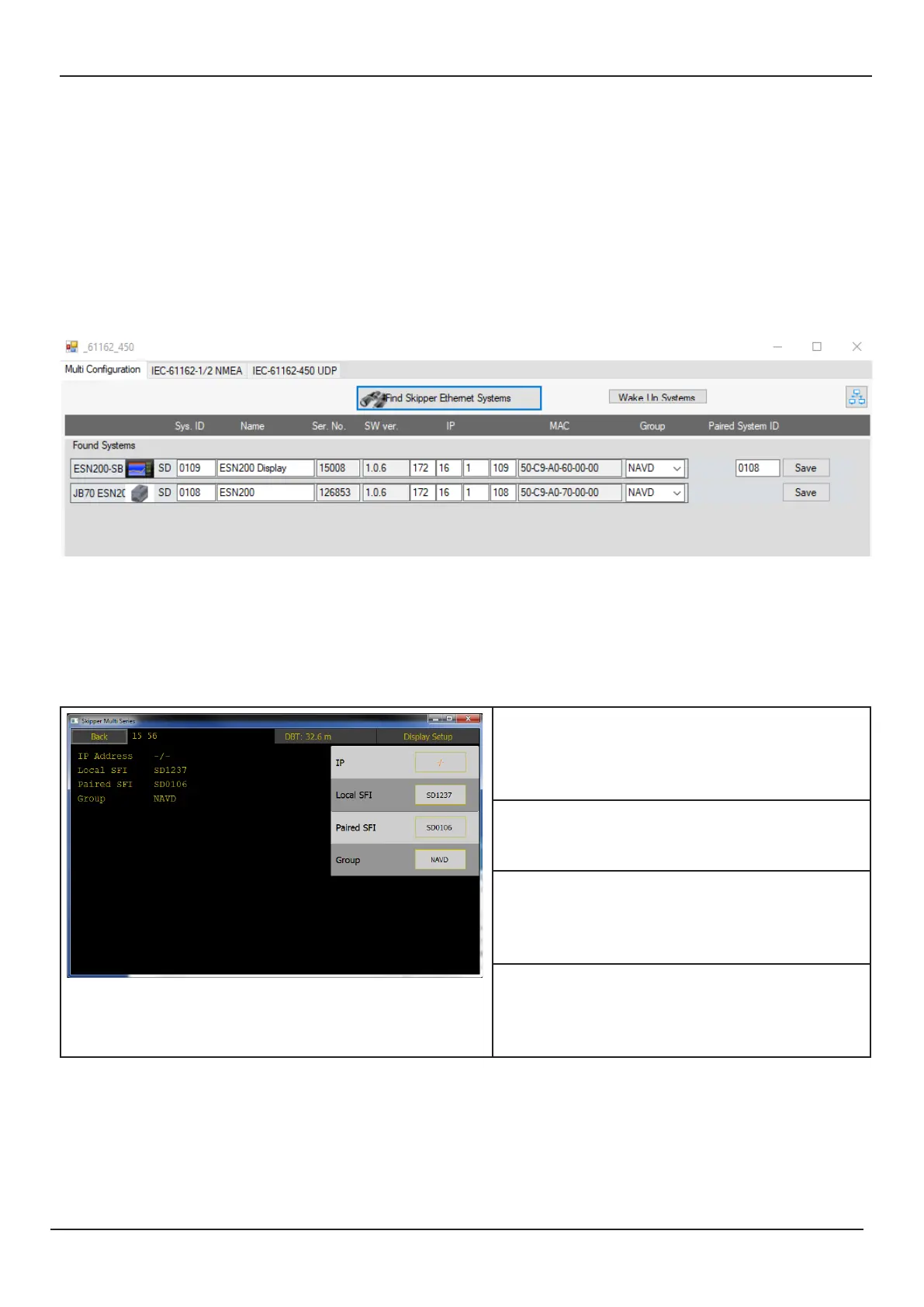
Connection between JB70E2 and Display units
The system is setup to communicate by default. Each unit has an IP address and and SFI. These
󰀨


Service software

system and using the Tools- Com setup option The IP can be changed


Display Unit setup – Network settings


The IP address must be unique for each
unit.

display. If more than one display is in use
󰀨
Paired SFI: The display has to be paired

to have multiple systems on the same net-

Group: The complete system belongs to a


same group

Related product manuals