Media
service
Main menu
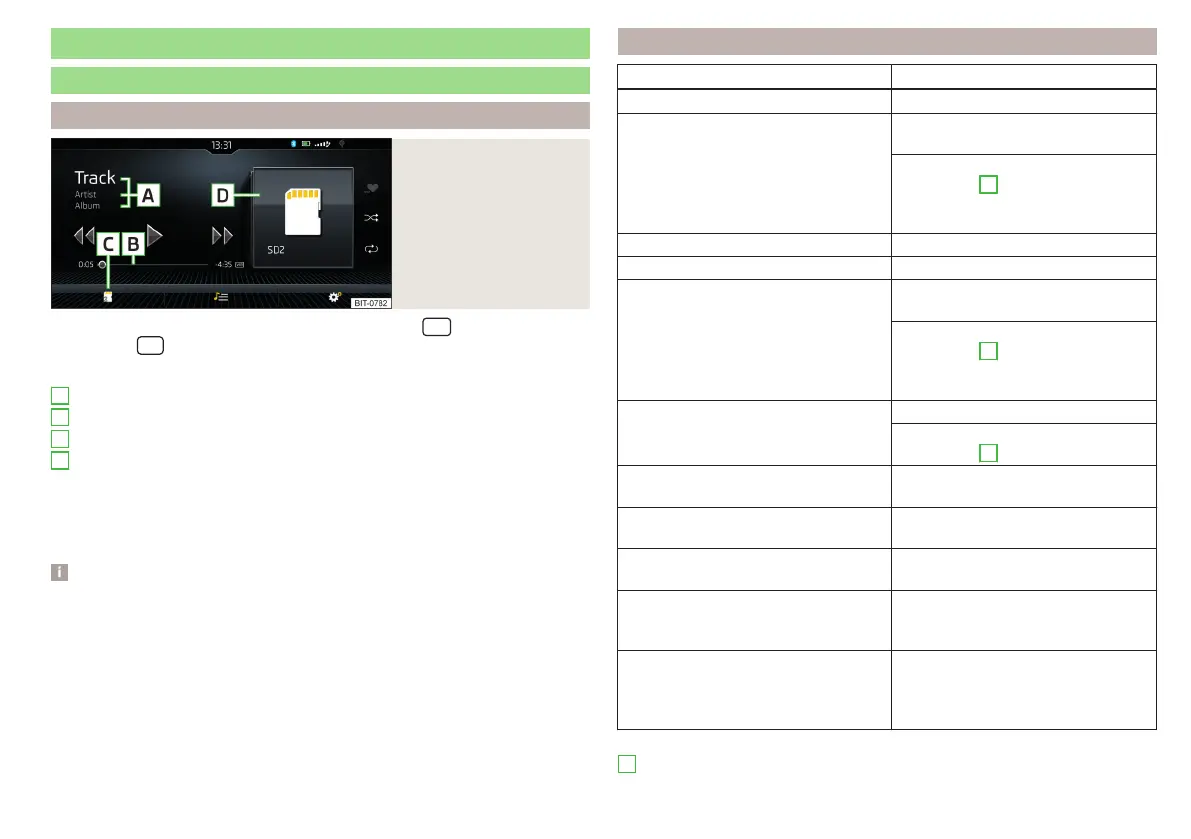
Fig. 189
Media: example display
of the main menu
›
To display the main menu, press the sensor field/the
button.
›
Or tap the
sensor field and then the function surface
.
Main menu » Fig. 189
Information on playing track
Playback timeline with a slider
Select the audio source
Selected audio source / album image / album overview
Depending on the audio source type:
▶
Folder/Title list
▶
Multimedia database
Settings of menu Media » page 137 or » page 143
Note
■
Information concerning the track being played appears on the screen, if it is
stored as a so-called ID3 Tag on the audio source. If no ID3 tag is available, only
the title name is displayed.
■
The remaining playback time indicated does not correspond to the actual re-
maining playback time for titles with variable bitrates.
■
When an audio source is connected or plugged in, the Infotainment Colum-
bus searches the local Gracenote
®
database for information on the track being
played (e.g. album name, artist name, genre, album image etc.). If the informa-
tion is not available and the Infotainment Online » page 17 service is active, In-
fotainment will search for this information in the Gracenote
®
online database.
A
B
C
D
Playback control - Columbus, Amundsen, Bolero
Operation Action
Play / Pause Tap
Plays the current track from the start
Tap after 3 s from the start of the
track playback
Finger movement to the right in
screen area
A
» Fig. 189 on page 147
after 3 seconds from the start of the
track playback
Fast-reverse within the title Press and hold
Fast-forward within the title Press and hold
Play the previous title
Tap within 3 seconds from the
start of the track playback
Finger movement to the right of the
screen area
A
» Fig. 189 on page 147
within 3 s after the start of the track
playback
Play back the next title
Tap
Finger movement to the left of the
screen area
A
» Fig. 189 on page 147
Switch on/off the random playback
from the current album or folder
Tap
Switch on/off the repeat playback
from the current album or folder
Tap
Switch on/off repeat playback of spe-
cific track
Tap
Search (applies to sources with a dis-
playable multimedia database) (applies
to Infotainment Columbus)
Tap
Turn on / off playback of similar tracks
according to information from the so-
called. ID3Tag (applies to Infotainment
Columbus)
Tap
Movement within the track is possible by touching your finger on the timeline
B
» Fig. 189 on page 147.
147
Media















 To Next Page