6
PART I:Installation of the WAVE100i Mount
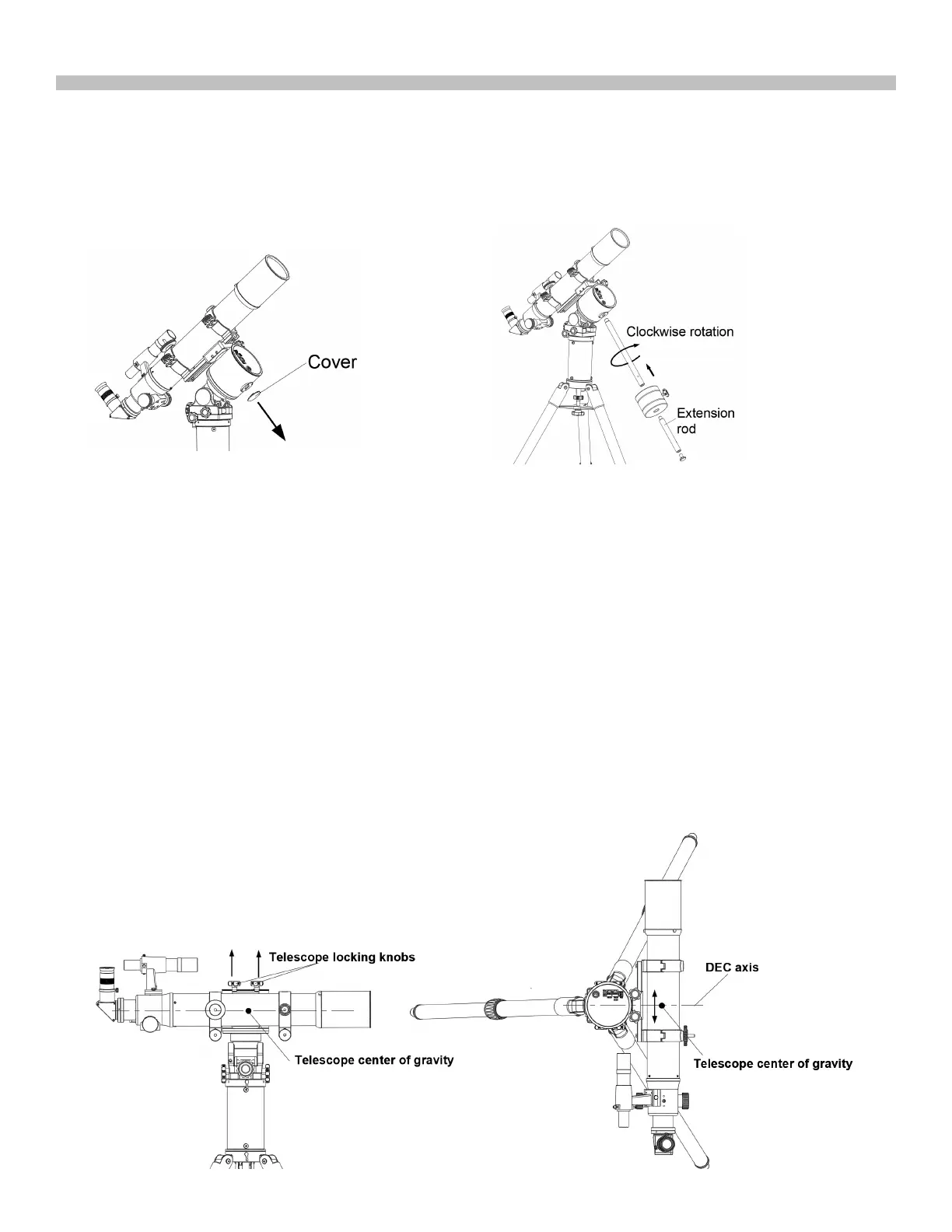
1.4 Install counterweight
Counterweight is optional unless the telescope and accessaries are very heavy.
1. Remove the caps on the mount and keep it in a save plave.
2.
Thread in the counter weight rod, the long one, the short one or both if necessary. Turn clockwise to tighten.
3.Remove the security cap on the rod. Slide the counterweight onto the rod and tighter the locking knob. Threading
in the security cap immediately.
)LJ6b
)LJ6a
1.5 Balance the Payload
The Wave 1
00i mount can support unbalanced payload in both R.A(Azimuth) and declination(altitude) axis.
But balancing(even paritially) the payload can provide the following benefits.
* Higher stability, especially when the supporting area of the tripod is small.
* Less power consumption.
* Higher tracking performance.
)LJ
7
)LJ
6
a
1.5.1Balance in declination/altitude axis
* Use the SynScan Pro app to slew the two axies and level the telescope with the telescope locking knobs on the
upper side.(Fig.7)
* Adjust the position of the telescope (by shifting the dovetail in the clamp or by shifting the telescope in the tube rings)
to maintain balance of the telescope around the DEC axis(Fig.7~Fig.8)
* For tube ring mounting, slide the telescpe in the ring to obtain balance.
* For non-tube ring mounting, keep holding the telescope, slightly loose the two telescope locking knobs and slide the
dovetail bar in the groove to obtain balance and then firmly tighten the two telescope locking knobs.











 To Next Page