PART I:Installation of the WAVE100i Mount
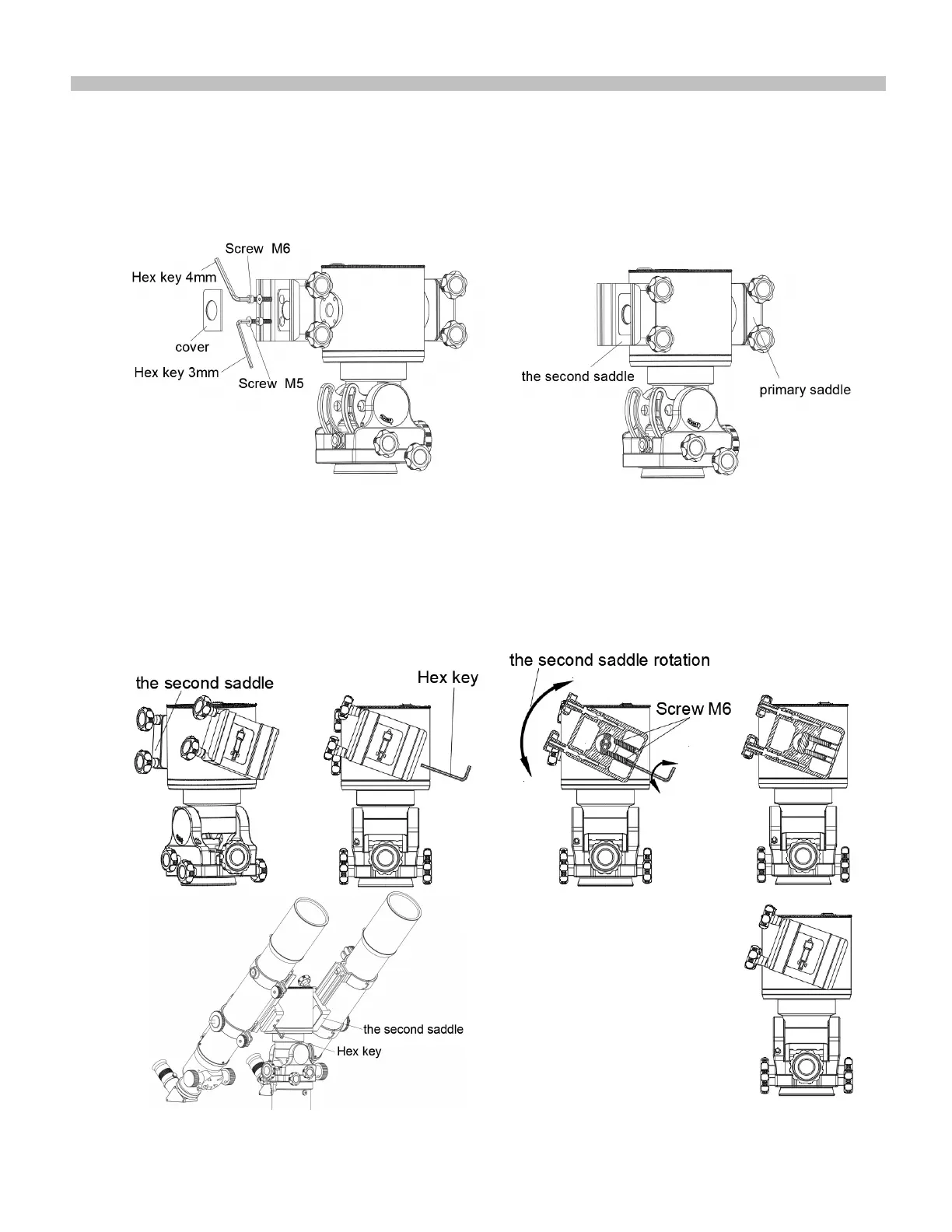
1.6 Install the second saddle(Alt-AZ mode)
1 .Install the second saddle on the mount ,and use a hex key to lock the saddle onto the mount with two allen
countersunk screws M5 and two allen cylindrical head screws M6.
2. Install the cover plate on the saddle.
)LJ10
)LJ11
Dual saddle adjustment
Use a 3mm hex key to adjust the screw M6 on the side of the primary saddle a few times,One is tightened and
the other is loosened,ensuring that the two telescopes are aligned in the same direction and lock the two screws
M6 .
8
)LJ12











 To Next Page