18
Connect
your PC (Windows 7) wirelessly to the internet
6
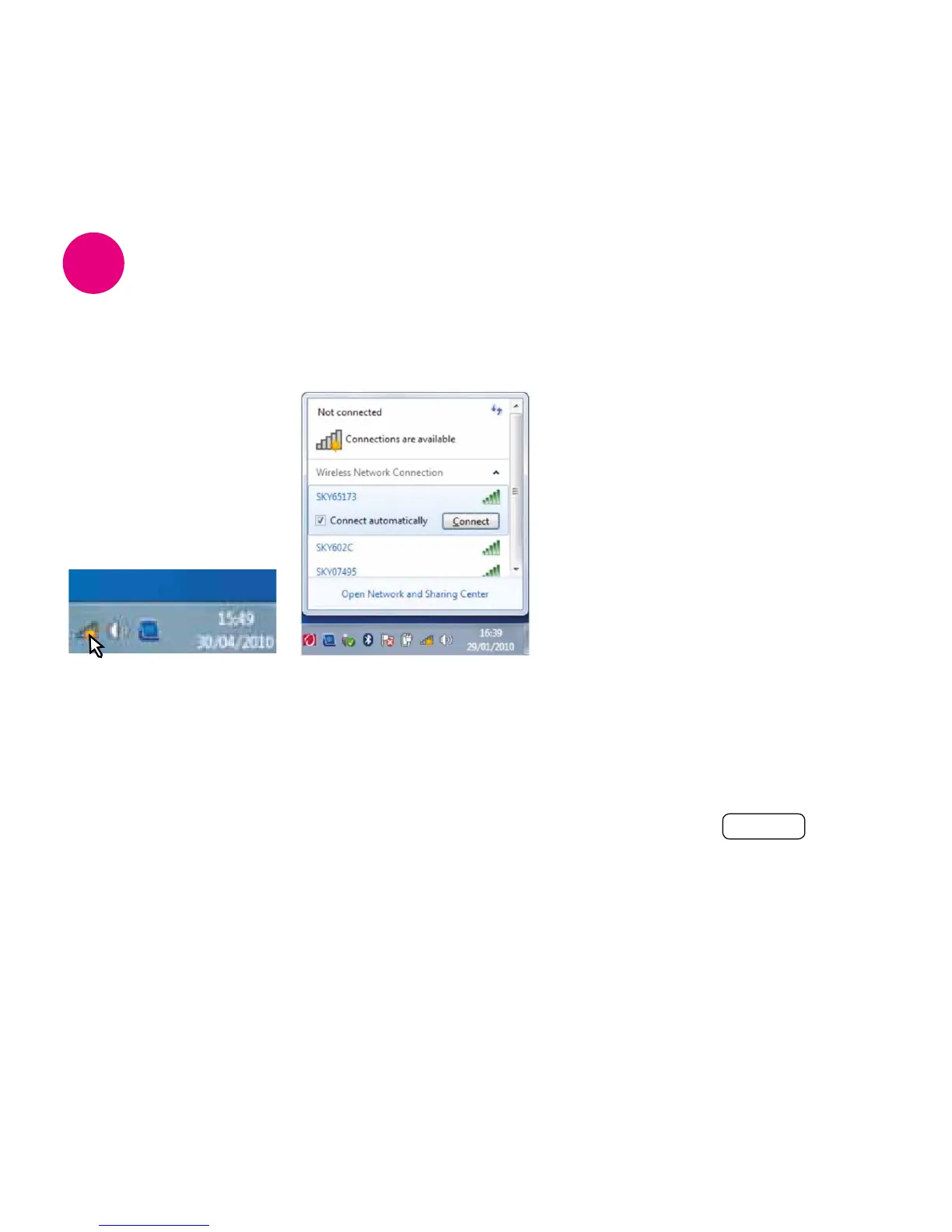
1. Find wireless
networks
• Click on the icon in
the system tray (near
your taskbar clock) to
see available wireless
networks
2. Select your wireless network
• Your Sky Hub’s wireless details should appear in the list of
networks. You can find the name of your wireless network on
the inside lid of your Sky Hub packaging or on the ‘Connect’
card. This is also on the back of your Sky Hub
• Click on your Sky Hub’s network name and click Connect



 To Next Page
 Loading...