13
Skydio Beacon/Beacon+ - Operator Manual © 2021 Skydio, Inc. All rights reserved.
Flying with Beacon/Beacon+
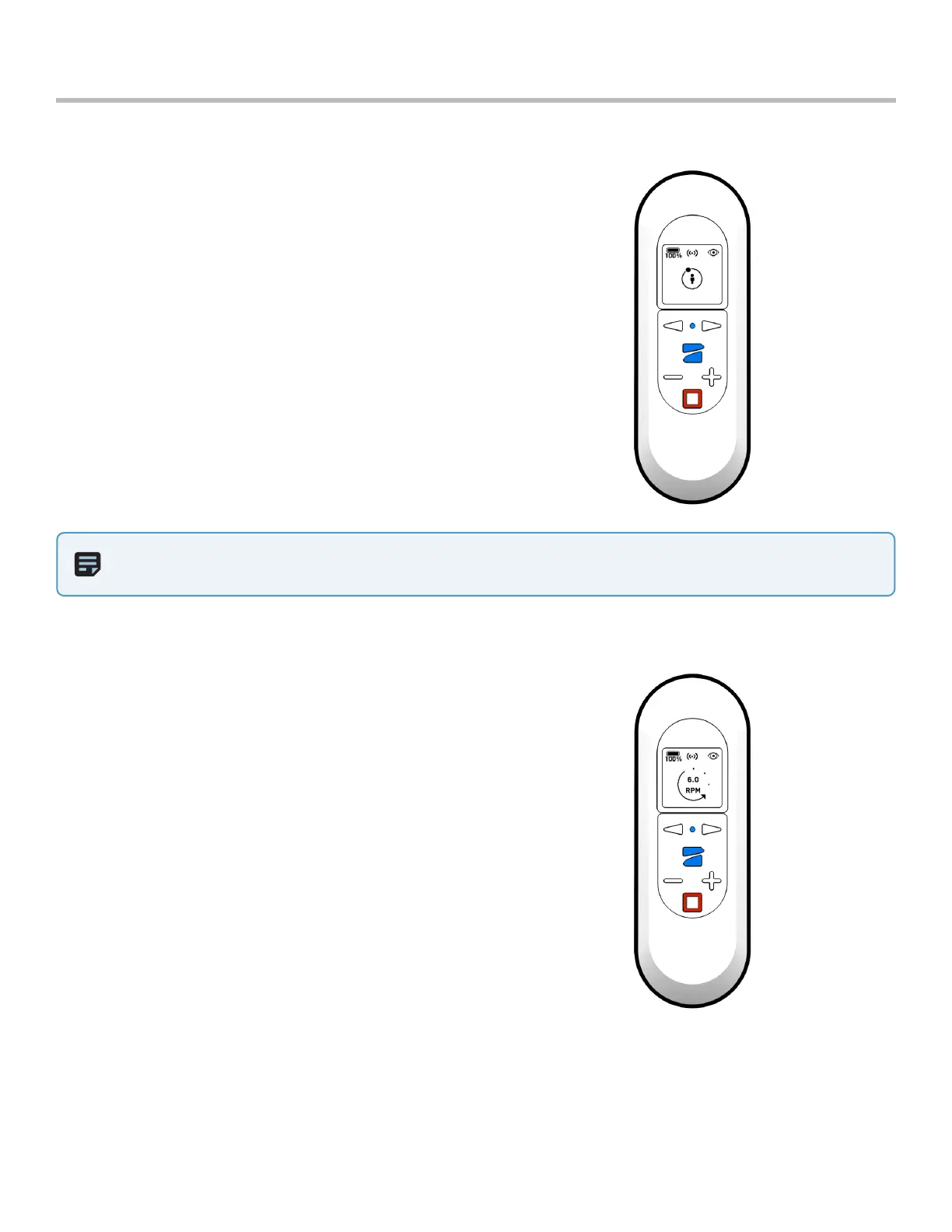
Fixed Track
When tracking a subject, the Fixed Track skill allows you
to set Skydio in a fixed position in relation to the tracked
subject.
Enter the Fixed Track skill by pressing the Stop button,
use the arrows to scroll and select Fixed Track with the
Skydio Button. Once in Fixed Track, you may re-enter
Hover by pressing the Stop button.
To enter Fixed Track:
1. Press the Stop button.
2. Use the Left and Right Arrows to scroll until you see
the Fixed Track skill.
3. Confirm your selection by pressing the Skydio Button.
The Fixed Track skill is ideal for maintaining a fixed
recording angle.
NOTE: When entering the skill, the dot will always start at the top of the ring.
Orbit
Skydio 2/2+ will keep you in the center of the frame
while rotating around in either a clockwise or counter-
clockwise direction.
Change the speed and direction of the orbit using
either the Left and Right Arrows or using the Wand
controls to drag and drop Skydio 2/2+ in the direction
and speed you wish.
To enter Orbit:
1. Press the Stop button.
2. Use the Left and Right Arrows to scroll until you see
the Orbit skill.
3. Confirm your selection by pressing the Skydio Button.


 To Next Page