Rough Terrain Scissors
December 2007 Page 89
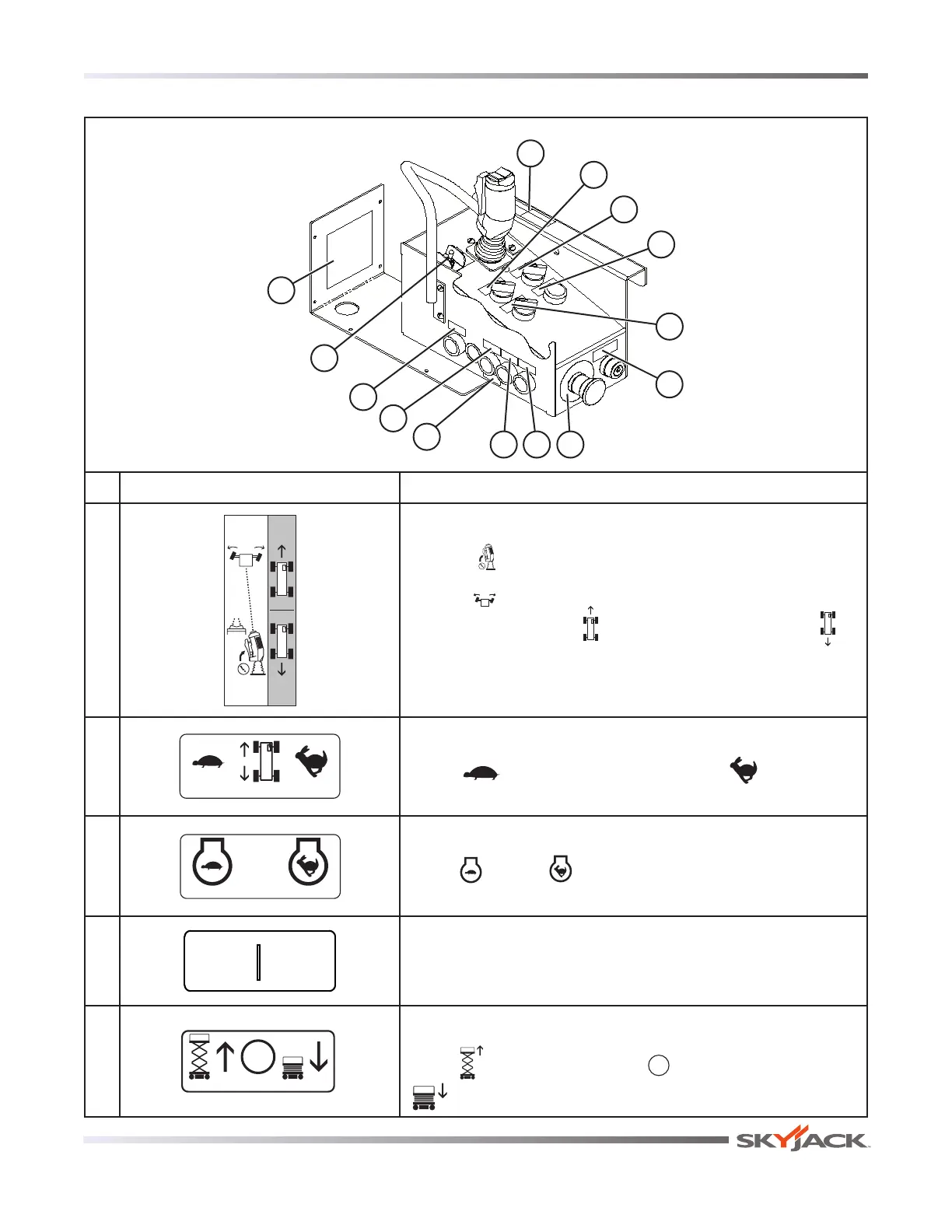
No. Label Pictorial Description
1
Controller Operation
Squeeze “ ” trigger to enable controller.
Operate “ ” rocker switch to steer.
Move controller forward “
” to drive forward or backward “ ”
to drive reverse..
2
Low/High Speed Range
Select “
” for low speed (high torque) or “ ” high
speed (low torque).
3
Low/High Throttle
Select “
” low or “ ” high engine speeds.
4
Power On Indicator
Continuous illumination indicates upper control availability.
5
Raise/Off/Lower Platform
Select “ ” to raise the platform, “ ” to turn power off or
“ ” to lower the platform.
Platform Control Console
2
3
4
1
9 8 7
5
6
14
12
10
11
13






 To Next Page