ITEM
SELECTION DESCRIPTION
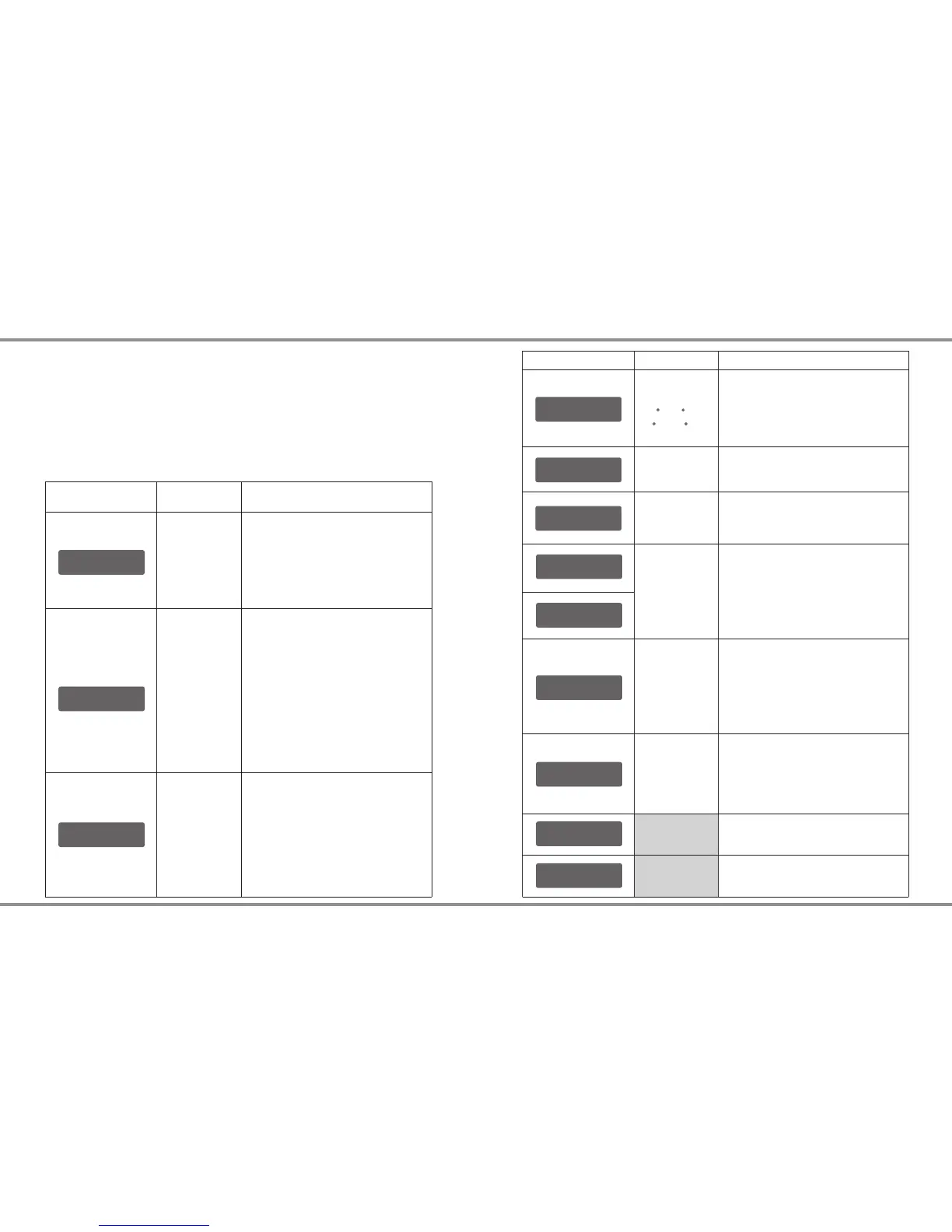
N i MHS e ns i ti v it y
D . Pe a k De f au l t
N i CdS e ns i ti v it y
D . Pe a k De f au l t
Default:
4mV/Cell
5-15mV/Cell
K e y Be e p ON
B u zz e r ON
OFF/ON
The beep sounds at every time
touching the buttons to confirm
your action. The beep or melody
sounded at various times during
operation to alert different mode
changes.
D C I np u t. L o w
C u t- O ff 1 1 .0 V
10.0-11.0V
This program monitors the voltage
of input battery. If the voltage drops
below the value you set the
operation forcibly terminated to
protect the input battery.
L o ad F a ct o ry S e t
E n te r
V e rs i on
H W :1 . 00 F W : 1. 1 0
This program is for NiMH/NiCd
battery only. When the charger
detects the delta peak value
reaches the value you set, the
charger will say the battery is fully
charged.
Press ENTER to load factory
default setting.
It indicates the hardware and
firmware version.
S a fe t y Ti m er
O N 1 20 M in
R e st T i me
C H G> D CH G 1 0M i n
C a pa c it y C ut - Of f
O N 5 00 0 mA H
T e mp e ra t ur e U ni t
C e ls i us
T e mp C u t- O ff
O N 5 0 C 12 2 F
This program sets the maximum
charge capacity that will be
supplied to the battery during
charge. If the delta peak voltage is
not detected nor the safety timer
expired by any reason, this feature
will automatically stop the process
at the selected capacity value.
When you start a charge process,
the integral safety timer
automatically starts running at the
same time. This is programmed to
prevent overcharge the battery if it
proves to be faulty, or if the
termination circuit cannot detect
the battery full. The value for the
safety timer should be generous
enough to allow a full charge of the
battery.
The battery's internal chemical
reaction will cause the temperature
of the battery to rise. If the
temperature limit is reached, the
process will be terminated.
OFF/
ON
(100-50000
mAh)
ITEM
SELECTION DESCRIPTION
OFF/
ON
(1-720 Min)
OFF/
ON
(20 C/68 F -
80 C/176 F)
Celsius
Fahrenheit
1-60Min
A rest time allowing the battery to
cool down between charging/
discharging cycle.
You can choose the temperature
displayed by Celsius or Fahrenheit
as you like.
e660 31 ·e660 · 30
System Setting
It will be operated with the default value of the essential user settings
when it is powered on for the first time.The screen displays the following
information in sequence and the user can change the value of
parameter on each screen.
When you are willing to alter the parameter value in the program, press
START/ENTER to make it blink then change the value with INC or DEC.
The value will be stored by pressing START/ENTER once.
System Setting
D C P OW E R: 6 0 W
C H AR G E PO W ER : 0 W
DC power:
OFF, 10-60W
Charger power:
0-60W
The total power of this device is
60W, When you increase the
power of DC output, the charger
power will be decreased
accordingly. (DC Power + Charger
Power = 60 Watts)


 To Next Page