Internet
Note: To use the Gmate+ internet function, your Android mobile phone requires Root authority (methods
vary with brand models of mobile phone, available by searching online), and disabling of other internet
settings. Internet may be used with or without proxy settings.
Without Proxy:
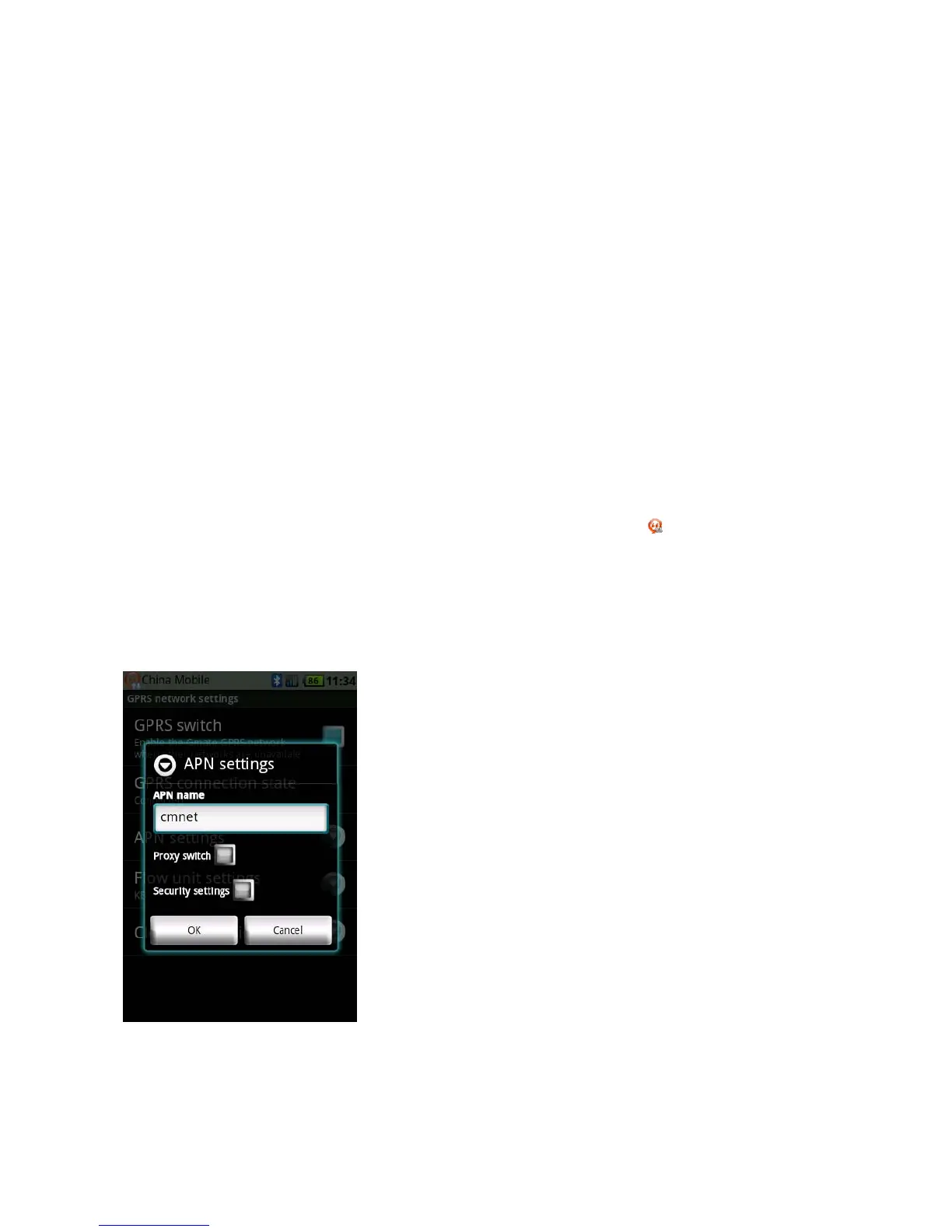
1.SettingsNetworkAPNSettingsAPNname(Your APN Name depends on your SIM card, please
consult with your operator for details); the figure below uses China Mobile as example.
2.SwitchonSettingsGPRSSwitchfromtheclient’smaininterface,aflashing
iconwillappear,once
theiconstopsflashing(indicatingonlinestatus),internetisonlineandavailableforuse.



 To Next Page